How to stop macOS virtual desktops from auto-rearranging
In macOS, virtual desktops, known as Spaces, allow users to organize their applications into separate workspaces. However, by default, macOS automatically rearranges these desktops based on the most recently used one. This feature may be disruptive for users who prefer to maintain a consistent order for their virtual desktops.

Keeping your virtual desktops in a fixed order can improve your workflow by allowing you to quickly access the workspace you need. Disabling the auto-rearrangement of Spaces ensures that your desktops remain in the order you set, preventing any unnecessary confusion or disruptions.
To stop macOS from rearranging your desktops, you can easily adjust the settings in Mission Control. This straightforward configuration change will allow you to keep your virtual desktops in the order you prefer.
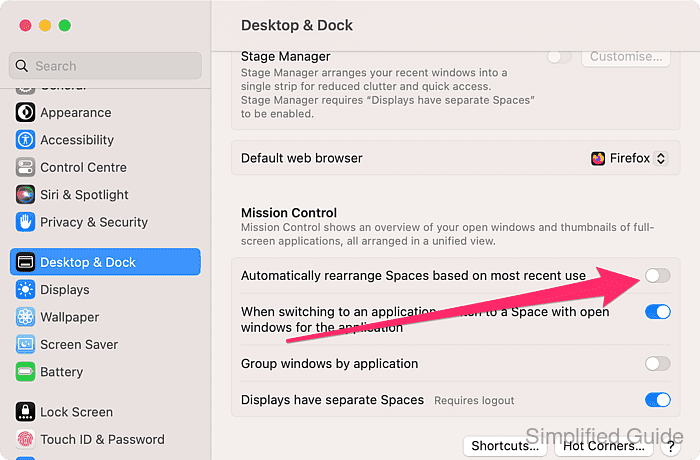
Steps to stop macOS virtual desktops from auto-rearranging:
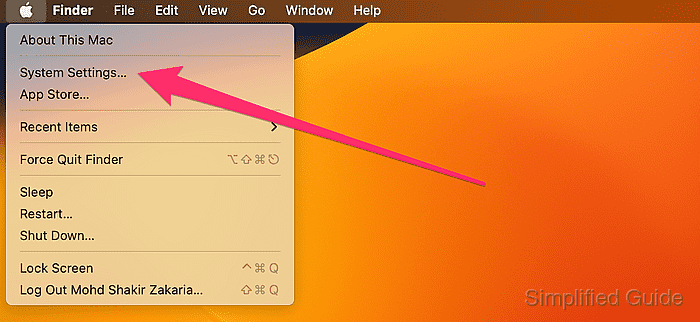
- Open System Settings from the Apple menu.
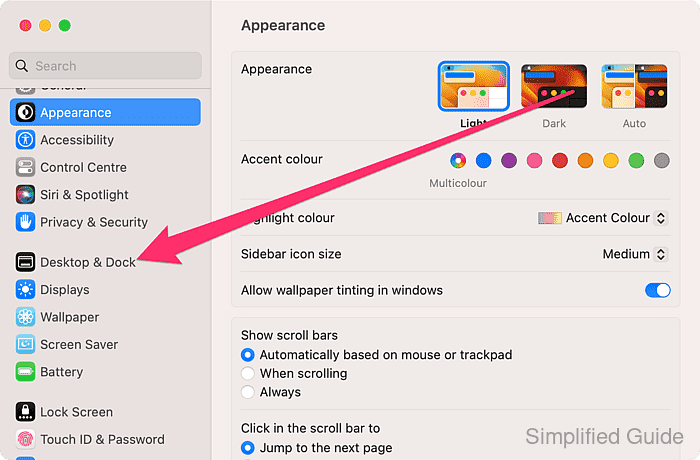
- Click on Desktop & Dock from the sidebar menu.
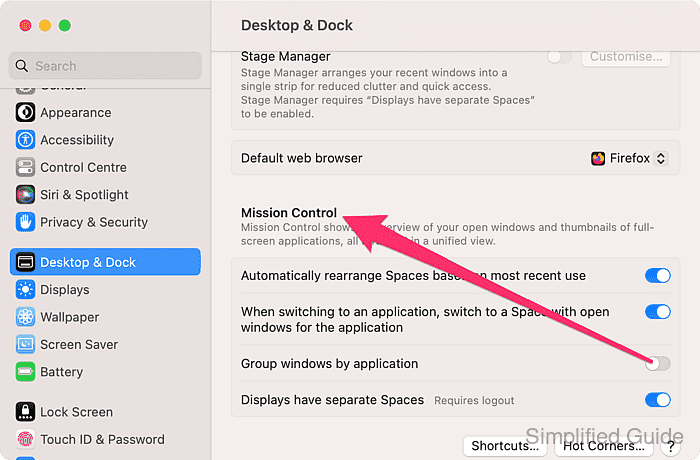
- Scroll down to the Mission Control section.
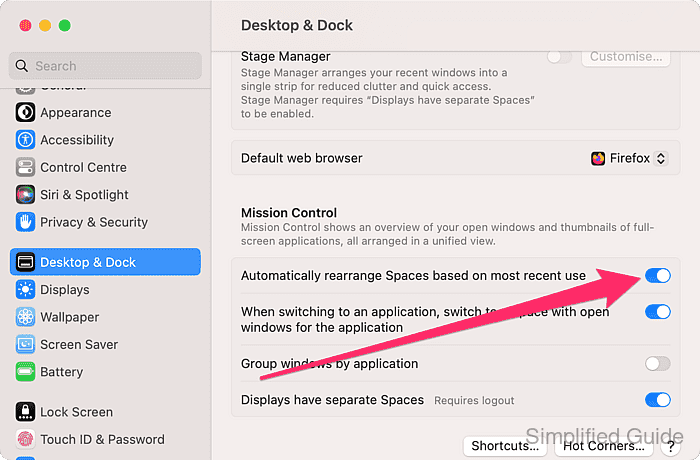
- Toggle the Automatically rearrange Spaces based on most recent use switch to disable the option.
 s
s