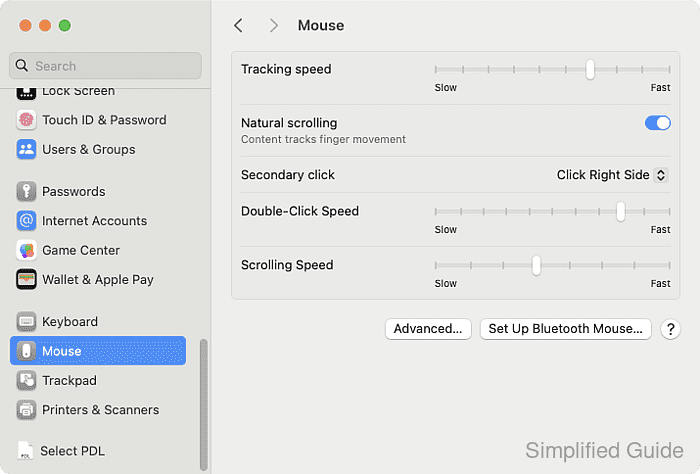
How to enable or disable mouse acceleration in macOS
Mouse acceleration controls how the cursor speed on the screen changes relative to the physical movement of the mouse. When enabled, faster mouse movements result in a faster cursor, while slower movements slow the cursor. Some users prefer a consistent, linear response without acceleration, particularly for tasks requiring precision, such as gaming.
In macOS, mouse acceleration is turned on by default. This setting is designed to create a smoother user experience, but it may not suit everyone. Disabling mouse acceleration can help users who need a predictable and uniform cursor movement.
In the past, adjusting mouse acceleration in macOS required third-party tools SteelSeries ExactMouse Tool or the LinearMouse. Now, the operating system includes a built-in option to enable or disable this feature directly in the System Settings app, making it easier for users to customize their mouse behavior.
Steps to enable or disable mouse acceleration in macOS:
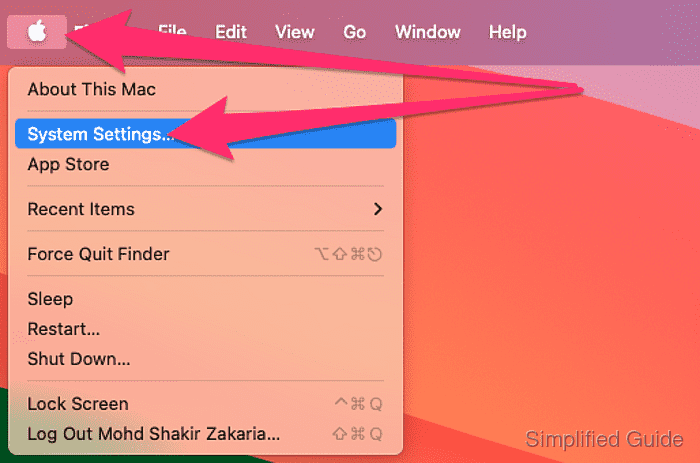
- Open System Settings from the Apple menu at the top left of the screen.
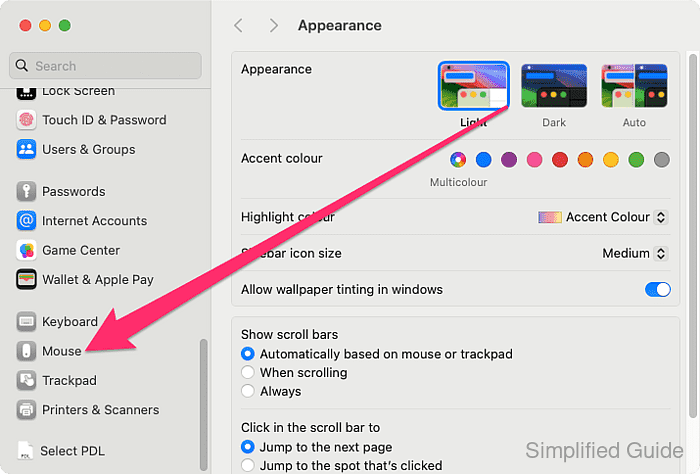
- Open the Mouse settings.
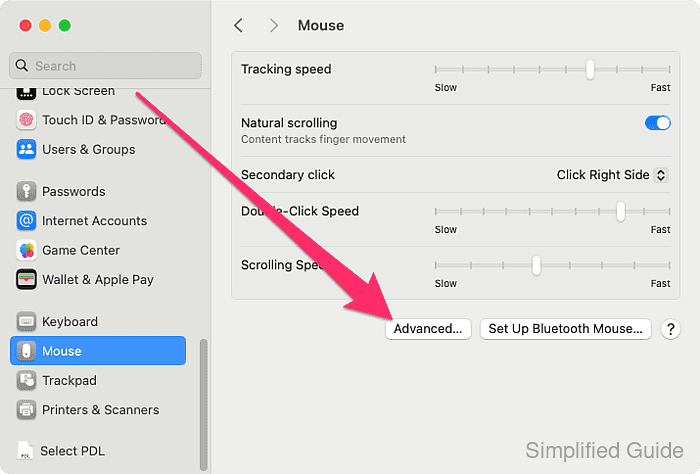
- Click on the Advanced button.
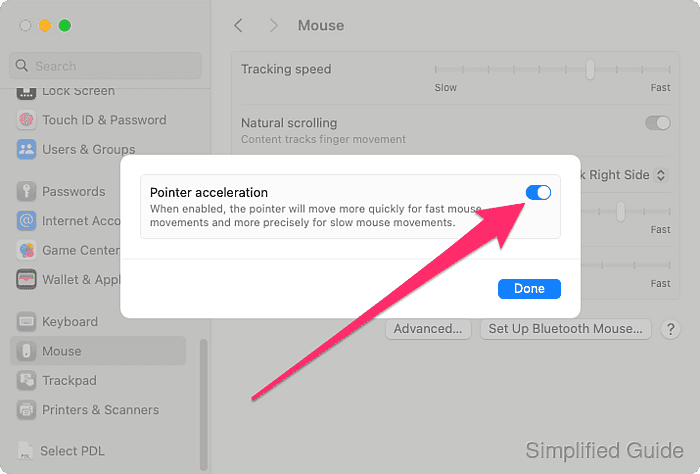
- Toggle the Pointer acceleration option on or off.
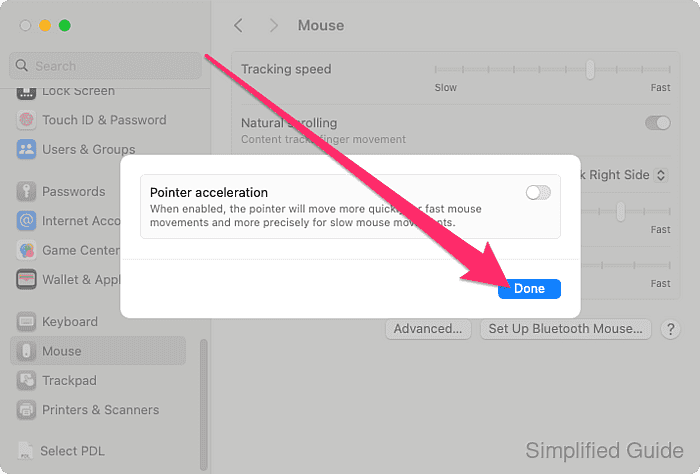
- Click the Done button.
- Test your mouse movement after making the adjustment.