How to enable bash completion in macOS
Bash completion on macOS is not enabled by default, unlike on most Linux distributions. This feature allows users to auto-complete commands and arguments in the terminal, which can significantly improve efficiency. Enabling this feature on macOS requires manual configuration.
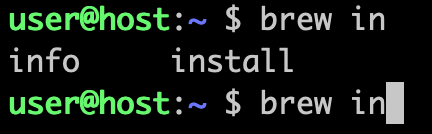
Using Homebrew, a package manager for macOS, you can install and enable bash completion. This process is straightforward but requires a few specific commands and file modifications. These steps ensure that bash completion functions smoothly every time you use the terminal.
By setting up bash completion, you can enhance your command-line workflow on macOS. This setup helps to avoid errors and saves time by reducing the need for typing out full commands and paths.
Steps to enable bash completion in macOS:
- Open the Terminal application.
- Install Homebrew if it is not already installed.
$ /usr/bin/ruby -e "$(curl -fsSL https://raw.githubusercontent.com/Homebrew/install/master/install)"
- Use Homebrew to install bash-completion.
$ brew install bash-completion
- Enable bash-completion manually for the current terminal session.
$ . /usr/local/etc/bash_completion
- Automatically enable bash-completion when launching a new shell session by adding the following lines to ~/.bashrc or ~/.bash_profile.
[ -f /usr/local/etc/bash_completion ] && . /usr/local/etc/bash_completion
- Test the bash completion by typing a command and pressing the Tab key.