How to build llama.cpp from source with CMake
A source build of llama.cpp gives development hosts current upstream binaries when package-manager builds are too old, unavailable, or missing a backend option. CMake is the upstream build path for the project, and it can produce the same llama-cli and llama-server tools used by the packaged installs.
On Ubuntu or Debian, the prerequisite packages provide the compiler, Git, CMake, and HTTPS support libraries. Once equivalent build tools are installed, the CMake configure and build sequence is the same on most Linux distributions.
Start with a CPU build before adding GPU backends. Backend flags such as -DGGML_CUDA=ON require the matching vendor SDK and compiler stack, while the CPU build proves that the source tree, compiler, common library, CLI, and server all build cleanly first.
Related: How to install llama.cpp with conda
Related: How to install llama.cpp with Homebrew
Related: How to run a local GGUF model with llama-cli
Related: How to start the llama.cpp server
Steps to build llama.cpp from source with CMake:
- Open a terminal with sudo privileges.
- Refresh the APT package index.
$ sudo apt-get update
- Install the build dependencies.
$ sudo apt-get install --assume-yes ca-certificates git cmake build-essential pkg-config libcurl4-openssl-dev
Reading package lists...
Building dependency tree...
Reading state information...
##### snipped #####
Setting up cmake (4.2.3-2ubuntu2) ...
Setting up build-essential (12.12ubuntu2.26.04.1) ...
libcurl4-openssl-dev keeps HTTPS model-download and server features available when the built tools use upstream download support.
- Clone the upstream llama.cpp source tree.
$ git clone --depth 1 https://github.com/ggml-org/llama.cpp llama.cpp
Cloning into 'llama.cpp'...
Omit --depth 1 when the checkout needs full project history for development or patch review.
- Enter the source directory.
$ cd llama.cpp
- Configure a release build.
$ cmake -S . -B build -DCMAKE_BUILD_TYPE=Release
-- The C compiler identification is GNU 15.2.0
-- The CXX compiler identification is GNU 15.2.0
##### snipped #####
-- Including CPU backend
-- Found OpenSSL: /usr/lib/aarch64-linux-gnu/libcrypto.so (found version "3.5.5")
-- Build files have been written to: /home/admin/llama.cpp/build
The CPU backend appears in the configure output without a GPU SDK. Add backend-specific CMake options only after the matching driver and development libraries are installed.
- Build the llama-cli and llama-server targets.
$ cmake --build build --config Release --target llama-cli llama-server --parallel 2
[ 96%] Built target llama-common
##### snipped #####
[100%] Built target llama-cli
##### snipped #####
[100%] Built target llama-server
Increase --parallel to match the CPU and memory available on the build host. The build output may also download current web UI assets for llama-server.
- Confirm the llama-cli binary.
$ ./build/bin/llama-cli --version
version: 1 (fdb1db8)
built with GNU 15.2.0 for Linux aarch64
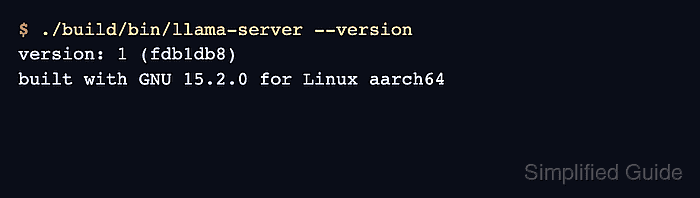
- Confirm the llama-server binary.
$ ./build/bin/llama-server --version
version: 1 (fdb1db8)
built with GNU 15.2.0 for Linux aarch64
The commit, compiler version, and architecture reflect the checkout and build host. A successful source build leaves the runnable binaries under build/bin unless they are installed or copied into another path.