How to run a Hugging Face GGUF model with llama.cpp
GGUF repositories on Hugging Face let llama.cpp fetch model weights by repository name instead of a manually downloaded file path. That path is useful when a model card already publishes quantized files and the first local test should prove both the download path and the inference runtime.
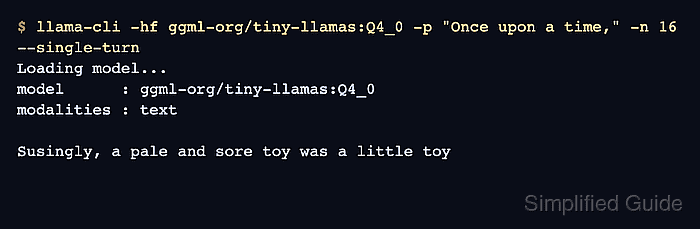
The -hf option points llama-cli at a Hugging Face repository, and a suffix such as :Q4_0 selects a quantization when the repository has a matching GGUF file. A separate -hff file selector is available for repositories that publish several files with names that do not map cleanly to a quantization suffix.
A small public model keeps the first smoke test quick on CPU-only machines. Replace the repository and quantization with the target model, keep the prompt short at first, and set HF_TOKEN in the environment before using a private or gated repository.
Related: Run a local GGUF model with llama.cpp
Related: Run llama.cpp with Docker
Related: Start the llama.cpp server
Steps to run a Hugging Face GGUF model with llama.cpp:
- Choose a Hugging Face repository that contains GGUF files for llama.cpp.
Repository: ggml-org/tiny-llamas
Quantization: Q4_0
Use a quantization that fits the local memory budget. If the model card lists exact filenames instead of quantization labels, use -hff filename.gguf with the -hf repository option.
- Run the model directly from Hugging Face with llama-cli.
$ llama-cli -hf ggml-org/tiny-llamas:Q4_0 -p "Once upon a time," -n 16 --single-turn
Loading model...
model      : ggml-org/tiny-llamas:Q4_0
modalities : text

> Once upon a time,

Susingly, a pale and sore toy was a little toy
--single-turn exits after the first response when a prompt is supplied. Omit it for an interactive terminal session.
- List the cached Hugging Face model entry.
$ llama-cli --cache-list
number of models in cache: 1
   1. ggml-org/tiny-llamas:Q4_0
Recent llama.cpp builds use the standard Hugging Face cache for models fetched with -hf, so the downloaded file can be shared with other compatible Hugging Face tools.
- Run the cached model in offline mode.
$ llama-cli -hf ggml-org/tiny-llamas:Q4_0 --offline -p "Once upon a time," -n 8 --single-turn
Loading model...
model      : ggml-org/tiny-llamas:Q4_0
modalities : text

> Once upon a time,

The sun shone and the sun spark
--offline prevents a network fetch and fails if the selected repository and quantization are not already cached.