How to install llama.cpp with Homebrew
Local model testing with llama.cpp starts with the project binaries that load GGUF files and expose a local inference server. Homebrew provides a package-managed build for macOS and Linux systems, which avoids cloning the source tree when the prebuilt formula matches the host.
The formula name is llama.cpp, while the installed commands are llama-cli and llama-server. Homebrew installs supporting libraries such as ggml and OpenSSL as dependencies and uses bottled packages when one is available for the platform.
Start from a shell where brew already works and the Homebrew prefix is on PATH. This install only places the tools on the system; download or convert a GGUF model before running inference or starting a server that serves real requests.
Related: Install llama.cpp with conda
Related: Run llama.cpp with Docker
Related: Build llama.cpp from source with CMake
Steps to install llama.cpp with Homebrew:
- Open a terminal where Homebrew is available.
- Check the Homebrew command.
$ brew --version
Homebrew 6.0.6
If brew is missing, install Homebrew first and open a new shell that loads its environment.
Related: Install Homebrew on macOS - Update the local Homebrew metadata.
$ brew update
==> Updating Homebrew...
Already up-to-date.
- Install the llama.cpp formula.
$ brew install llama.cpp
==> Fetching downloads for: llama.cpp
##### snipped #####
==> Installing llama.cpp
==> Pouring llama.cpp--9850.arm64_linux.bottle.tar.gz
🍺  /home/linuxbrew/.linuxbrew/Cellar/llama.cpp/9850: 71 files, 31.4MB
==> Running `brew cleanup llama.cpp`...
The formula version and bottle name change as upstream llama.cpp releases. On macOS, the Cellar path normally starts with /opt/homebrew on Apple Silicon or /usr/local on Intel Macs.
- Confirm that Homebrew records the installed package.
$ brew list --versions llama.cpp
llama.cpp 9850
- Confirm that the shell resolves llama-cli from the Homebrew prefix.
$ command -v llama-cli
/home/linuxbrew/.linuxbrew/bin/llama-cli
Common macOS results are /opt/homebrew/bin/llama-cli and /usr/local/bin/llama-cli.
- Verify the llama-cli binary.
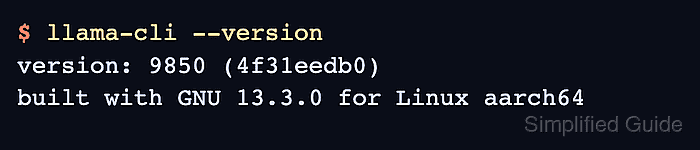
$ llama-cli --version
version: 9850 (4f31eedb0)
built with GNU 13.3.0 for Linux aarch64
The version, commit, compiler, and architecture reflect the current formula and host platform.
- Verify the llama-server binary.
$ llama-server --version
version: 9850 (4f31eedb0)
built with GNU 13.3.0 for Linux aarch64
Add a GGUF model before running inference or starting the API server.
Related: Run a local GGUF model with llama.cpp
Related: Start the llama.cpp server