How to extract zip files in Linux
A .zip archive can unpack into many paths at once, so extracting it directly in the current directory can scatter files or overwrite names that already exist. Previewing the stored paths before writing output keeps a download, backup, or handoff from mixing with unrelated files.
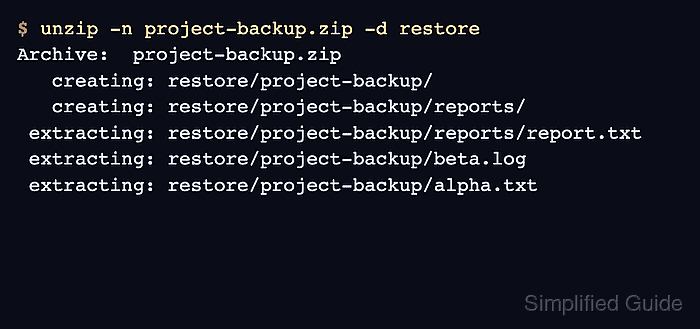
The unzip command can list, test, and extract ZIP members from one archive. By default it recreates archived directories under the current directory; -d chooses another destination, and -n skips entries that already exist instead of prompting or replacing them.
Treat archives from email, chat, or public downloads as untrusted input. A clean restore directory makes the extracted tree easy to review, and encrypted archives should prompt for a password interactively rather than using -P because command-line passwords can be exposed.
Related: Create ZIP archives
Related: Extract 7z files
Related: Extract .tar.gz files
Steps to extract zip files in Linux:
- Check that the file is a ZIP archive.
$ file project-backup.zip
project-backup.zip: Zip archive data, made by v3.0 UNIX, extract using at least v1.0
Install the distro package named unzip if the command is not available. Keep the archive in a normal user-writable working directory unless the destination requires elevated privileges.
- List the archive members before extracting.
$ unzip -l project-backup.zip
Archive:  project-backup.zip
  Length      Date    Time    Name
---------  ---------- -----   ----
        0  2026-06-13 21:27   project-backup/
        0  2026-06-13 21:27   project-backup/reports/
        8  2026-06-13 21:27   project-backup/reports/report.txt
        5  2026-06-13 21:27   project-backup/beta.log
        6  2026-06-13 21:27   project-backup/alpha.txt
---------                     -------
       19                     5 files
The member names are the exact paths unzip restores unless a later command selects only one member.
- Test the archive data before writing files.
$ unzip -t project-backup.zip
Archive:  project-backup.zip
    testing: project-backup/          OK
    testing: project-backup/reports/   OK
    testing: project-backup/reports/report.txt   OK
    testing: project-backup/beta.log   OK
    testing: project-backup/alpha.txt   OK
No errors detected in compressed data of project-backup.zip.
Password-protected archives prompt during this test when encrypted file data must be read.
- Create a dedicated restore directory.
$ mkdir -p restore
- Extract the archive into the restore directory without overwriting existing files.
$ unzip -n project-backup.zip -d restore
Archive:  project-backup.zip
   creating: restore/project-backup/
   creating: restore/project-backup/reports/
 extracting: restore/project-backup/reports/report.txt
 extracting: restore/project-backup/beta.log
 extracting: restore/project-backup/alpha.txt
-n skips existing files. Use -o only when replacing matching destination files is intended.
- Create a destination for a single-member extraction.
$ mkdir -p single
- Extract the exact member path when only one file is needed.
$ unzip -n project-backup.zip project-backup/reports/report.txt -d single
Archive:  project-backup.zip
 extracting: single/project-backup/reports/report.txt
Replace project-backup/reports/report.txt with a member name from the earlier unzip -l listing.
- Verify the restored directory tree.
$ find restore -maxdepth 3 -print
restore
restore/project-backup
restore/project-backup/reports
restore/project-backup/reports/report.txt
restore/project-backup/beta.log
restore/project-backup/alpha.txt