How to remove a swap partition in Linux
Removing a swap partition in Linux frees a disk partition that the kernel may still use for memory paging. The risky part is not swapoff alone; the persistent boot entry and partition table also need to stop pointing at the same block device before that space is reused.
swapon lists swap areas active in the running kernel, and lsblk maps a swap partition to its parent disk, partition number, and UUID. Persistent activation usually comes from /etc/fstab, while parted removes the partition entry after the swap area is disabled.
Check memory pressure before running swapoff because pages stored on that swap partition must move back into RAM or another swap area. A stale /etc/fstab entry can delay or interrupt boot, and a system configured for hibernation may also reference the old swap UUID, so update that resume setting separately before deleting the partition.
Steps to remove a swap partition in Linux:
- List active swap areas and identify the partition row.
$ swapon --show
NAME          TYPE      SIZE USED PRIO
/var/lib/swap file        4G   0B   -2
/dev/sdb2     partition 254M   0B   -3
Rows with TYPE set to partition are block-device swap areas. Rows with file belong to the swap-file cleanup path.
Related: How to check swap memory usage in Linux - Check memory and swap usage before disabling the partition.
$ free -h
               total        used        free      shared  buff/cache   available
Mem:            11Gi       904Mi       7.4Gi        29Mi       3.7Gi        10Gi
Swap:          4.2Gi          0B       4.2Gi
If the used value on the Swap line is close to the target partition size, reduce memory load or keep another swap area active before running swapoff.
- Map the swap partition to its disk, partition number, and UUID.
$ lsblk --fs --output NAME,PATH,FSTYPE,UUID,MOUNTPOINTS /dev/sdb
NAME PATH      FSTYPE UUID                                 MOUNTPOINTS
sdb  /dev/sdb
sdb1 /dev/sdb1 ext4   064e84d3-b7e4-45d0-89ba-6b28df345687
sdb2 /dev/sdb2 swap   e4bea310-a336-49e6-9695-cb9474ecb633 [SWAP]
Use the parent disk path, such as /dev/sdb or /dev/nvme1n1, with parted. Use the partition path, such as /dev/sdb2 or /dev/nvme1n1p2, with swapoff.
- Back up /etc/fstab before changing boot-time swap configuration.
$ sudo cp /etc/fstab /etc/fstab.bak
A wrong /etc/fstab edit can create boot-time errors. Keep the backup until the system has restarted cleanly.
- Locate the persistent entry for the target swap partition.
$ grep e4bea310-a336-49e6-9695-cb9474ecb633 /etc/fstab
UUID=e4bea310-a336-49e6-9695-cb9474ecb633 none swap sw 0 0
If the UUID search returns no row, search for the exact partition path shown by lsblk before editing.
- Disable the target swap partition.
$ sudo swapoff /dev/sdb2
swapoff returns no output when deactivation succeeds. It can fail if the system does not have enough RAM or remaining swap for pages stored on that partition.
- Confirm the target partition is no longer active.
$ swapon --show
NAME          TYPE SIZE USED PRIO
/var/lib/swap file   4G   0B   -2
The target partition path should no longer appear. Other swap files or partitions can remain enabled.
- Remove only the target swap line from /etc/fstab.
$ sudoedit /etc/fstab
/var/lib/swap none swap defaults 0 0
Leave unrelated swap entries in place if they should continue to activate at boot.
- Reload systemd generated units after editing /etc/fstab.
$ sudo systemctl daemon-reload
systemd generates swap units from /etc/fstab. Skip this step on non-systemd systems.
- Delete the swap partition entry from the disk partition table.
$ sudo parted /dev/sdb --script rm 2
Replace /dev/sdb and 2 with the parent disk and partition number confirmed earlier. This removes the partition-table entry; recoverable data or reuse planning should happen before this command.
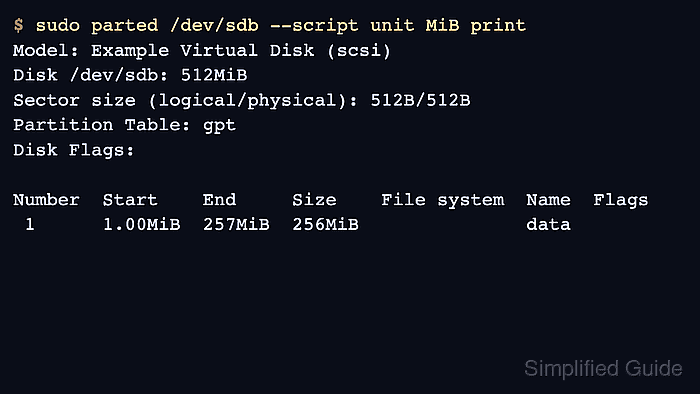
- Verify that the partition table no longer lists the removed partition.
$ sudo parted /dev/sdb --script unit MiB print
Model: Example Virtual Disk (scsi)
Disk /dev/sdb: 512MiB
Sector size (logical/physical): 512B/512B
Partition Table: gpt
Disk Flags:

Number  Start    End     Size    File system  Name  Flags
 1      1.00MiB  257MiB  256MiB               data
On MBR disks, deleting a logical partition can renumber higher logical partitions. Update any configuration that references those partition numbers.
- Confirm /etc/fstab no longer references the removed swap UUID.
$ grep e4bea310-a336-49e6-9695-cb9474ecb633 /etc/fstab
No output means the persistent swap entry for that UUID has been removed.