How to remove a swap file in Linux
Removing a swap file in Linux is a storage cleanup task that also changes memory fallback behavior. The file may look like an ordinary disk file, but while it is active the kernel can page memory to it, so deletion must wait until the swap area is disabled and its boot entry is removed.
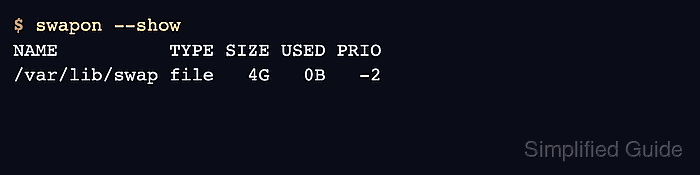
Active swap areas are listed with swapon using --show, while persistent swap activation is commonly controlled by /etc/fstab. A swap file entry names the absolute file path and uses swap as the filesystem type. Removing the file cleanly means identifying the exact path, checking memory pressure, running swapoff, deleting the matching /etc/fstab line, and then removing the inactive file.
If the system is already using swap, swapoff has to move those pages back into RAM before it can finish. Systems with limited free memory can stall or kill processes during that move, so reduce memory load or keep another swap area active before removing a heavily used swap file. File-specific cleanup should not be used for swap partitions; use the partition-specific workflow for block devices.
Steps to remove a swap file in Linux:
- List active swap areas and identify the file path.
$ swapon --show
NAME               TYPE SIZE USED PRIO
/var/lib/swap      file   4G   0B   -2
/mnt/data/swapfile file  64M   0B   -3
Rows with TYPE set to file are swap files. Rows with partition belong to a different removal path.
Related: How to check swap memory usage in Linux - Check memory and swap usage before disabling the file.
$ free -h
               total        used        free      shared  buff/cache   available
Mem:            11Gi       904Mi       7.4Gi        29Mi       3.7Gi        10Gi
Swap:          4.0Gi          0B       4.0Gi
If the used value on the Swap line is close to the target swap file size, reduce memory load before running swapoff.
- Disable the target swap file.
$ sudo swapoff /mnt/data/swapfile
swapoff returns no output when deactivation succeeds. It can fail when the system does not have enough RAM to absorb pages currently stored in that swap area.
- Confirm the target file is no longer active.
$ swapon --show
NAME          TYPE SIZE USED PRIO
/var/lib/swap file   4G   0B   -2
The target path should no longer appear. Other swap rows can remain enabled.
- Back up /etc/fstab before editing persistent swap configuration.
$ sudo cp /etc/fstab /etc/fstab.bak
A wrong /etc/fstab edit can create boot-time errors, especially if an entry points to a deleted file.
- Locate the persistent swap entry.
$ grep /mnt/data/swapfile /etc/fstab
/mnt/data/swapfile none swap defaults 0 0
- Remove only the line that names the target swap file.
$ sudoedit /etc/fstab
/var/lib/swap none swap defaults 0 0
Leave unrelated swap entries in place if they should continue to activate at boot.
- Reload systemd's generated units when the host uses systemd.
$ sudo systemctl daemon-reload
systemd generates swap units from /etc/fstab. Skip this step on non-systemd systems.
- Delete the inactive swap file.
$ sudo rm /mnt/data/swapfile
Confirm the path before deleting the file. Removing the wrong path can delete unrelated data.
- Check that /etc/fstab no longer references the deleted file.
$ grep /mnt/data/swapfile /etc/fstab
No output means the persistent swap entry has been removed.
- Confirm that the swap file path no longer exists.
$ stat /mnt/data/swapfile
stat: cannot statx '/mnt/data/swapfile': No such file or directory