How to create and add a swap file in Linux
A swap file gives a Linux system extra paging space when memory bursts exceed physical RAM. It is useful on virtual machines, cloud instances, and existing servers where repartitioning the disk would be disruptive.
The kernel can use a regular file as swap only after the file has allocated disk blocks, restrictive permissions, swap metadata from mkswap, and runtime activation through swapon. Adding the same path to /etc/fstab keeps the swap file available after reboot.
Create the file on a local filesystem with enough free space. The dd method avoids sparse holes that swapon rejects, while Btrfs paths still need no-copy-on-write handling and single-device constraints before a swap file can be activated.
Steps to add a swap file in Linux:
- List active swap areas before adding another one.
$ swapon --show
NAME      TYPE SIZE USED PRIO
/swap.img file   1G   0B   -2
If no swap area is active, the command returns no rows.
- Confirm that the target filesystem has enough free space.
$ df --human-readable /
Filesystem      Size  Used Avail Use% Mounted on
/dev/vda2        40G   12G   26G  32% /
- Create a zero-filled 2 GiB swap file.
$ sudo dd if=/dev/zero of=/swapfile bs=1M count=2048
2048+0 records in
2048+0 records out
2147483648 bytes (2.1 GB, 2.0 GiB) copied, 0.969501 s, 2.2 GB/s
The count value is the size in MiB when bs=1M is used. Change 2048 to match the size required by the host.
- Restrict access to the swap file.
$ sudo chmod 600 /swapfile
- Confirm the file size and permissions.
$ ls -lh /swapfile
-rw------- 1 root root 2.0G Jun 13 20:55 /swapfile
- Write swap metadata to the file.
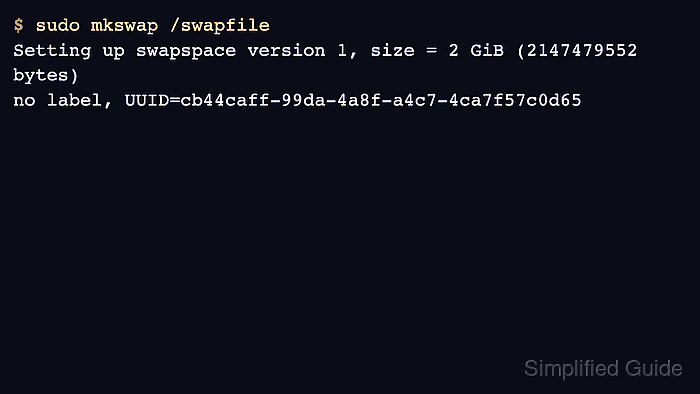
$ sudo mkswap /swapfile
Setting up swapspace version 1, size = 2 GiB (2147479552 bytes)
no label, UUID=cb44caff-99da-4a8f-a4c7-4ca7f57c0d65
mkswap prepares the file for paging but does not activate it.
- Enable the swap file for the running system.
$ sudo swapon /swapfile
The command returns no output when activation succeeds. Errors about holes or unsupported extents usually point to a sparse file or filesystem-specific swap-file restrictions.
- Verify that the kernel is using the swap file.
$ swapon --show
NAME       TYPE SIZE USED PRIO
/swap.img  file   1G   0B   -2
/swapfile  file   2G   0B   -3
- Back up /etc/fstab before making the activation persistent.
$ sudo cp /etc/fstab /etc/fstab.bak
An incorrect /etc/fstab line can interrupt boot until the file is repaired from rescue access.
- Append the swap file entry to /etc/fstab.
$ echo '/swapfile none swap sw 0 0' | sudo tee -a /etc/fstab
/swapfile none swap sw 0 0
- Reload systemd when the host uses it and the new /etc/fstab entry must be checked immediately.
$ sudo systemctl daemon-reload
systemd turns /etc/fstab swap entries into generated swap units. Reloading the manager avoids stale generated unit state after the edit.
- Ask swapon to load swap entries from /etc/fstab.
$ sudo swapon --all
No output means the configured swap entries were accepted or were already active.
- Confirm that the persistent entry remains in /etc/fstab.
$ grep '/swapfile' /etc/fstab
/swapfile none swap sw 0 0