How to show shared library dependencies in Linux
A program that stops with an error about loading shared libraries usually needs a missing or unreachable .so file, not a shell syntax fix. Showing the shared library dependencies before changing packages or search paths identifies the exact library name, the resolved path when one exists, and the point where the dynamic loader stops.
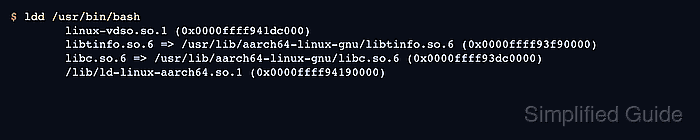
ldd asks the dynamic loader to trace the shared objects for a trusted ELF executable or shared object. Lines with ⇒ show the required library name and the file selected by the loader, while not found marks a dependency recorded in the binary but missing from the active search rules.
Use readelf or objdump for binaries from untrusted sources because ldd can run loader-controlled code on some inputs. Direct ELF metadata only shows entries such as NEEDED libraries, while ldd remains the better check for a trusted binary when runtime search paths and transitive dependencies matter.
Steps to show shared library dependencies in Linux:
- Run ldd on the trusted executable or shared object.
$ ldd /usr/bin/bash
	linux-vdso.so.1 (0x0000ffff941dc000)
	libtinfo.so.6 => /usr/lib/aarch64-linux-gnu/libtinfo.so.6 (0x0000ffff93f90000)
	libc.so.6 => /usr/lib/aarch64-linux-gnu/libc.so.6 (0x0000ffff93dc0000)
	/lib/ld-linux-aarch64.so.1 (0x0000ffff94190000)
Replace /usr/bin/bash with the binary, plugin, or shared object being inspected. A resolved line shows the library name on the left and the selected file path on the right.
- Check the output for unresolved libraries.
$ ldd /opt/report/bin/report-runner
	linux-vdso.so.1 (0x0000ffffbbe07000)
	libreportcore.so.3 => not found
	libc.so.6 => /usr/lib/aarch64-linux-gnu/libc.so.6 (0x0000ffffbbbc0000)
	/lib/ld-linux-aarch64.so.1 (0x0000ffffbbdc0000)
Do not copy a random .so file into a system library directory to make this line disappear. Install the package that owns the library, restore the application bundle, or fix the intended loader search path for that application.
- Re-run ldd after restoring the missing dependency.
$ ldd /opt/report/bin/report-runner
	linux-vdso.so.1 (0x0000ffff8aaef000)
	libreportcore.so.3 => /opt/report/lib/libreportcore.so.3 (0x0000ffff8aa40000)
	libc.so.6 => /usr/lib/aarch64-linux-gnu/libc.so.6 (0x0000ffff8a870000)
	/lib/ld-linux-aarch64.so.1 (0x0000ffff8aaa0000)
The absence of not found confirms that the loader can resolve the listed dependencies. Run the program's normal functional test when startup alone does not prove the application works.
- Read direct ELF dependency entries without invoking the loader.
$ readelf --dynamic /usr/bin/bash

Dynamic section at offset 0x17f5f8 contains 30 entries:
  Tag        Type                         Name/Value
 0x0000000000000001 (NEEDED)             Shared library: [libtinfo.so.6]
 0x0000000000000001 (NEEDED)             Shared library: [libc.so.6]
 0x0000000000000001 (NEEDED)             Shared library: [ld-linux-aarch64.so.1]
##### snipped #####
readelf --dynamic reads the file metadata. The NEEDED rows are direct dependencies recorded in the binary, not the full runtime dependency tree.
- Use verbose ldd output when symbol version requirements matter.
$ ldd --verbose /usr/bin/bash
	linux-vdso.so.1 (0x0000ffffb46b5000)
	libtinfo.so.6 => /usr/lib/aarch64-linux-gnu/libtinfo.so.6 (0x0000ffffb4470000)
	libc.so.6 => /usr/lib/aarch64-linux-gnu/libc.so.6 (0x0000ffffb42a0000)
	/lib/ld-linux-aarch64.so.1 (0x0000ffffb4670000)

	Version information:
	/usr/bin/bash:
		ld-linux-aarch64.so.1 (GLIBC_2.17) => /lib/ld-linux-aarch64.so.1
		libtinfo.so.6 (NCURSES6_TINFO_5.0.19991023) => /usr/lib/aarch64-linux-gnu/libtinfo.so.6
		libc.so.6 (GLIBC_2.42) => /usr/lib/aarch64-linux-gnu/libc.so.6
##### snipped #####
Version rows help compare a binary against libraries on another host when a program works on one system but fails after copying, upgrading, or restoring it.