How to run DOS programs on Linux
Old DOS programs often expect drive letters, short directory paths, and hardware from an MS-DOS era PC. Running them directly on Linux usually fails because the host shell does not provide that environment, but DOSBox can give the program a dedicated DOS-style window without changing the rest of the system.
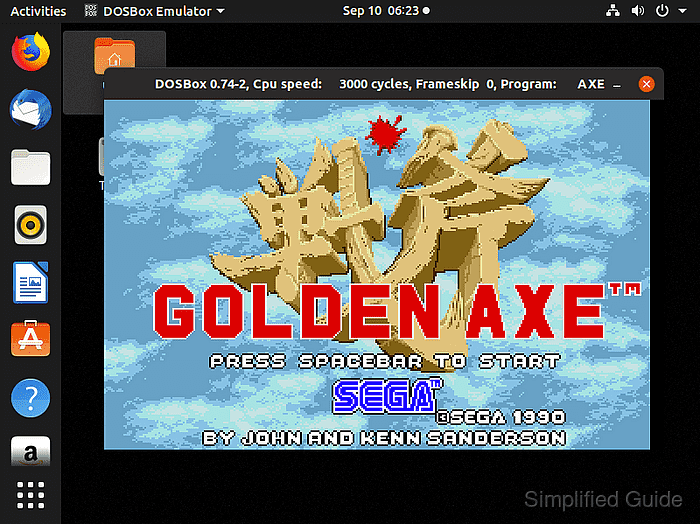
DOSBox maps a normal Linux directory to a virtual drive such as C:, then runs .EXE, .COM, or .BAT files from inside that mounted drive. Keeping each program under a simple folder such as /home/user/dosgames makes the DOS path predictable and keeps save files with the program data.
On Ubuntu and Debian, the distro package supplies DOSBox, and ZIP archives can be unpacked into the mounted program folder before startup. Use software that you own or are licensed to run, and avoid mounting your whole home directory or filesystem root because DOS software can write to anything inside the mounted tree.
Steps to run DOS programs on Linux with DOSBox:
- Open a terminal with sudo privileges.
- Refresh the package index.
$ sudo apt update
- Install DOSBox and .zip extraction support.
$ sudo apt install --assume-yes dosbox unzip
Reading package lists...
Building dependency tree...
Reading state information...
The following NEW packages will be installed:
  dosbox unzip
##### snipped #####
Setting up dosbox (0.74-3-5build3) ...
The exact DOSBox package version can change with the distribution release. The command should install the dosbox binary from the distro repository.
- Confirm that DOSBox runs.
$ dosbox -version

DOSBox version 0.74-3, copyright 2002-2019 DOSBox Team.

DOSBox is written by the DOSBox Team (See AUTHORS file))
DOSBox comes with ABSOLUTELY NO WARRANTY.  This is free software,
and you are welcome to redistribute it under certain conditions;
please read the COPYING file thoroughly before doing so.
- Create a dedicated folder for DOS program files.
$ mkdir -p ~/dosgames
Do not mount /home, /root, or the filesystem root as a DOS drive. Mount only the folder that should be visible inside DOSBox.
- Extract the DOS program archive into the dedicated folder.
$ unzip ~/Downloads/Golden\ Axe.zip -d ~/dosgames
Archive:  /home/user/Downloads/Golden Axe.zip
 extracting: /home/user/dosgames/A
 extracting: /home/user/dosgames/AMAZON.SPR
 extracting: /home/user/dosgames/_DOSGAME.TXT
   creating: /home/user/dosgames/GOLD/
  inflating: /home/user/dosgames/GOLD/GOLD.COM
Replace the archive name with the file you downloaded and the folder name with the extracted program directory.
Related: How to extract zip files in Linux - Start DOSBox from the terminal.
$ dosbox
DOSBox version 0.74-3
Copyright 2002-2019 DOSBox Team, published under GNU GPL.
---
CONFIG:Loading primary settings from config file /home/user/.dosbox/dosbox-0.74-3.conf
The DOSBox window opens with a Z:\> prompt. First startup may also create the default configuration file.
- Mount the Linux folder as virtual drive C: inside DOSBox.
Z:\>mount c /home/user/dosgames
Drive C is mounted as local directory /home/user/dosgames\
Z:\>c:
C:\>
- Change to the extracted program directory.
C:\>cd GOLD
C:\GOLD>
- List the runnable DOS files in the program directory.
C:\GOLD>dir *.COM
 Directory of C:\GOLD

GOLD     COM       59632  01-01-1990  12:00
        1 File(s)        59632 Bytes
        0 Dir(s)    262144000 Bytes free
Many DOS programs start from a .COM, .EXE, or .BAT file. If the archive includes setup utilities, run the program's setup file first and choose hardware options that DOSBox emulates.
- Run the DOS program executable.
C:\GOLD>GOLD.COM
- Print the active DOSBox configuration path after the first launch.
$ dosbox -printconf
/home/user/.dosbox/dosbox-0.74-3.conf
- Add the drive mount to the [autoexec] section of the printed configuration file.
[autoexec]
mount c /home/user/dosgames
c:
The [autoexec] section runs when DOSBox starts, so the virtual C: drive is ready before running the program again.
- Restart DOSBox and run the program from the saved mount.
C:\>cd GOLD
C:\GOLD>GOLD.COM
The program should open in the DOSBox window without a missing-drive or missing-file error.