How to restart a network interface in Linux
Restarting a Linux network interface resets one device's runtime link state without rebooting the host. Operators use it after a transient link problem, a cable or virtual switch change, or an address update that needs the interface to renegotiate with its peer.
The ip command talks directly to the kernel networking stack. Bringing an interface down clears its administrative UP flag for that device, and bringing it back up lets the driver report carrier again through flags such as LOWER_UP.
This change interrupts traffic on the selected interface while it is down. Work from a local console, out-of-band access, or a different management path when the interface carries SSH or production traffic. Network managers such as NetworkManager or systemd-networkd can also reapply addresses or policies after the link returns, so the final check should prove link state, address assignment, and traffic.
Steps to restart a network interface with ip in Linux:
- List network interfaces and identify the target device.
$ ip -br link
lo               UNKNOWN        00:00:00:00:00:00 <LOOPBACK,UP,LOWER_UP>
enp1s0           UP             02:00:00:00:00:10 <BROADCAST,MULTICAST,UP,LOWER_UP>
wlp2s0           DOWN           02:00:00:00:00:20 <BROADCAST,MULTICAST>
The first column is the interface name. Replace enp1s0 in the examples with the wired, wireless, bridge, bond, VLAN, or virtual interface that needs the restart.
- Check the current address on the target interface.
$ ip address show dev enp1s0
2: enp1s0: <BROADCAST,MULTICAST,UP,LOWER_UP> mtu 1500 qdisc fq_codel state UP group default qlen 1000
    link/ether 02:00:00:00:00:10 brd ff:ff:ff:ff:ff:ff
    inet 192.0.2.40/24 brd 192.0.2.255 scope global enp1s0
       valid_lft forever preferred_lft forever
Use the address and interface name together to avoid restarting the wrong path on hosts with bridges, bonds, VLANs, VPNs, or container interfaces.
Related: How to show IP addresses in Linux - Bring the selected interface down.
$ sudo ip link set dev enp1s0 down
Restarting the interface that carries the active remote session immediately disconnects that session and can remove the host's route to other networks.
- Confirm that the interface is down.
$ ip link show dev enp1s0
2: enp1s0: <BROADCAST,MULTICAST> mtu 1500 qdisc fq_codel state DOWN mode DEFAULT group default qlen 1000
    link/ether 02:00:00:00:00:10 brd ff:ff:ff:ff:ff:ff
Missing UP and LOWER_UP plus state DOWN show that the device is administratively down.
- Bring the interface back up.
$ sudo ip link set dev enp1s0 up
No output usually means the kernel accepted the state change.
- Confirm that the interface reports an active link again.
$ ip link show dev enp1s0
2: enp1s0: <BROADCAST,MULTICAST,UP,LOWER_UP> mtu 1500 qdisc fq_codel state UP mode DEFAULT group default qlen 1000
    link/ether 02:00:00:00:00:10 brd ff:ff:ff:ff:ff:ff
UP shows the interface is administratively enabled. LOWER_UP shows carrier or a live peer.
Related: How to check network interface link state in Linux - Check that the interface has an address after the restart.
$ ip address show dev enp1s0
2: enp1s0: <BROADCAST,MULTICAST,UP,LOWER_UP> mtu 1500 qdisc fq_codel state UP group default qlen 1000
    link/ether 02:00:00:00:00:10 brd ff:ff:ff:ff:ff:ff
    inet 192.0.2.40/24 brd 192.0.2.255 scope global enp1s0
       valid_lft forever preferred_lft forever
If the address is missing, renew or reconnect through the host's network manager instead of repeating the link toggle.
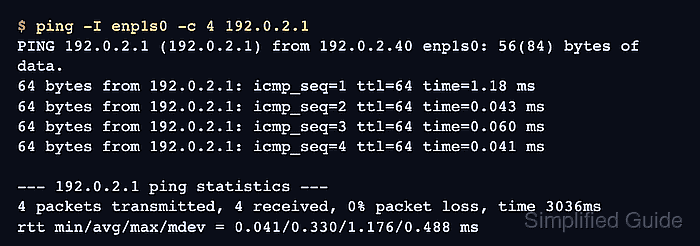
- Test traffic through the restarted interface.
$ ping -I enp1s0 -c 4 192.0.2.1
PING 192.0.2.1 (192.0.2.1) from 192.0.2.40 enp1s0: 56(84) bytes of data.
64 bytes from 192.0.2.1: icmp_seq=1 ttl=64 time=1.18 ms
64 bytes from 192.0.2.1: icmp_seq=2 ttl=64 time=0.043 ms
64 bytes from 192.0.2.1: icmp_seq=3 ttl=64 time=0.060 ms
64 bytes from 192.0.2.1: icmp_seq=4 ttl=64 time=0.041 ms

--- 192.0.2.1 ping statistics ---
4 packets transmitted, 4 received, 0% packet loss, time 3036ms
rtt min/avg/max/mdev = 0.041/0.330/1.176/0.488 ms
If ICMP is filtered, test the expected gateway, DNS server, or application endpoint through the same interface.