How to benchmark memory speed in Linux
Memory benchmarks help compare RAM throughput after hardware changes, firmware timing changes, kernel updates, or virtual machine placement changes. On Linux, sysbench can turn that check into repeatable read and write transfer rates instead of relying on general CPU load or storage benchmarks.
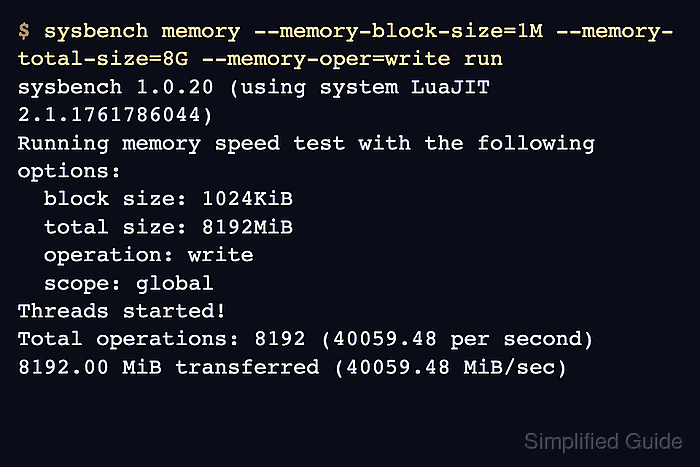
The sysbench memory workload transfers a chosen amount of data through a block-sized buffer and reports operations per second plus MiB/sec. The --memory-total-size option controls the total data transferred, while --memory-block-size controls the test buffer size. Keeping those values unchanged makes before-and-after runs comparable.
Synthetic memory throughput changes with CPU governor, NUMA layout, virtualization, background load, operation type, block size, and thread count. Run benchmarks on an otherwise idle system, and increase the transfer size when a test finishes too quickly to repeat consistently.
Steps to benchmark memory speed in Linux:
- Install sysbench from the distribution package repository.
$ sudo apt install --assume-yes sysbench
Use the matching package manager on non-Debian systems, such as sudo dnf install --assumeyes sysbench on Fedora or RHEL family hosts.
- Confirm that sysbench runs from the shell.
$ sysbench --version
sysbench 1.0.20
- Print the sysbench memory workload options.
$ sysbench memory help sysbench 1.0.20 (using system LuaJIT 2.1.1761786044) memory options: --memory-block-size=SIZE size of memory block for test [1K] --memory-total-size=SIZE total size of data to transfer [100G] --memory-scope=STRING memory access scope {global,local} [global] --memory-hugetlb[=on|off] allocate memory from HugeTLB pool [off] --memory-oper=STRING type of memory operations {read, write, none} [write] --memory-access-mode=STRING memory access mode {seq,rnd} [seq] - Run a single-thread write benchmark with fixed transfer settings.
$ sysbench memory --memory-block-size=1M --memory-total-size=8G --memory-oper=write run
sysbench 1.0.20 (using system LuaJIT 2.1.1761786044)

Running the test with following options:
Number of threads: 1
Initializing random number generator from current time

Running memory speed test with the following options:
  block size: 1024KiB
  total size: 8192MiB
  operation: write
  scope: global

Initializing worker threads...

Threads started!

Total operations: 8192 (40059.48 per second)

8192.00 MiB transferred (40059.48 MiB/sec)

General statistics:
    total time:                          0.2040s
    total number of events:              8192
##### snipped #####
The MiB/sec line is the throughput value to compare. Keep the block size, transfer size, operation, scope, and thread count identical between runs.
- Run a matching single-thread read benchmark.
$ sysbench memory --memory-block-size=1M --memory-total-size=8G --memory-oper=read run
sysbench 1.0.20 (using system LuaJIT 2.1.1761786044)

Running the test with following options:
Number of threads: 1
Initializing random number generator from current time

Running memory speed test with the following options:
  block size: 1024KiB
  total size: 8192MiB
  operation: read
  scope: global

Initializing worker threads...

Threads started!

Total operations: 8192 (54210.74 per second)

8192.00 MiB transferred (54210.74 MiB/sec)

General statistics:
    total time:                          0.1506s
    total number of events:              8192
##### snipped #####
Read and write throughput can differ substantially, so compare read runs with read runs and write runs with write runs.
- Run a parallel write benchmark with one local buffer per worker thread.
$ sysbench memory --threads=4 --memory-scope=local --memory-block-size=1M --memory-total-size=16G --memory-oper=write run
sysbench 1.0.20 (using system LuaJIT 2.1.1761786044)

Running the test with following options:
Number of threads: 4
Initializing random number generator from current time

Running memory speed test with the following options:
  block size: 1024KiB
  total size: 16384MiB
  operation: write
  scope: local

Initializing worker threads...

Threads started!

Total operations: 16384 (136411.18 per second)

16384.00 MiB transferred (136411.18 MiB/sec)

General statistics:
    total time:                          0.1193s
    total number of events:              16384
##### snipped #####
--memory-scope=local gives each thread its own test buffer. Keep the same thread count and scope when comparing two systems or two configuration states.
- Repeat the selected benchmark after the hardware, firmware, kernel, or placement change.
Record the MiB/sec value, operation type, block size, transfer size, scope, and thread count together so the next run can use the same settings.