How to change system locale in Linux
Wrong locale defaults make shell messages, date formats, sorting, and currency output appear in a language or region that does not match the host's users. Changing the system locale sets the default LANG and LC_* values that new login sessions, desktop sessions, and many services inherit. A system-wide change is different from exporting a variable in one terminal because it survives new sessions and affects programs started later.
Locale data must exist before it can be selected. Debian and Ubuntu systems commonly compile selected locale definitions with locale-gen, while systemd hosts can apply saved defaults with localectl. The locale command shows the active categories, and locale -a shows which locale names are already generated.
Existing shells and daemons keep the locale environment they already received. Save the new default, open a fresh login session or restart affected services, and verify from a clean process before depending on localized output. Avoid setting LC_ALL as a permanent default unless every locale category must override LANG, because it hides more specific category settings such as LC_TIME.
Steps to change Linux system locale on Debian and Ubuntu:
- Display the current locale categories.
$ locale
LANG=en_US.UTF-8
LANGUAGE=
LC_CTYPE="en_US.UTF-8"
LC_NUMERIC="en_US.UTF-8"
LC_TIME="en_US.UTF-8"
##### snipped #####
LC_ALL=
LANG supplies the main language and regional defaults. Individual LC_* values override one category, such as date and time formatting with LC_TIME.
- List the locales that are already generated.
$ locale -a
C
C.utf8
POSIX
en_US.utf8
If the target locale is already listed, skip the generation step and save the default values instead.
- Generate the target locale data.
$ sudo locale-gen fr_FR.UTF-8 en_DK.UTF-8
Generating locales (this might take a while)...
  en_DK.UTF-8... done
  fr_FR.UTF-8... done
Generation complete.
Use the primary language and region for LANG. Add a category-specific locale only when a specific category, such as LC_TIME, should use another regional format.
- Confirm that the generated locales are now available.
$ locale -a C C.utf8 POSIX en_DK.utf8 en_US.utf8 fr_FR.utf8 - Save the new system locale defaults.
$ sudo update-locale LANG=fr_FR.UTF-8 LC_TIME=en_DK.UTF-8
On systemd distributions that use localectl for locale management, use sudo localectl set-locale LANG=fr_FR.UTF-8 LC_TIME=en_DK.UTF-8 after the target locales are generated.
- Confirm the saved locale file.
$ cat /etc/default/locale
LANG=fr_FR.UTF-8
LC_TIME=en_DK.UTF-8
Some systemd distributions store the same assignments in /etc/locale.conf and show them with localectl status.
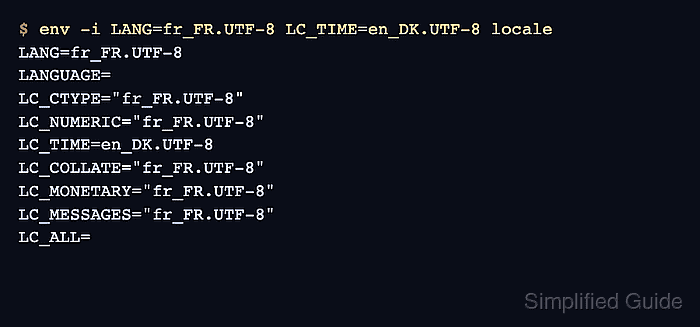
- Preview the target categories in a clean process.
$ env -i LANG=fr_FR.UTF-8 LC_TIME=en_DK.UTF-8 locale
LANG=fr_FR.UTF-8
LANGUAGE=
LC_CTYPE="fr_FR.UTF-8"
LC_NUMERIC="fr_FR.UTF-8"
LC_TIME=en_DK.UTF-8
LC_COLLATE="fr_FR.UTF-8"
LC_MONETARY="fr_FR.UTF-8"
LC_MESSAGES="fr_FR.UTF-8"
##### snipped #####
LC_ALL=
The command starts with an empty environment, sets only the requested locale variables, and proves the generated locale names can be resolved.
- Open a new login shell, SSH session, desktop session, or restart the affected service.
Existing shells, scheduled jobs, and daemons keep the locale values they received at startup.
- Confirm the locale from the new session.
$ locale
LANG=fr_FR.UTF-8
LANGUAGE=
LC_CTYPE="fr_FR.UTF-8"
LC_NUMERIC="fr_FR.UTF-8"
LC_TIME=en_DK.UTF-8
##### snipped #####
LC_ALL=