How to install Internet Explorer on Linux
Legacy web apps, internal portals, and old QA targets sometimes still depend on Internet Explorer rendering or old Trident behavior. Linux does not ship Internet Explorer natively, so the practical path is to run a legacy IE release inside Wine instead of trying to add the browser directly to the host system.
The current maintained helper for this job is Winetricks, which can still build a dedicated 32-bit Wine prefix and install legacy Internet Explorer components into it. That path is limited to older IE releases such as IE8, but it remains useful when an application specifically needs the old browser engine for testing or compatibility work.
This is a legacy-only workflow, not a modern browsing setup. It needs an x86_64 Linux userspace with 32-bit Wine libraries, an X display or Xvfb, and enough isolation to keep old browser DLL overrides out of other Wine applications. If the application requires IE11 or Microsoft Edge IE mode, use a real Windows VM instead because that is outside the scope of the Winetricks method.
Steps to install Internet Explorer on Linux:
- Install current Wine, Winetricks, cabextract, and Xvfb packages before creating the browser prefix.
$ sudo dpkg --add-architecture i386
$ sudo apt update
$ sudo apt install --assume-yes wine32 winetricks cabextract xvfb xauth
The example above uses Debian or Ubuntu package names. On other distributions, install the equivalent packages for Wine, Winetricks, cabextract, Xvfb, and xauth with the native package manager.
This method needs an x86_64 Linux userspace with 32-bit libraries. It is not a fit for ARM-only systems.
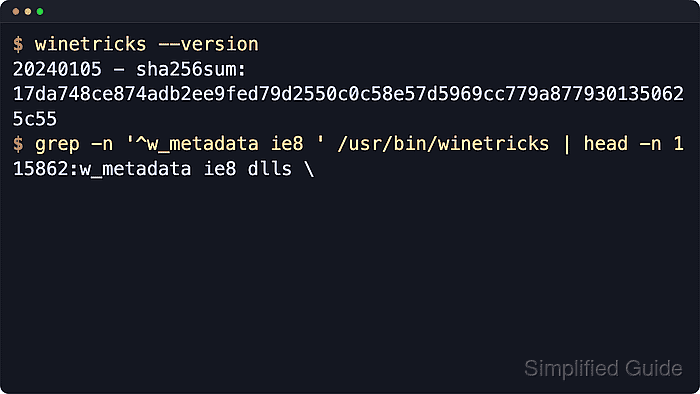
- Confirm that the installed Winetricks build still exposes the legacy IE8 helper before starting the install.
$ winetricks --version
20240105 - sha256sum: 17da748ce874adb2ee9fed79d2550c0c58e57d5969cc779a8779301350625c55
$ grep -n '^w_metadata ie8 ' /usr/bin/winetricks | head -n 1
15862:w_metadata ie8 dlls \
The current Winetricks script still includes legacy helpers for IE6, IE7, and IE8. It does not provide an IE11 install path.
- Create a dedicated 32-bit Wine prefix for Internet Explorer so old browser settings stay isolated from other Wine applications.
$ export WINEARCH=win32
$ export WINEPREFIX="$HOME/.wine-ie8"
$ rm -rf "$WINEPREFIX"
Removing an existing prefix permanently deletes that prefix and any Windows applications inside it. Pick a different prefix path instead of deleting one that still matters.
- Install Internet Explorer 8 into the new prefix.
$ xvfb-run -a env WINEARCH="$WINEARCH" WINEPREFIX="$WINEPREFIX" winetricks -q ie8
xvfb-run starts a temporary X display for shell sessions that do not already have one.
If the install is being attempted from a rootless container, restricted chroot, or other heavily sandboxed shell, rerun the same command in a normal desktop session or an x86_64 VM instead. Wine package scripts and 32-bit libraries often fail in constrained environments even when the command itself is correct.
- Start Internet Explorer from the completed prefix.
$ env WINEPREFIX="$HOME/.wine-ie8" wine 'C:\Program Files\Internet Explorer\iexplore.exe'
Winetricks typically leaves the browser under drive_c/Program Files/Internet Explorer/iexplore.exe inside the prefix.
- Verify that the prefix recorded the install and that the browser executable exists.
$ env WINEPREFIX="$HOME/.wine-ie8" winetricks list-installed | grep '^ie8$'
$ ls "$HOME/.wine-ie8/drive_c/Program Files/Internet Explorer/iexplore.exe"
A successful install records ie8 in the prefix and leaves iexplore.exe in the expected Program Files path.