How to change file and folder permissions in Linux
Wrong file modes can block a service from reading its own files or expose private data to the wrong users. In Linux, setting file and folder permissions with chmod changes the owner, group, and other access bits without changing file ownership or contents.
Symbolic modes such as g+w,o-r are useful when selected classes need small changes and the rest of the mode should stay intact. Octal modes such as 640 and 750 set the full base mode, which is clearer for handoff notes but can remove existing bits when the target value is wrong.
Directories need execute permission as search permission, so a mode that works for a regular file can make a directory unusable. Check the current path before changing it, use uppercase X for recursive mixed trees, and add sudo only when the current account does not own the target path.
Steps to change file and folder permissions in Linux:
- Check the current mode on the target directory and one file.
$ stat --format="%A %a %n" /srv/perm-demo /srv/perm-demo/alpha.txt
drwxr-xr-x 755 /srv/perm-demo
-rw-r--r-- 644 /srv/perm-demo/alpha.txt
The first field is the symbolic mode, the second is the octal value, and the last is the path that was checked.
- Change selected permission classes with symbolic mode.
$ chmod g+w,o-r /srv/perm-demo/alpha.txt
Use + to add access, - to remove access, and = to replace the selected user class completely.
- Verify the symbolic mode change.
$ stat --format="%A %a %n" /srv/perm-demo/alpha.txt
-rw-rw---- 660 /srv/perm-demo/alpha.txt
- Set an exact mode on a regular file.
$ chmod 640 /srv/perm-demo/alpha.txt
Mode 640 keeps read-write access for the owner, read-only access for the group, and no access for others.
- Verify the file mode.
$ stat --format="%A %a %n" /srv/perm-demo/alpha.txt
-rw-r----- 640 /srv/perm-demo/alpha.txt
- Set the directory mode separately.
$ chmod 750 /srv/perm-demo
On directories, the x bit is search permission. Without it, users cannot enter the directory or resolve file names inside it even if the read bit is still present.
- Verify the directory mode.
$ stat --format="%A %a %n" /srv/perm-demo
drwxr-x--- 750 /srv/perm-demo
- Apply a recursive mode with uppercase X for a mixed tree.
$ chmod --recursive u=rwX,g=rX,o= /srv/perm-demo
Review the target path before using --recursive. GNU chmod ignores symlinks found during recursive traversal unless traversal options such as -H or -L are used, but a symlink passed directly on the command line normally affects its target.
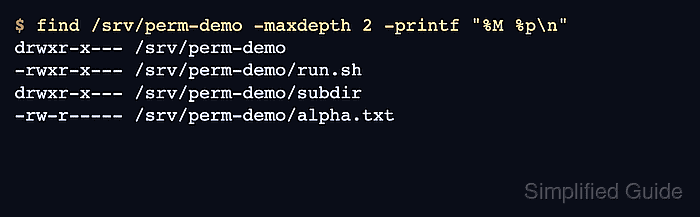
- Verify the tree after the recursive change.
$ find /srv/perm-demo -maxdepth 2 -printf "%M %p\n"
drwxr-x--- /srv/perm-demo
-rwxr-x--- /srv/perm-demo/run.sh
drwxr-x--- /srv/perm-demo/subdir
-rw-r----- /srv/perm-demo/alpha.txt
Uppercase X adds execute or search permission only to directories and to files that already had execute permission.