How to reverse file and folder listings in Linux
Reversing file and folder listings in Linux helps when the last entries matter more than the first ones, such as checking rotated logs, reviewing the oldest items in a working directory, or scanning a deployment tree from the bottom up.
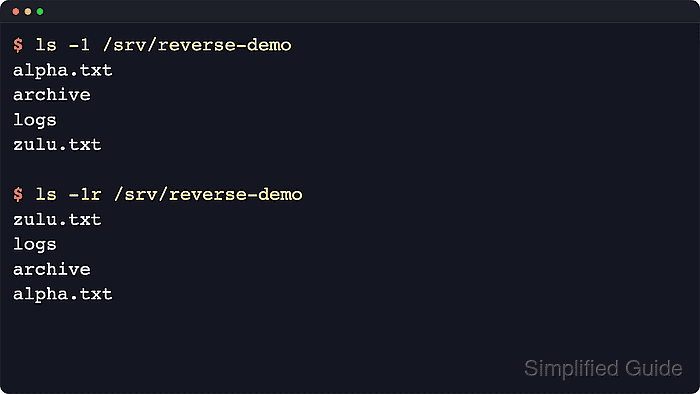
The ls command sorts directory entries by name by default, and -r reverses whichever sort order is currently active. The same switch can therefore invert the normal name order, a time-based listing from -t, or another supported sort mode without changing anything on disk.
Name ordering still depends on the current locale, so the same filenames can appear in a different sequence on two hosts with different LC_COLLATE settings. Reverse mode also depends on sorting still being enabled: -U turns sorting off, so pairing it with -r does not produce a reversed view.
Steps to reverse file and folder listings in Linux:
- List the target directory in the default name order first so the reversed result is easy to compare.
$ ls -1 /srv/reverse-demo
alpha.txt
archive
logs
zulu.txt
-1 prints one entry per line, which makes the order obvious and keeps the output easy to pass into other commands.
- Reverse the current name sort with -r.
$ ls -1r /srv/reverse-demo
zulu.txt
logs
archive
alpha.txt
The -r flag reverses the active sort key rather than creating a new one. With the default name sort, that means reverse alphabetical order.
- Combine -t and -r when the goal is to see the oldest entries first instead of the newest.
$ ls -lt --time-style=long-iso /srv/reverse-demo
total 16
-rw-r--r-- 1 root root   33 2026-04-14 09:03 zulu.txt
drwxr-xr-x 2 root root 4096 2026-04-14 09:02 logs
drwxr-xr-x 2 root root 4096 2026-04-14 09:01 archive
-rw-r--r-- 1 root root    6 2026-04-14 09:00 alpha.txt

$ ls -ltr --time-style=long-iso /srv/reverse-demo
total 16
-rw-r--r-- 1 root root    6 2026-04-14 09:00 alpha.txt
drwxr-xr-x 2 root root 4096 2026-04-14 09:01 archive
drwxr-xr-x 2 root root 4096 2026-04-14 09:02 logs
-rw-r--r-- 1 root root   33 2026-04-14 09:03 zulu.txt
-t sorts by modification time, newest first, and -r flips that order so the oldest entries appear first.
- Use sort -r only when the listing has already been reduced to plain text and the reversed text order is what matters.
$ ls -1 /srv/reverse-demo | sort -r
zulu.txt
logs
archive
alpha.txt
sort -r reverses the text lines it receives. It does not understand file metadata the way ls -r does, so it is better suited to pipelines than to full directory listings.
- Force stable bytewise name ordering when locale-specific collation would otherwise change the result between hosts or scripts.
$ LC_ALL=C ls -1r /srv/reverse-demo
zulu.txt
logs
archive
alpha.txt
Setting LC_ALL=C makes ls use the simple C locale ordering instead of language-specific collation rules.
- Avoid combining -r with -U when a predictable reverse order is required.
$ ls -1U /srv/reverse-demo
logs
alpha.txt
zulu.txt
archive

$ ls -1Ur /srv/reverse-demo
logs
alpha.txt
zulu.txt
archive
-U disables sorting, so -r has no effect in that mode. Use the default name sort or an explicit sort key such as -t when the order must be reversed.