How to extract .tar.bz2 files in Linux
.tar.bz2 archives often arrive as source releases, backups, and exported project trees. Extracting them in a controlled directory keeps the restored files together and reduces the chance of scattering archived paths across a busy working location.
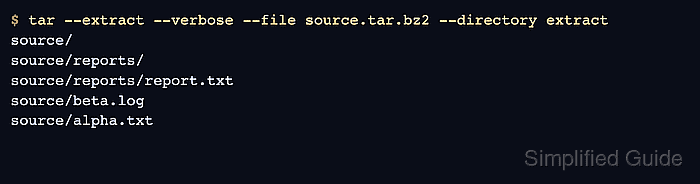
A .tar.bz2 file stores a tar archive inside bzip2 compression. GNU tar can list and extract that compressed archive directly from a normal file, so the same command can inspect the stored paths before writing anything and then restore the tree into a chosen destination.
Archive members are restored with the paths saved inside the archive. A top-level directory inside the archive keeps files grouped, while loose member names can land directly in the destination and replace matching files. Minimal installations may need the bzip2 or lbzip2 package before tar can read .tar.bz2 data.
Related: How to extract .tar.gz files in Linux
Related: How to extract xz files in Linux
Steps to extract .tar.bz2 files in Linux:
- Change to the directory that contains the archive.
$ cd /tmp/archive-demo
Replace /tmp/archive-demo with the path that contains the .tar.bz2 file.
- List the archive members before extracting anything.
$ tar --list --file source.tar.bz2
source/
source/reports/
source/reports/report.txt
source/beta.log
source/alpha.txt
The member names are the paths tar will restore under the extraction directory.
- Create a destination directory for the restored files.
$ mkdir -p extract
- Extract the archive into the destination directory.
$ tar --extract --verbose --file source.tar.bz2 --directory extract
source/
source/reports/
source/reports/report.txt
source/beta.log
source/alpha.txt
tar writes archived paths under the directory given to --directory. Matching files can be overwritten if the destination already contains the same names.
- Confirm that the expected files were restored under the destination directory.
$ find extract -maxdepth 3 -print
extract
extract/source
extract/source/reports
extract/source/reports/report.txt
extract/source/beta.log
extract/source/alpha.txt