How to change the default editor in Linux
Programs such as crontab, git commit, and visudo can stop in the middle of a terminal task and open an editor for the next input. Setting the preferred editor in the shell environment keeps those handoffs predictable, especially on systems where vi, nano, vim, or a GUI editor may all be installed.
Command-line programs usually read the $VISUAL and $EDITOR environment variables when they need an editor. Shells such as Bash and Zsh pass exported variables to child processes started from the terminal, so the setting must be exported before applications can inherit it. Git adds its own precedence through $GIT_EDITOR and core.editor before it falls back to $VISUAL and $EDITOR.
Persistent editor settings belong in the startup file that the target shell actually reads. Interactive Bash sessions commonly use ~/.bashrc, interactive Zsh sessions use ~/.zshrc, and login-shell requirements may belong in ~/.profile, ~/.bash_profile, or ~/.zprofile. On Debian and Ubuntu, /usr/bin/editor is a separate alternatives link, so change it only when a program calls that generic command instead of using the environment variables.
Steps to change the default editor in Linux:
- Inspect the current editor variables before making any change.
$ printf 'VISUAL=%s\nEDITOR=%s\n' "${VISUAL-}" "${EDITOR-}"
VISUAL=
EDITOR=
An empty value means the variable is not currently set in the shell environment.
- Resolve the command for the editor you want to use.
$ command -v nano
/usr/bin/nano
Replace nano with vim, nvim, emacs, or another installed editor. For GUI editors, use a waiting command such as code --wait or subl -w so the calling program waits until the editor closes.
- Set both editor variables for the current shell session.
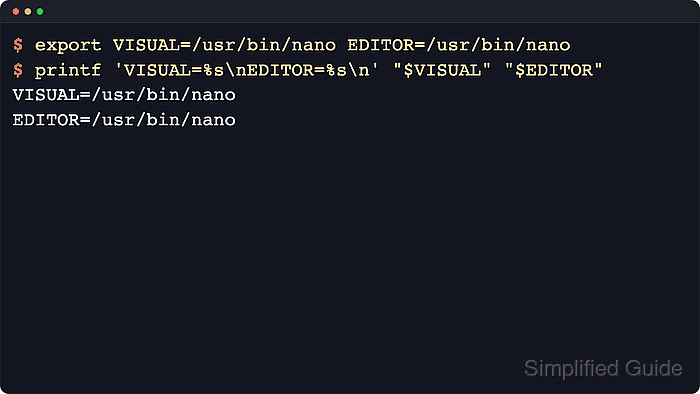
$ export VISUAL=/usr/bin/nano EDITOR=/usr/bin/nano
Many command-line tools check $VISUAL first and fall back to $EDITOR when $VISUAL is unset.
- Verify that the current shell now sees the new values.
$ printf 'VISUAL=%s\nEDITOR=%s\n' "$VISUAL" "$EDITOR"
VISUAL=/usr/bin/nano
EDITOR=/usr/bin/nano
- Verify that child commands inherit the exported editor variables.
$ sh -c 'printf "VISUAL=%s\nEDITOR=%s\n" "$VISUAL" "$EDITOR"'
VISUAL=/usr/bin/nano
EDITOR=/usr/bin/nano
- Confirm the effective Git editor when Git is installed.
$ git var GIT_EDITOR
/usr/bin/nano
Git checks $GIT_EDITOR first, then core.editor, then $VISUAL, and then $EDITOR, so this command is a quick way to confirm the effective editor that Git would launch.
- Check which shell will need a persistent change.
$ printf '%s\n' "$SHELL"
/bin/bash
Interactive Bash shells usually read ~/.bashrc, while interactive Zsh shells use ~/.zshrc. Add the same exports to a login startup file only when login shells need the editor choice before the interactive rc file runs.
- Open the startup file for that shell.
$ nano ~/.bashrc
For Zsh, edit ~/.zshrc instead. For login Bash or Zsh shells, use the matching profile file only when that is the layer that needs to provide the editor variables.
- Add or replace the editor exports in the startup file.
export VISUAL=/usr/bin/nano
export EDITOR=/usr/bin/nano
If the file already defines $VISUAL or $EDITOR, replace the old values instead of leaving multiple conflicting assignments in the same startup path. If the editor command includes arguments, quote the full value, such as export VISUAL="code --wait".
- Start a new shell and confirm that the values now persist automatically.
$ bash -ic 'printf "VISUAL=%s\nEDITOR=%s\n" "$VISUAL" "$EDITOR"'
VISUAL=/usr/bin/nano
EDITOR=/usr/bin/nano
Use zsh -ic ... instead when you stored the change in ~/.zshrc.
- On Debian or Ubuntu, optionally inspect the separate generic editor alternative.
$ update-alternatives --display editor
editor - auto mode
  link best version is /bin/nano
  link currently points to /bin/nano
  link editor is /usr/bin/editor
  slave editor.1.gz is /usr/share/man/man1/editor.1.gz
/bin/nano - priority 40
  slave editor.1.gz: /usr/share/man/man1/nano.1.gz
Use sudo update-alternatives --config editor if you also need programs that call the generic editor command to change. That setting does not replace $VISUAL or $EDITOR; it only changes the /usr/bin/editor link group.