How to show routes in Linux
When traffic leaves a Linux host through the wrong gateway or interface, the routing table is the first place to check. It shows the default path, directly connected networks, and any static or learned routes that can steer a destination away from the expected adapter.
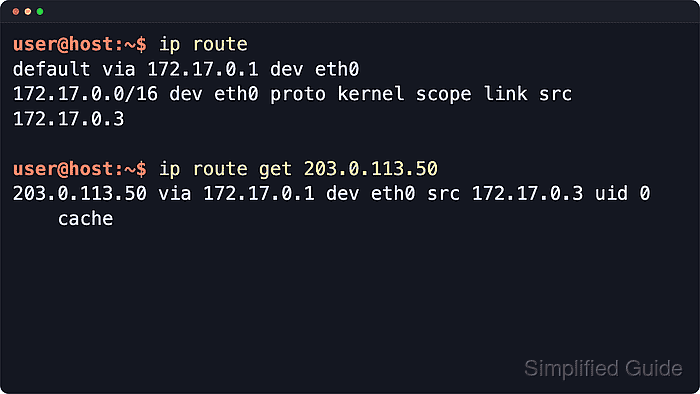
iproute2 provides the ip route command for reading the kernel route table. A plain ip route lists the main IPv4 table, ip route show default narrows the view to the fallback route, and ip route get asks the kernel to resolve one destination through the active routing rules.
Route output is read-only, but it is still a snapshot of one address family and table view. VPN clients, policy routing, multiple routing tables, and IPv6 routes can affect real traffic, so use a destination lookup when the table listing and the observed path disagree.
Steps to show Linux routing information:
- List the current IPv4 routes.
$ ip route
default via 192.168.1.1 dev enp0s3
192.168.1.0/24 dev enp0s3 proto kernel scope link src 192.168.1.25
The default row is the fallback path. A scope link row is a directly connected network, and a row with via sends matching traffic to a next-hop gateway. Use ip -6 route for the IPv6 table.
- Show only the default route.
$ ip route show default
default via 192.168.1.1 dev enp0s3
Multiple default rows can appear on hosts with VPNs, wireless and wired uplinks, or backup gateways. Compare the route table with ip route get before assuming the visible default row carries a specific destination.
- Show the route entry for one destination prefix.
$ ip route show 192.168.1.0/24
192.168.1.0/24 dev enp0s3 proto kernel scope link src 192.168.1.25
Replace the sample prefix with the network under investigation. No output means the main table has no exact route entry for that prefix.
- Resolve the route Linux would use for one destination address.
$ ip route get 203.0.113.50
203.0.113.50 via 192.168.1.1 dev enp0s3 src 192.168.1.25 uid 1000
    cache
The via value is the next hop, dev is the outgoing interface, and src is the source address selected for the packet. The lookup does not send traffic to the destination.