How to remove a directory in Linux
Removing an obsolete directory in Linux clears retired releases, extracted archives, caches, or temporary work trees that no longer belong on the system. Directory removal changes the filesystem immediately, so the safe starting point is proving the exact path and contents before running a recursive delete.
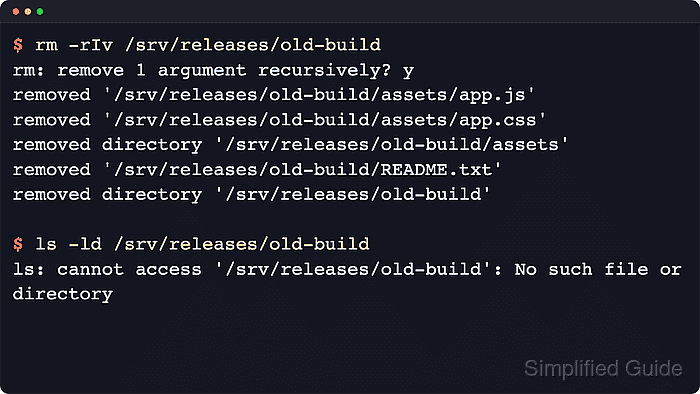
The standard tool for removing a non-empty directory tree on current Linux systems is rm with recursive mode enabled. A terminal flow with one confirmation prompt and visible removal output gives a final checkpoint without asking for every file in the tree.
These examples use GNU rm on Linux. The -- separator keeps a directory name that begins with a hyphen from being parsed as another option, and an absolute path reduces ambiguity when similar names exist in nearby directories. If the target belongs to a privileged account, rerun the same checked path with sudo only after the listing matches the intended directory.
Steps to remove a directory in Linux:
- Inspect the target directory before removal.
$ ls -la /srv/releases/old-build
total 16
drwxr-xr-x 3 deploy deploy 4096 Jun 13 02:22 .
drwxr-xr-x 3 deploy deploy 4096 Jun 13 02:22 ..
-rw-r--r-- 1 deploy deploy   14 Jun 13 02:22 README.txt
drwxr-xr-x 2 deploy deploy 4096 Jun 13 02:22 assets
The listing should show the exact absolute path and contents intended for deletion.
- Remove the directory tree with one confirmation prompt.
$ rm --recursive --interactive=once --verbose -- /srv/releases/old-build
rm: remove 1 argument recursively? y
removed '/srv/releases/old-build/README.txt'
removed '/srv/releases/old-build/assets/app.js'
removed '/srv/releases/old-build/assets/app.css'
removed directory '/srv/releases/old-build/assets'
removed directory '/srv/releases/old-build'
--interactive=once prompts once for the whole recursive delete. A Permission denied error means the same checked path may need sudo, not a broader wildcard or parent directory.
- Check the parent directory after removal.
$ ls -la /srv/releases
total 8
drwxr-xr-x 2 deploy deploy 4096 Jun 13 02:22 .
drwxr-xr-x 1 root   root   4096 Jun 13 02:22 ..
The missing old-build entry confirms the parent directory no longer contains that release path.
- Confirm the removed path no longer resolves.
$ ls -ld /srv/releases/old-build
ls: cannot access '/srv/releases/old-build': No such file or directory
This final check helps distinguish a successful removal from a case where the directory was renamed or moved somewhere else in the tree.