How to create a screenshot from the command line in Linux
Ticket evidence, UI bugs, and timed menu captures often need a screenshot from the same shell that runs the rest of a repro script. scrot captures an X11 desktop from the command line and writes the result directly to an image file without opening a screenshot dialog.
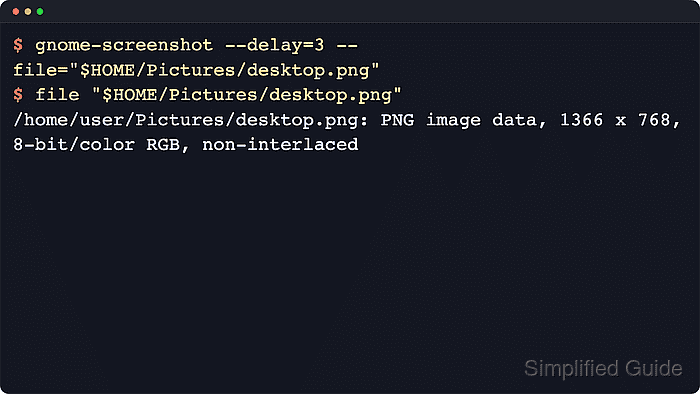
The Ubuntu and Debian package path installs the same scrot command available from other distribution repositories. It can wait before capture, save the whole display, target the focused window, or let the operator draw a rectangle with the mouse.
A terminal must be attached to the graphical session that owns the desktop. Wayland sessions often block generic X11 screenshot tools from reading the full desktop, so use the desktop screenshot UI or sign in to an Xorg session when scrot cannot see the screen.
Related: How to compress a PNG file in Linux
Steps to create a screenshot with scrot:
- Check that the terminal is running inside an X11 desktop session.
$ echo "$XDG_SESSION_TYPE"
x11
If the output is wayland, scrot may capture only Xwayland windows or fail to capture the desktop. Use the desktop screenshot tool or an Xorg login session for this command-line method.
- Install scrot when the command is not already available.
$ sudo apt update && sudo apt install --assume-yes scrot
Use the matching package manager on non-Debian distributions. The remaining commands are the same after scrot is installed.
- Create a directory for screenshot files.
$ mkdir -p "$HOME/Pictures/Screenshots"
- Capture the current desktop to a PNG file after a short delay.
$ scrot --delay 3 --overwrite "$HOME/Pictures/Screenshots/desktop.png"
--delay 3 leaves time to open a menu, dialog, or tooltip before the capture. --overwrite lets the same command refresh an existing output file instead of failing when the file already exists.
- Confirm that the screenshot was written as a PNG image.
$ file "$HOME/Pictures/Screenshots/desktop.png"
/home/user/Pictures/Screenshots/desktop.png: PNG image data, 1366 x 768, 8-bit/color RGB, non-interlaced
file confirms that the path contains an image file. The reported geometry changes with the current display resolution.
- Capture only the currently focused window when the whole desktop is not needed.
$ scrot --focused --overwrite "$HOME/Pictures/Screenshots/window.png"
--focused uses the active window in the current X11 session.
- Select a rectangular area when only part of the desktop should be saved.
$ scrot --select --overwrite "$HOME/Pictures/Screenshots/selection.png"
After the command starts, drag over the required area and release the mouse button to write the PNG file. Press Esc to cancel without saving.