How to check Linux distribution name and version
Distribution identity matters when a support request, package repository, or vendor instruction depends on the installed Linux release instead of only the kernel version. Checking the release record first avoids applying instructions for the wrong package family or release branch.
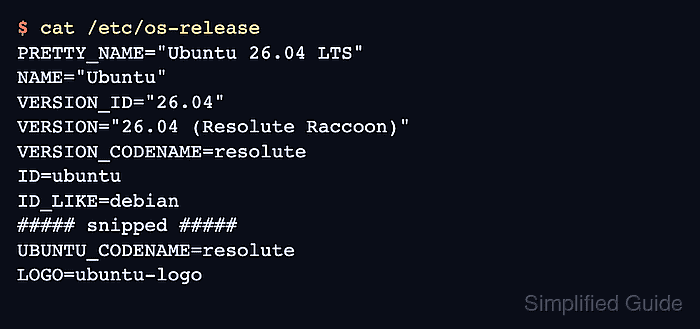
Linux distributions publish this identity in the os-release file. /etc/os-release is the standard path to read first and may point to /usr/lib/os-release, where the vendor-provided copy usually lives.
The fields are not all meant for the same audience. PRETTY_NAME is the label to paste into a ticket or inventory record, ID and VERSION_ID are the machine-readable values used by scripts and repository instructions, and optional fields such as VERSION_CODENAME or ID_LIKE appear only when the distribution supplies them.
Steps to check Linux distribution name and version:
- Print the distribution release metadata.
$ cat /etc/os-release
PRETTY_NAME="Ubuntu 26.04 LTS"
NAME="Ubuntu"
VERSION_ID="26.04"
VERSION="26.04 (Resolute Raccoon)"
VERSION_CODENAME=resolute
ID=ubuntu
ID_LIKE=debian
##### snipped #####
UBUNTU_CODENAME=resolute
LOGO=ubuntu-logo
The command prints the distribution record, not the running kernel. Use the separate kernel check when support asks for the kernel release.
- Use PRETTY_NAME when a person needs the distribution name and release.
In the sample output, the reportable display value is Ubuntu 26.04 LTS.
- Use ID and VERSION_ID when package documentation, repository setup, or automation needs machine-readable values.
In the sample output, ID=ubuntu and VERSION_ID="26.04" identify the distribution family and release branch.
- Check VERSION_CODENAME when release notes or repository instructions refer to the named release.
VERSION_CODENAME is optional; use it only when the field exists in the local output.
- Check ID_LIKE only when ID is unfamiliar or a package guide asks for a compatible distribution family.
ID_LIKE=debian means the distribution follows Debian-style packaging and interfaces closely enough for that metadata field, but vendor instructions for ID=ubuntu still take precedence when available.
- Read /usr/lib/os-release only if /etc/os-release is unavailable.
Upstream os-release guidance says applications should prefer /etc/os-release and fall back to /usr/lib/os-release only when the first path is missing.