How to change hostname in Linux
Changing the hostname should update both the running name that applications see now and the static name that survives reboot. Renaming a fresh Linux install from a generic value such as host keeps prompts, logs, monitoring, inventory, and remote administration tied to the intended machine.
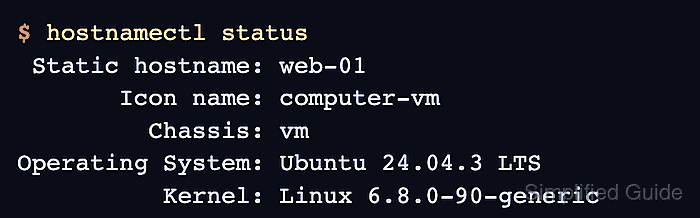
On systemd-based systems, hostnamectl talks to systemd-hostnamed and manages the static, transient, and pretty hostname values from one interface. The static hostname is the saved system identity, while a transient hostname can come from network configuration and is ignored once a valid static hostname is set.
Use a DNS-safe short label such as web-01 unless the local standard requires a fully qualified domain name. After the rename, check the local hosts file because Debian and Ubuntu-style hosts may still map the previous short name on a loopback line, and treat a name that changes back later as a sign that cloud-init or configuration management still owns the system identity.
Steps to change hostname in Linux with hostnamectl:
- Review the current hostname state with hostnamectl.
$ hostnamectl status
 Static hostname: host
       Icon name: computer-vm
         Chassis: vm
Operating System: Ubuntu 24.04.3 LTS
          Kernel: Linux 6.8.0-90-generic
If hostnamectl is missing or the system bus is unavailable, the host is not using the systemd hostname-management path documented here.
- Set the new hostname with hostnamectl.
$ sudo hostnamectl hostname web-01
Use a single lowercase DNS label such as web-01 unless the environment standard requires a fully qualified domain name such as web-01.example.net. Older distributions may document the compatible form sudo hostnamectl set-hostname web-01.
Tool: Hostname Naming Standard CheckerIf the old hostname appears in DNS records, SSH trust, TLS certificates, monitoring targets, or configuration-management data, update those references separately before treating the rename as complete.
- Check the final hostnamectl status.
$ hostnamectl status Static hostname: web-01 Icon name: computer-vm Chassis: vm Operating System: Ubuntu 24.04.3 LTS Kernel: Linux 6.8.0-90-generic - Confirm the running kernel hostname.
$ hostname
web-01
- Read the saved static hostname file.
$ cat /etc/hostname
web-01
If /etc/hostname does not match the static name from hostnamectl, or the name reverts later, another management layer such as cloud-init or configuration management is rewriting it.
- Review /etc/hosts for the old host-specific mapping.
$ cat /etc/hosts
127.0.0.1 localhost
127.0.1.1 host
::1 localhost ip6-localhost ip6-loopback
Some distributions do not use a 127.0.1.1 hostname line. If the old name is not present, skip the /etc/hosts edit.
- Back up /etc/hosts before changing the local mapping.
$ sudo cp /etc/hosts /etc/hosts.bak
- Replace the old 127.0.1.1 hostname with the new hostname.
$ sudoedit /etc/hosts
127.0.0.1 localhost
127.0.1.1 web-01
::1 localhost ip6-localhost ip6-loopback
Keep the localhost entries unchanged and replace only the host-specific hostname fields on the 127.0.1.1 line.
Related: How to edit the hosts file in Linux
- Verify that the local resolver returns the new hostname.
$ getent hosts web-01
127.0.1.1       web-01
getent hosts follows the system resolver path. Tools such as dig and nslookup query DNS directly and do not prove that /etc/hosts was updated.