How to change mouse sensitivity in Kubuntu (KDE)
Mouse pointer sensitivity depends on display resolution, screen size, and DPI configurations. A slow-moving cursor can decrease efficiency, while a speed that is too high compromises precision. These variations often lead to user frustration if the pointer is not aligned with individual preferences.
In Kubuntu, the KDE environment offers integrated settings to customize pointer responsiveness. Adjustments account for hardware differences and cater to desired sensitivity levels, maintaining both comfort and control.
Tuning the pointer parameters through System Settings ensures smooth navigation and reliable accuracy. This granular approach enhances day-to-day interactions, whether drafting documents, browsing directories, or performing detailed design work.
Steps to change mouse pointer speed in Kubuntu (KDE):
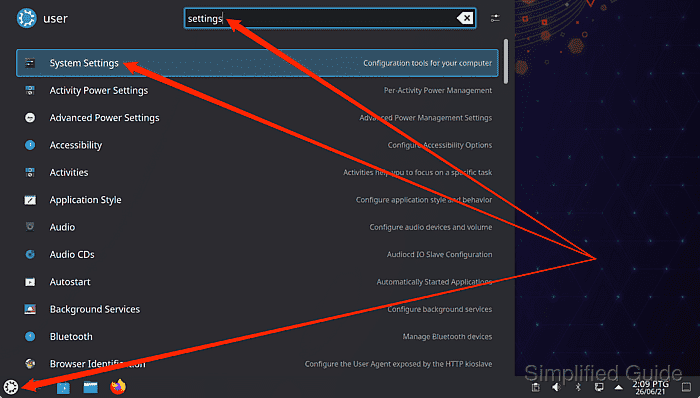
- Launch Systems Settings from the launcher.
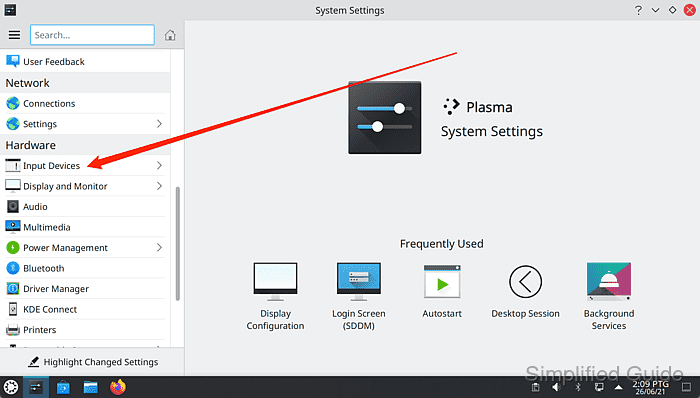
- Go to Input Devices from the sidebar menu.
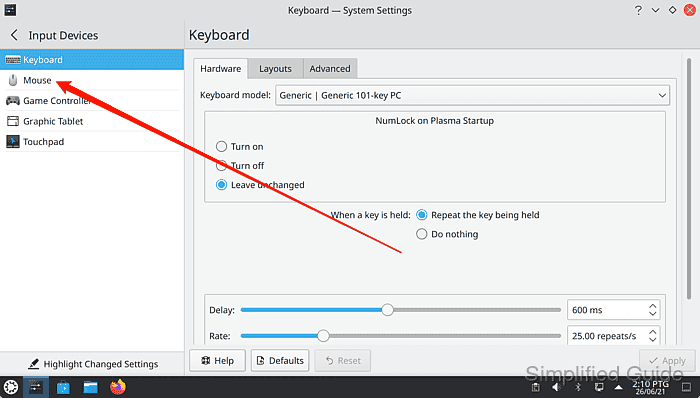
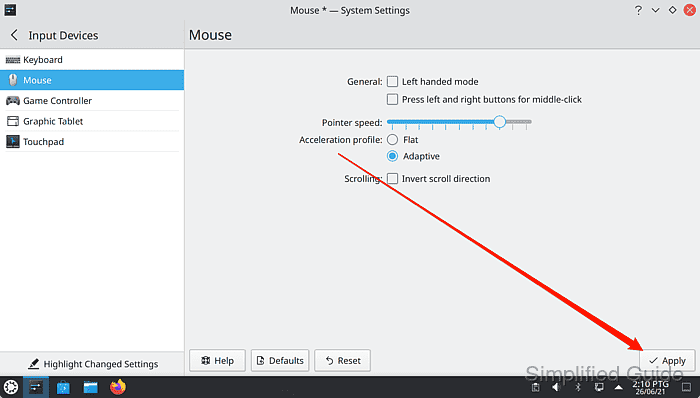
- Click on Mouse menu item.
- Adjust the Pointer speed slider to adjust the mouse pointer speed.
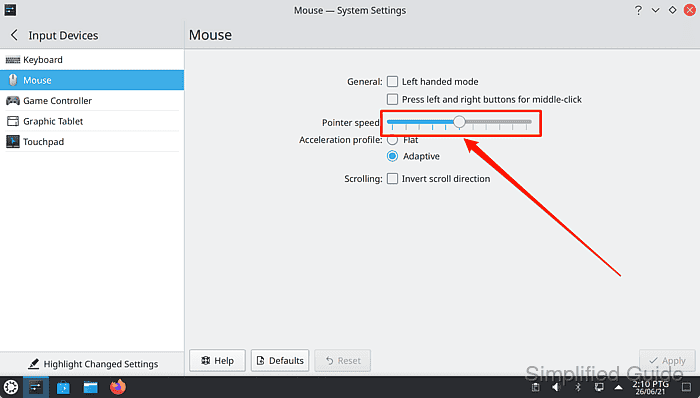
Slide left for slower speed and right for faster speed.
- Click on the Apply button to save and activate the configuration change.
Tested on Kubuntu:
| Version | Code Name |
|---|---|
| 24.04 LTS | Noble Numbat |