How to tweak or disable KDE desktop effects/animations in Kubuntu
Kubuntu uses KDE Plasma to manage its desktop environment, offering various compositing features for graphical effects. These animations can improve visual appeal but may impact performance on some systems. Disabling or modifying effects can optimize resources and provide a smoother user experience.
Desktop effects are managed by the KWin window manager, which handles window decorations, compositing, and transitions. KDE Plasma uses either X11 or Wayland as the underlying display server, and each session may support different compositing options. Adjusting visual effects helps control system load and tailors the interface to specific hardware capabilities.
Compositing is configured in the System Settings under the Workspace Behavior and Display sections. The Compositor allows changes to rendering backends such as OpenGL or XRender, which handle how the system draws windows and animations. Turning off certain animations or switching backends reduces GPU or CPU overhead and can resolve graphical artifacts in some setups.
Steps to configure or disable desktop effects in Kubuntu (KDE) desktop:
- Open System Settings from the Application Launcher.
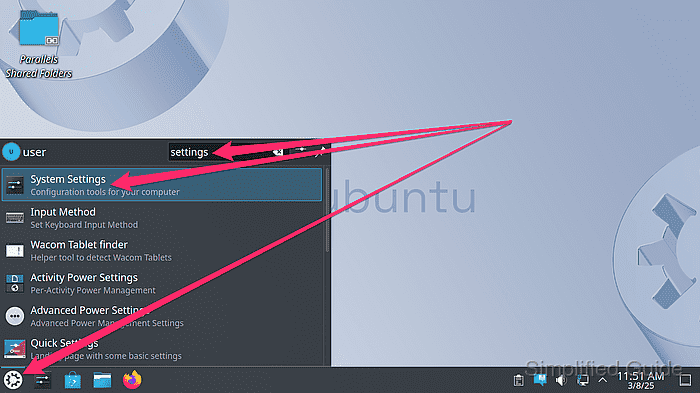
- Click on Workspace Behavior.

- Go to choose Desktop Effects.
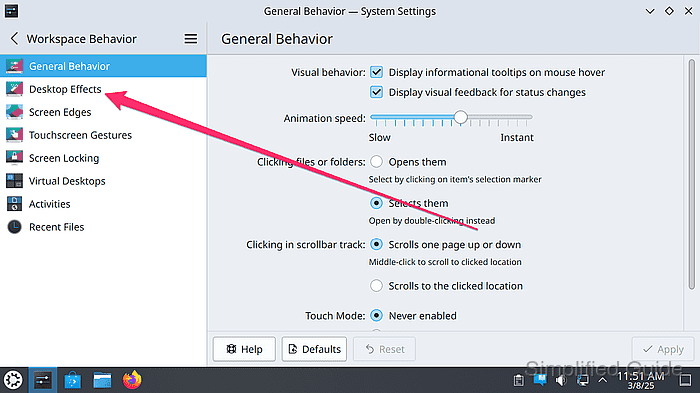
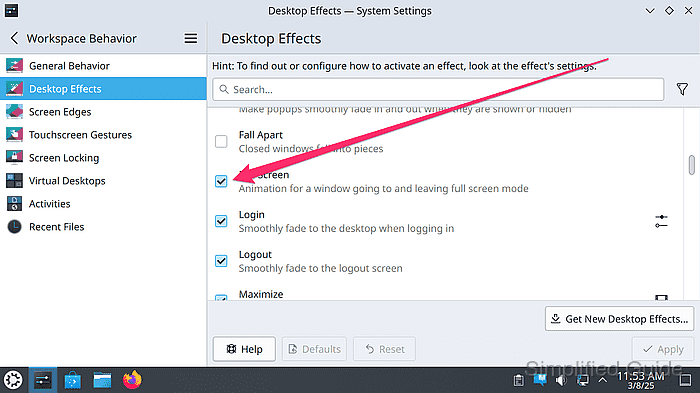
- Uncheck specific effects to deactivate animations or enable only desired ones.
- Click on the Configure icon to configure specific effects that supports configuration.
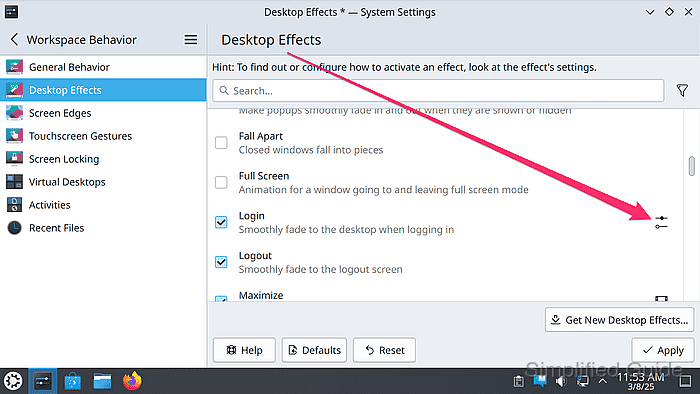
- Set desired values for the effect and click OK.
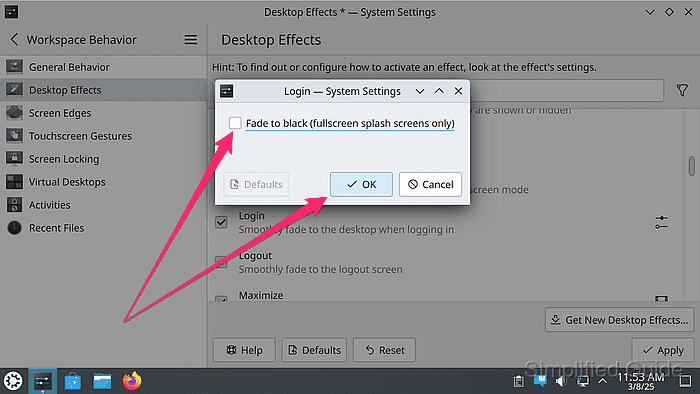
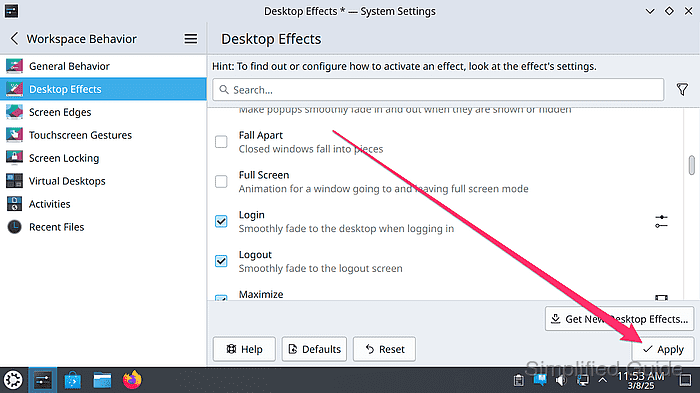
- Click Apply to apply the Desktop Effects configuration changes.
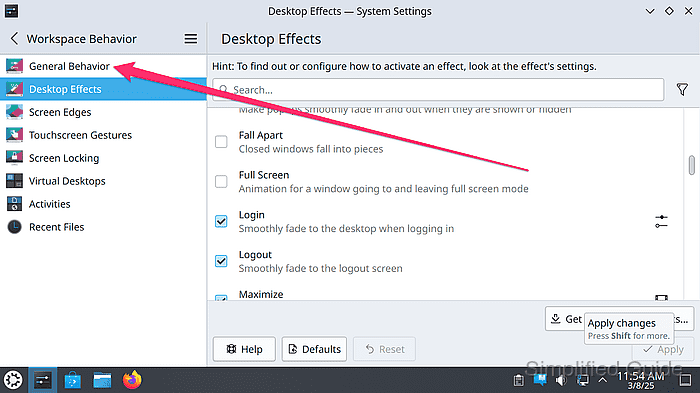
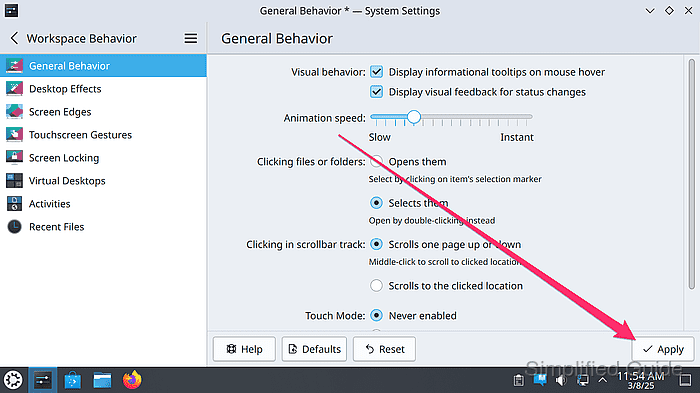
- Switch to the General Behavior from the sidebar menu.
- Adjust the animation speed of some effects.
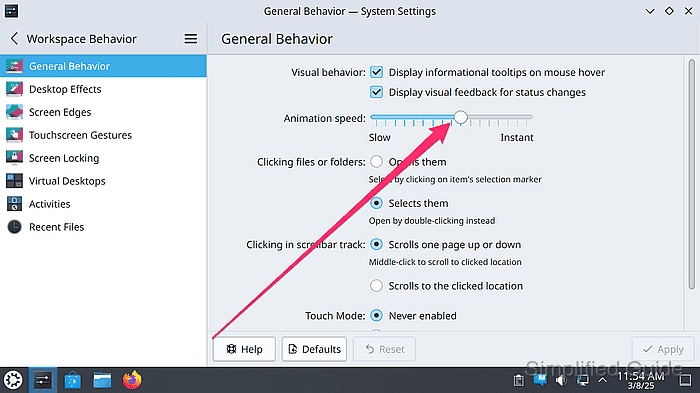
- Click Apply to commit adjustments.
- Log out or reboot if needed for changes to take full effect.
Tested on Kubuntu:
| Version | Code Name |
|---|---|
| 24.04 LTS | Noble Numbat |