How to update a Kubernetes Deployment image
Kubernetes Deployments replace Pods when the Pod template changes, and the container image is one of the most common template fields changed during a release. Updating the image through kubectl lets an existing Deployment move to a new application build without rewriting the whole manifest during an operations window.
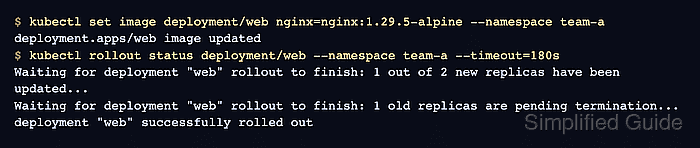
kubectl set image writes the new image into the Deployment's Pod template for the named container. The Deployment controller then creates a new ReplicaSet revision and rolls Pods according to the Deployment's rollout strategy.
Use a release-specific image tag or digest so the Pod template actually changes and the rollout can be audited later. Confirm the active cluster, namespace, Deployment name, and container name before changing the image, especially when several environments use the same workload names.
Steps to update a Kubernetes Deployment image:
- Check that the target Deployment is available before changing its image.
$ kubectl get deployment web --namespace team-a
NAME   READY   UP-TO-DATE   AVAILABLE   AGE
web    2/2     2            2           12s
If this command reaches the wrong cluster or namespace, fix kubectl access before updating the workload.
Related: How to check Kubernetes cluster access - List the container names and current images in the Deployment template.
$ kubectl get deployment web --namespace team-a -o jsonpath='{range .spec.template.spec.containers[*]}{.name}{"\t"}{.image}{"\n"}{end}'
nginx	nginx:1.29.4-alpine
kubectl set image needs the container name from the first column, not only the Deployment name.
- Update the Deployment container image.
$ kubectl set image deployment/web nginx=nginx:1.29.5-alpine --namespace team-a
deployment.apps/web image updated
Reusing the same mutable tag can leave the Pod template unchanged. Prefer a new release tag or an image digest for each rollout.
- Wait for the image rollout to finish.
$ kubectl rollout status deployment/web --namespace team-a --timeout=180s
Waiting for deployment "web" rollout to finish: 1 out of 2 new replicas have been updated...
Waiting for deployment "web" rollout to finish: 1 old replicas are pending termination...
deployment "web" successfully rolled out
If rollout status times out or reports a progress deadline error, inspect Pods, ReplicaSets, and Events before retrying.
Related: How to check Kubernetes events
Related: How to roll back a Kubernetes Deployment - Confirm the Deployment is available after the rollout.
$ kubectl get deployment web --namespace team-a
NAME   READY   UP-TO-DATE   AVAILABLE   AGE
web    2/2     2            2           20s
- Verify that the Deployment template now references the intended image.
$ kubectl get deployment web --namespace team-a -o jsonpath='{range .spec.template.spec.containers[*]}{.name}{"\t"}{.image}{"\n"}{end}' nginx nginx:1.29.5-alpine - Check the Deployment rollout history.
$ kubectl rollout history deployment/web --namespace team-a
deployment.apps/web
REVISION  CHANGE-CAUSE
1         <none>
2         <none>
CHANGE-CAUSE shows <none> unless the rollout revision carries a recorded change cause.
- Verify that the new ReplicaSet owns the desired replicas.
$ kubectl get replicasets --namespace team-a -l app=web
NAME             DESIRED   CURRENT   READY   AGE
web-76f74bd998   2         2         2       9s
web-9bdf6bcb5    0         0         0       21s
Use the Deployment's selector labels when the workload does not use app=web.