How to install Keras with pip
Keras from PyPI is the standalone Keras 3 package used for new multi-backend projects. Installing it inside a project virtual environment keeps the backend framework, Python packages, and model code together instead of relying on system Python or an older TensorFlow-bound Keras install.
Keras 3 needs a backend framework before model code can run. A CPU JAX backend keeps the basic environment small while still proving import and layer execution; use TensorFlow or PyTorch instead when the project targets those runtimes.
Use Python 3.11 or newer for current Keras releases. Select the backend before the first keras import, and keep GPU-specific CUDA or accelerator packages in the backend installation plan rather than mixing them into a basic CPU pip install.
Related: How to set the Keras backend
Related: How to fix Keras backend selection after import
Related: How to migrate Keras 2 code to Keras 3
Steps to install Keras with pip:
- Open a terminal in the project directory and confirm the Python version.
$ python3 --version
Python 3.14.4
Current Keras releases require Python 3.11 or newer. If the command reports an older interpreter, create the virtual environment with a newer Python installation.
- Create a project-local virtual environment.
$ python3 -m venv .venv
On Ubuntu or Debian minimal systems, install the distro's python3-venv package first if venv is missing.
- Activate the virtual environment.
$ . .venv/bin/activate
- Upgrade pip inside the virtual environment.
$ python -m pip install --upgrade pip
Successfully installed pip-26.1.2
The exact pip version may differ. The important point is that python -m pip now targets the active virtual environment.
- Install Keras with the JAX backend package.
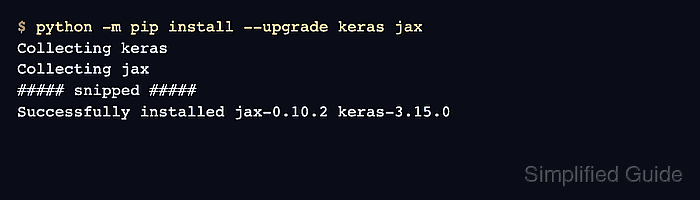
$ python -m pip install --upgrade keras jax
Collecting keras
Collecting jax
##### snipped #####
Successfully installed jax-0.10.2 keras-3.15.0
Replace jax with tensorflow or torch when the project uses that backend. TensorFlow 2.15 can reinstall Keras 2, so reinstall keras afterwards or use TensorFlow 2.16 or newer for a Keras 3 environment.
- Confirm that Keras imports with the selected backend.
$ KERAS_BACKEND=jax python -c 'import keras; print(f"keras {keras.__version__}"); print(f"backend {keras.config.backend()}")'
keras 3.15.0
backend jax
Keras reads KERAS_BACKEND while importing. Restart Python shells, notebook kernels, and workers after changing the backend.
Related: How to set the Keras backend - Run a small model smoke test through the backend.
$ KERAS_BACKEND=jax python - <<'PY'
import keras
import numpy as np

model = keras.Sequential(
    [
        keras.Input(shape=(3,), name="features"),
        keras.layers.Dense(2, name="scores"),
    ]
)
output = model(np.ones((1, 3), dtype="float32"))

print(f"keras {keras.__version__}")
print(f"backend {keras.config.backend()}")
print(f"output shape {tuple(output.shape)}")
PY
keras 3.15.0
backend jax
output shape (1, 2)