How to create a custom layer in Keras
Keras layers are the reusable units that own weights and transform tensors inside a model. A custom layer belongs in a project when preprocessing, projection, scoring, or other tensor logic needs to behave like a built-in layer instead of staying as loose Python code.
A subclassed layer keeps constructor options in __init__(), creates input-shape-dependent weights in build(), and performs the forward pass in call(). Using keras.ops inside call() keeps simple math backend-agnostic so the same layer can run with the project's selected TensorFlow, JAX, or PyTorch backend when that backend package is installed.
The smoke test builds an OffsetDense layer, calls it directly, attaches a second instance to a Functional API model, saves a .keras archive, and reloads the model. Registration plus get_config() make the layer available to normal Keras serialization, while larger projects should keep the class in an importable module.
Steps to create a custom Keras layer:
- Create custom_layer.py with backend selection, imports, and sample input.
- custom_layer.py
import os
from pathlib import Path

os.environ["KERAS_BACKEND"] = "jax"

import keras
import numpy as np
from keras import ops


keras.utils.set_random_seed(29)

sample = np.array(
    [
        [0.2, 0.5, 0.1],
        [0.8, 0.3, 0.4],
    ],
    dtype="float32",
)
Set KERAS_BACKEND before the first import keras. Use the backend name already installed for the project, such as tensorflow, jax, or torch.
Related: How to install Keras with pip
Related: How to set the Keras backend - Add a registered Layer subclass with input-shaped weights, backend-agnostic math, and serialization config.
@keras.saving.register_keras_serializable(package="Guide")
class OffsetDense(keras.layers.Layer):
    def __init__(self, units, activation=None, **kwargs):
        super().__init__(**kwargs)
        self.units = units
        self.activation = keras.activations.get(activation)

    def build(self, input_shape):
        input_dim = input_shape[-1]
        self.kernel = self.add_weight(
            name="kernel",
            shape=(input_dim, self.units),
            initializer="glorot_uniform",
            trainable=True,
        )
        self.bias = self.add_weight(
            name="bias",
            shape=(self.units,),
            initializer="zeros",
            trainable=True,
        )
        super().build(input_shape)

    def call(self, inputs):
        outputs = ops.matmul(inputs, self.kernel) + self.bias
        if self.activation is not None:
            outputs = self.activation(outputs)
        return outputs

    def get_config(self):
        config = super().get_config()
        config.update(
            {
                "units": self.units,
                "activation": keras.activations.serialize(self.activation),
            }
        )
        return config
build() runs on the first call and receives the observed input shape. Use it for weights that depend on the feature dimension. keras.ops keeps common tensor operations portable across supported Keras backends.
- Add the direct layer call, model call, save, and reload smoke test.
layer = OffsetDense(4, activation="relu", name="offset_dense")
direct_output = layer(sample)

inputs = keras.Input(shape=(3,), name="features")
outputs = OffsetDense(2, activation="relu", name="custom_projection")(inputs)
model = keras.Model(inputs, outputs, name="custom_layer_model")
model_output = model(sample)

model_path = Path("custom_layer_model.keras")
model.save(model_path)
reloaded_model = keras.saving.load_model(model_path)
reloaded_output = reloaded_model(sample)

print(f"backend: {keras.backend.backend()}")
print(f"layer built: {layer.built}")
print(f"direct output shape: {direct_output.shape}")
print(f"layer weights: {[weight.name for weight in layer.weights]}")
print(f"model output shape: {model_output.shape}")
print(f"reloaded layer: {reloaded_model.get_layer('custom_projection').__class__.__name__}")
print(f"reloaded output close: {np.allclose(np.asarray(model_output), np.asarray(reloaded_output))}")
The native .keras archive stores the model config and weights, not arbitrary Python source. Import the module containing the registered class before loading the archive in a separate process.
Related: How to save and load Keras models with custom objects - Run the custom layer smoke test.
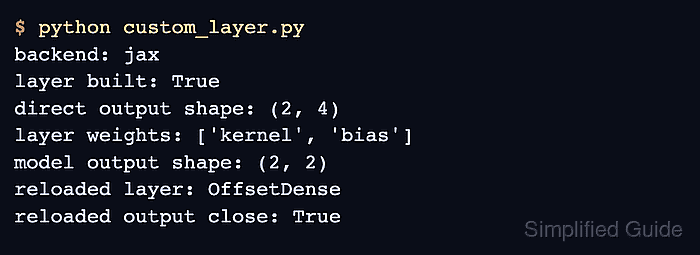
$ python custom_layer.py
backend: jax
layer built: True
direct output shape: (2, 4)
layer weights: ['kernel', 'bias']
model output shape: (2, 2)
reloaded layer: OffsetDense
reloaded output close: True
The direct output confirms that the layer built its own weights. The reload output confirms that Keras recreated the registered custom layer from the saved model archive.
- Remove the temporary model archive if the save and reload check was only for testing.
$ rm custom_layer_model.keras