How to fix Keras backend selection after import
Keras chooses its backend while the package is imported, so backend selection bugs often look like an environment variable that is set correctly but ignored. The usual cause is an early import keras, from keras import ..., KerasHub import, or project module import that runs before KERAS_BACKEND is set.
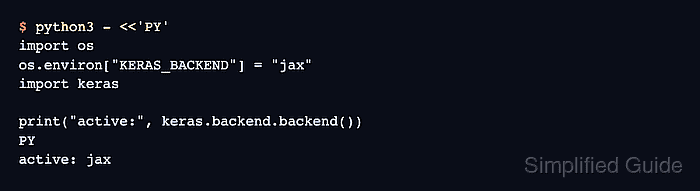
Keras 3 reads KERAS_BACKEND or /~/.keras/keras.json before it loads a backend. After that point, changing the environment only changes os.environ; the active Keras process keeps using the backend it already initialized.
Fix the issue in a fresh Python process or restarted notebook kernel. Put the backend assignment at the top of the entry point, before Keras and before any project module that imports Keras for you.
Related: How to set the Keras backend
Steps to fix Keras backend import order:
- Reproduce the late-change symptom in a fresh process.
$ KERAS_BACKEND=jax python3 - <<'PY'
import os
import keras

os.environ["KERAS_BACKEND"] = "tensorflow"
print("requested:", os.environ["KERAS_BACKEND"])
print("active:", keras.backend.backend())
PY
requested: tensorflow
active: jax
The late assignment changes the environment value, but keras.backend.backend() still reports the backend loaded at import time.
- Move the backend assignment before the first Keras import in the program entry point.
- train.py
import os
os.environ["KERAS_BACKEND"] = "jax"

import keras
Use jax, tensorflow, or torch according to the backend package installed in the environment. If a shell export or /~/.keras/keras.json already selects the backend, keep the first Keras import after that selection point.
- Restart the Python process or notebook kernel.
Do not try to repair an already imported process by reassigning KERAS_BACKEND, reloading modules, or calling keras.utils.clear_session(). Start a new process so Keras can initialize the backend once from the intended setting.
- Remove late backend assignments from imported helper modules.
Keep backend selection in the notebook's first cell, the shell that launches Python, or the main script before project imports. Imported modules should assume Keras is already configured instead of changing KERAS_BACKEND themselves.
- Verify the corrected import order in the fresh process.
$ python3 - <<'PY'
import os
os.environ["KERAS_BACKEND"] = "jax"
import keras

print("active:", keras.backend.backend())
PY
active: jax