How to install a Jupyter Notebook extension
Notebook 7 extensions are installed through the JupyterLab extension system that the modern Notebook interface uses in the browser. A prebuilt extension package can add themes, commands, renderers, sidebars, or other interface features without the legacy Notebook 6 nbextension install flow.
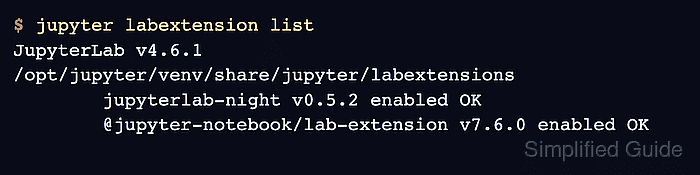
The package must be installed into the same Python environment that runs jupyter notebook. The sample package is jupyterlab-night because it is a small prebuilt theme extension whose enabled state appears in jupyter labextension list.
Classic Notebook extension commands such as jupyter nbextension install and jupyter nbextension enable do not apply to Notebook 7 front-end extensions. For NbClassic or Notebook 6 deployments, use the extension's Classic Notebook instructions instead of mixing the two systems.
Steps to install a Jupyter Notebook extension:
- Open a terminal in the Python environment that runs Jupyter Notebook.
- Confirm that the environment runs Notebook 7.
$ jupyter notebook --version
7.6.0
Notebook 7 uses the JupyterLab extension system for front-end extensions. If this command reports Notebook 6.x or opens the NbClassic interface, use the extension's Classic Notebook instructions instead.
- Install the prebuilt extension package with pip.
$ python -m pip install jupyterlab-night
Collecting jupyterlab-night
  Downloading jupyterlab_night-0.5.2-py3-none-any.whl.metadata (3.6 kB)
Downloading jupyterlab_night-0.5.2-py3-none-any.whl (16 kB)
Installing collected packages: jupyterlab-night
Successfully installed jupyterlab-night-0.5.2
Replace jupyterlab-night with the package name for the extension being installed. Many Notebook 7-compatible extensions use a Python package name for installation and a separate extension namespace in Jupyter's enabled-extension list.
- Restart any already-running Jupyter Notebook server before using the new extension.
Refresh open browser tabs after the restart so the Notebook front end loads the new extension bundle. If Notebook runs as a service, restart that service instead of starting a second server.
Related: How to stop a running Jupyter Server
Related: How to create a systemd service for Jupyter Notebook - Verify that Jupyter sees the front-end extension as enabled.
$ jupyter labextension list
JupyterLab v4.6.1
/opt/jupyter/venv/share/jupyter/labextensions
        jupyterlab_pygments v0.3.0 enabled OK (python, jupyterlab_pygments)
        jupyterlab-night v0.5.2 enabled OK (python, jupyterlab_night)
        @jupyter-notebook/lab-extension v7.6.0 enabled OK
The enabled OK status confirms that Jupyter can load the extension bundle. Extension names in this output can differ from the pip package name.