How to build an executable JAR with Maven
An executable Maven JAR is ready for java -jar only when the packaged archive names a startup class in META-INF/MANIFEST.MF. Without that Main-Class entry, the Java launcher cannot decide which public static void main(String[] args) method should start the application.
The Maven Shade Plugin can bind to the package phase, replace the normal project JAR with a shaded JAR, and write the manifest entry through ManifestResourceTransformer. With dependencies shaded into the archive, the deployment command stays as java -jar instead of a separate classpath listing.
Use a full JDK for the build because Maven invokes javac before packaging. The example targets Java 17 bytecode while running Maven on a newer JDK, so raise maven.compiler.release only when the hosts that will run the JAR support that Java release.
Related: How to run a JAR file on Linux
Related: How to run Java with a classpath
Related: How to create a custom Java runtime with jlink
Steps to build an executable JAR with Maven:
- Open the project root and confirm that Maven is using a JDK, not a runtime-only install.
$ mvn --version
Apache Maven 3.9.16 (2bdd9fddda4b155ebf8000e807eb73fd829a51d5)
Maven home: /usr/share/maven
Java version: 25.0.3, vendor: Eclipse Adoptium, runtime: /opt/java/openjdk
Default locale: en_US, platform encoding: UTF-8
OS name: "linux", version: "6.12.76-linuxkit", arch: "aarch64", family: "unix"
The Maven and Java versions can differ from this example. Confirm that mvn runs under a JDK that can compile the project.
- Configure the project JAR packaging, compiler release, and Shade plugin entry point.
<project xmlns="http://maven.apache.org/POM/4.0.0"
         xmlns:xsi="http://www.w3.org/2001/XMLSchema-instance"
         xsi:schemaLocation="http://maven.apache.org/POM/4.0.0 https://maven.apache.org/xsd/maven-4.0.0.xsd">
  <modelVersion>4.0.0</modelVersion>

  <groupId>com.example</groupId>
  <artifactId>maven-executable-demo</artifactId>
  <version>1.0.0</version>
  <packaging>jar</packaging>

  <properties>
    <project.build.sourceEncoding>UTF-8</project.build.sourceEncoding>
    <maven.compiler.release>17</maven.compiler.release>
  </properties>

  <build>
    <plugins>
      <plugin>
        <groupId>org.apache.maven.plugins</groupId>
        <artifactId>maven-compiler-plugin</artifactId>
        <version>3.15.0</version>
      </plugin>
      <plugin>
        <groupId>org.apache.maven.plugins</groupId>
        <artifactId>maven-shade-plugin</artifactId>
        <version>3.6.2</version>
        <executions>
          <execution>
            <phase>package</phase>
            <goals>
              <goal>shade</goal>
            </goals>
            <configuration>
              <createDependencyReducedPom>false</createDependencyReducedPom>
              <transformers>
                <transformer implementation="org.apache.maven.plugins.shade.resource.ManifestResourceTransformer">
                  <mainClass>com.example.cli.App</mainClass>
                </transformer>
              </transformers>
            </configuration>
          </execution>
        </executions>
      </plugin>
    </plugins>
  </build>
</project>
Replace com.example.cli.App with the fully qualified class that contains the application's main method. Keep createDependencyReducedPom disabled when the build should not write a generated dependency-reduced-pom.xml beside pom.xml.
- Save or confirm the application class that should start from the JAR.
package com.example.cli;

public class App {
    public static void main(String[] args) {
        String name = args.length == 0 ? "operator" : args[0];
        System.out.println("Executable JAR ready for " + name);
    }
}
The package and class name must match the mainClass value in the Shade plugin configuration.
- Build the package from the project root.
$ mvn package
[INFO] Scanning for projects...
[INFO]
[INFO] -----------------< com.example:maven-executable-demo >------------------
[INFO] Building maven-executable-demo 1.0.0
[INFO]   from pom.xml
[INFO] --------------------------------[ jar ]---------------------------------
[INFO]
[INFO] --- resources:3.4.0:resources (default-resources) @ maven-executable-demo ---
[INFO] skip non existing resourceDirectory /tmp/maven-executable-demo/src/main/resources
[INFO]
[INFO] --- compiler:3.15.0:compile (default-compile) @ maven-executable-demo ---
[INFO] Recompiling the module because of changed source code.
[INFO] Compiling 1 source file with javac [debug release 17] to target/classes
##### snipped #####
[INFO] --- jar:3.5.0:jar (default-jar) @ maven-executable-demo ---
[INFO] Building jar: /tmp/maven-executable-demo/target/maven-executable-demo-1.0.0.jar
[INFO]
[INFO] --- shade:3.6.2:shade (default) @ maven-executable-demo ---
[INFO] Replacing original artifact with shaded artifact.
[INFO] ------------------------------------------------------------------------
[INFO] BUILD SUCCESS
[INFO] ------------------------------------------------------------------------
Do not skip tests by default. If a normal project test fails during packaging, fix the test failure or handle it as a separate Maven test task before publishing the JAR.
- Extract and read the manifest from the generated JAR.
$ jar --extract --file target/maven-executable-demo-1.0.0.jar META-INF/MANIFEST.MF

$ cat META-INF/MANIFEST.MF
Manifest-Version: 1.0
Created-By: Maven JAR Plugin 3.5.0
Java-Version: 17
Build-Jdk-Spec: 25
Main-Class: com.example.cli.App
The Main-Class line proves that java -jar has an application entry point. If the line is missing, check that the Shade plugin is bound to package and that the configured main class name is correct.
- Run the built JAR with the Java launcher.
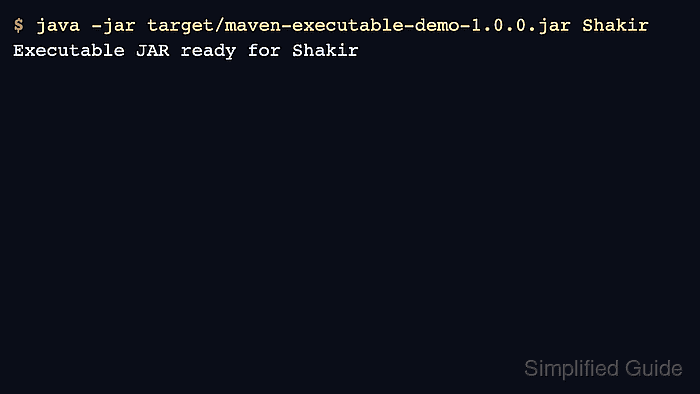
$ java -jar target/maven-executable-demo-1.0.0.jar Shakir
Executable JAR ready for Shakir
Place JVM options such as -Xmx512m before -jar, and place application arguments after the JAR filename. If the application should not be shaded, run it with an explicit classpath instead. Related: How to run Java with a classpath