How to create a custom Java runtime with jlink
A custom jlink runtime lets a modular Java application ship with a runtime that contains only the modules it can resolve. Without a linked image, deployments often carry a full JDK or expect a matching runtime on the target host, which makes the handoff larger and less predictable.
jlink works at module-image time, so the application must be available as an explicit module, such as a modular JAR with module-info.class at the root. The command resolves the modules named with –add-modules, includes their transitive dependencies, and writes a directory with its own bin/java plus any launcher requested with –launcher.
Use a full JDK for this task because jlink, javac, and jar are development tools. The output directory must not already exist, and each runtime image should be rebuilt when the application, dependency set, target operating system, or JDK security update changes.
Related: How to compile and run a Java file on Linux
Related: How to run a JAR file on Linux
Related: How to build an executable JAR with Maven
Steps to create a custom Java runtime with jlink:
- Create directories for the modular source, compiled modules, JAR file, and runtime image.
$ mkdir -p src/com.example.hello/com/example/hello mods jars runtime
- Save the module descriptor for the example application.
module com.example.hello {
}
This minimal module has no dependencies beyond java.base, which every Java module reads implicitly.
- Save the application class that the runtime launcher will start.
package com.example.hello; public class Main { public static void main(String[] args) { System.out.println("Hello from a jlink runtime"); } } - Compile the module into the mods directory.
$ javac -d mods --module-source-path src -m com.example.hello
No output indicates that javac compiled the module successfully.
- Package the compiled module as a modular JAR.
$ jar --create --file jars/com.example.hello.jar --main-class com.example.hello.Main -C mods/com.example.hello .
- Inspect the modular JAR before linking the runtime image.
$ jar --describe-module --file jars/com.example.hello.jar
com.example.hello jar:file:///work/jars/com.example.hello.jar!/module-info.class
requires java.base mandated
contains com.example.hello
main-class com.example.hello.Main
- Create the runtime image with jlink.
$ jlink --module-path jars \
    --add-modules com.example.hello \
    --launcher hello=com.example.hello/com.example.hello.Main \
    --strip-debug \
    --no-header-files \
    --no-man-pages \
    --compress=zip-6 \
    --output runtime/hello-runtime
Choose an output directory that does not already exist. If you are re-running the example, remove only the old test runtime or choose a new output path.
- List the modules included in the generated image.
$ runtime/hello-runtime/bin/java --list-modules
com.example.hello
java.base@25.0.3
The custom image contains the application module and the resolved JDK modules needed to run it. Larger applications usually list more modules.
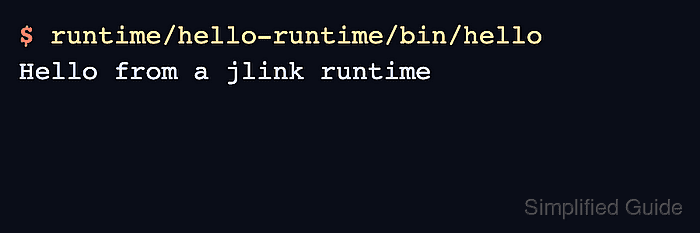
- Run the launcher generated by jlink.
$ runtime/hello-runtime/bin/hello
Hello from a jlink runtime
Copy runtime/hello-runtime to machines with the same operating system and CPU architecture family. The image includes a runtime launcher, not the development tools used to build it.