How to upgrade the JDK on Ubuntu
Upgrading the Java Development Kit (JDK) on Ubuntu changes both the runtime that starts Java programs and the compiler used by build tools. A host can have more than one OpenJDK package installed, so the upgrade is not complete until the active java and javac commands report the intended version.
Ubuntu packages OpenJDK through the normal APT repositories. The default-jdk metapackage follows the release's recommended JDK, while explicit packages such as openjdk-25-jdk keep the target major version clear when an application or build requires a specific line.
Keep the previous JDK installed until the project compiles and its normal smoke test succeeds. Java applications can depend on language level, bytecode target, build plugins, or vendor-specific behavior, so removing the old package too early can make rollback harder.
Related: How to install JDK on Ubuntu
Related: How to set the default Java version on Ubuntu
Steps to upgrade the JDK on Ubuntu:
- Open a terminal with sudo privileges.
- Refresh the APT package index.
$ sudo apt update
- Check the current runtime version before changing packages.
$ java -version
openjdk version "21.0.11" 2026-04-21
OpenJDK Runtime Environment (build 21.0.11+10-1-26.04.2-Ubuntu)
OpenJDK 64-Bit Server VM (build 21.0.11+10-1-26.04.2-Ubuntu, mixed mode, sharing)
- Check the current compiler version.
$ javac -version
javac 21.0.11
If javac is missing, install the JDK first with the Ubuntu JDK installation guide before using this upgrade path.
- Confirm that the target OpenJDK package is available for the Ubuntu release.
$ apt-cache policy openjdk-25-jdk
openjdk-25-jdk:
  Installed: (none)
  Candidate: 25.0.3+9-2~26.04.2
  Version table:
     25.0.3+9-2~26.04.2 500
        500 http://archive.ubuntu.com/ubuntu resolute-updates/main arm64 Packages
        500 http://security.ubuntu.com/ubuntu resolute-security/main arm64 Packages
     25.0.3~7ea-2 500
        500 http://archive.ubuntu.com/ubuntu resolute/main arm64 Packages
Replace openjdk-25-jdk with the supported target package for the Ubuntu release and application requirement. The exact update number and architecture in the output can differ.
- Install the newer JDK package.
$ sudo apt install openjdk-25-jdk
Reading package lists... Done
Building dependency tree... Done
Reading state information... Done
The following NEW packages will be installed:
  openjdk-25-jdk openjdk-25-jdk-headless openjdk-25-jre openjdk-25-jre-headless
##### snipped #####
Setting up openjdk-25-jdk:arm64 (25.0.3+9-2~26.04.2) ...
Use sudo apt install openjdk-25-jdk-headless on server hosts that need the compiler and command-line runtime but do not need desktop Java integration packages.
- Check whether the active runtime still points to the older JDK.
$ update-alternatives --display java
java - manual mode
  link best version is /usr/lib/jvm/java-25-openjdk-arm64/bin/java
  link currently points to /usr/lib/jvm/java-21-openjdk-arm64/bin/java
  link java is /usr/bin/java
  slave java.1.gz is /usr/share/man/man1/java.1.gz
/usr/lib/jvm/java-21-openjdk-arm64/bin/java - priority 2111
  slave java.1.gz: /usr/lib/jvm/java-21-openjdk-arm64/man/man1/java.1.gz
/usr/lib/jvm/java-25-openjdk-arm64/bin/java - priority 2511
  slave java.1.gz: /usr/lib/jvm/java-25-openjdk-arm64/man/man1/java.1.gz
Hosts in manual alternatives mode can keep using the old runtime after the new package is installed. The architecture segment in the path may be amd64, arm64, or another Ubuntu architecture.
- Select the newer runtime alternative.
$ sudo update-alternatives --config java
There are 2 choices for the alternative java (providing /usr/bin/java).

  Selection    Path                                        Priority   Status
------------------------------------------------------------
  0            /usr/lib/jvm/java-25-openjdk-arm64/bin/java   2511      auto mode
* 1            /usr/lib/jvm/java-21-openjdk-arm64/bin/java   2111      manual mode
  2            /usr/lib/jvm/java-25-openjdk-arm64/bin/java   2511      manual mode

Press <enter> to keep the current choice[1], or type selection number: 2
update-alternatives: using /usr/lib/jvm/java-25-openjdk-arm64/bin/java to provide /usr/bin/java (java) in manual mode
- Select the matching compiler alternative.
$ sudo update-alternatives --config javac
There are 2 choices for the alternative javac (providing /usr/bin/javac).

  Selection    Path                                         Priority   Status
------------------------------------------------------------
  0            /usr/lib/jvm/java-25-openjdk-arm64/bin/javac   2511      auto mode
* 1            /usr/lib/jvm/java-21-openjdk-arm64/bin/javac   2111      manual mode
  2            /usr/lib/jvm/java-25-openjdk-arm64/bin/javac   2511      manual mode

Press <enter> to keep the current choice[1], or type selection number: 2
update-alternatives: using /usr/lib/jvm/java-25-openjdk-arm64/bin/javac to provide /usr/bin/javac (javac) in manual mode
- Verify the upgraded runtime version.
$ java -version
openjdk version "25.0.3" 2026-04-21
OpenJDK Runtime Environment (build 25.0.3+9-2-26.04.2-Ubuntu)
OpenJDK 64-Bit Server VM (build 25.0.3+9-2-26.04.2-Ubuntu, mixed mode, sharing)
- Verify the upgraded compiler version.
$ javac -version
javac 25.0.3
- Create a small Java source file for a compiler and runtime smoke test.
public class HelloJdk { public static void main(String[] args) { System.out.println("JDK upgrade verified"); } } - Compile the source file with the selected JDK.
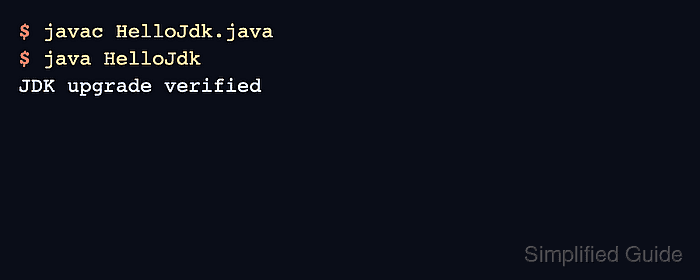
$ javac HelloJdk.java
- Run the compiled class.
$ java HelloJdk
JDK upgrade verified
- Remove the smoke-test files.
$ rm HelloJdk.java HelloJdk.class
- Remove the old JDK package only after dependent projects pass their normal tests.
$ sudo apt remove openjdk-21-jdk openjdk-21-jdk-headless
Skip this cleanup when an application still needs the older JDK or when rollback has not been cleared. Removing the package does not change application source compatibility, build plugin compatibility, or deployment runtime requirements.