How to install Java Development Kit (JDK) on openSUSE and SLES
A SUSE host needs the Java Development Kit (JDK) package, not only a runtime, before javac can compile source files or build tools can find a complete Java toolchain. On openSUSE and registered SUSE Linux Enterprise Server (SLES) systems, zypper installs OpenJDK development packages from enabled repositories and keeps them managed with the rest of the system packages.
The development package name includes the Java feature release, such as java-21-openjdk-devel. Installing that package also pulls in the matching runtime packages, so the compiler and the runtime stay on the same release from the same repository.
Package visibility depends on the repositories already enabled on the host. If a required JDK release does not appear in the zypper search output, enable the appropriate SUSE product or update repository first, or choose one of the listed OpenJDK development packages instead of adding an unreviewed community repository.
Steps to install Java JDK on openSUSE or SLES:
- Open a terminal with sudo privileges.
- Refresh the enabled zypper repositories.
$ sudo zypper refresh
Retrieving repository 'openSUSE-Tumbleweed-Update' metadata [...done]
Building repository 'openSUSE-Tumbleweed-Update' cache [....done]
Retrieving repository 'openSUSE-Tumbleweed-Oss' metadata [...done]
Building repository 'openSUSE-Tumbleweed-Oss' cache [....done]
All repositories have been refreshed.
- Search for available OpenJDK development packages.
$ zypper search --details "java-*-openjdk-devel"
Loading repository data...
Reading installed packages...

S  | Name                     | Type    | Version       | Arch    | Repository
---+--------------------------+---------+---------------+---------+------------------------
   | java-1_8_0-openjdk-devel | package | 1.8.0.492-2.1 | aarch64 | openSUSE-Tumbleweed-Oss
   | java-11-openjdk-devel    | package | 11.0.31.0-2.1 | aarch64 | openSUSE-Tumbleweed-Oss
   | java-17-openjdk-devel    | package | 17.0.19.0-3.1 | aarch64 | openSUSE-Tumbleweed-Oss
   | java-21-openjdk-devel    | package | 21.0.11.0-2.1 | aarch64 | openSUSE-Tumbleweed-Oss
   | java-25-openjdk-devel    | package | 25.0.3.0-2.1  | aarch64 | openSUSE-Tumbleweed-Oss
   | java-26-openjdk-devel    | package | 26.0.1.0-1.1  | aarch64 | openSUSE-Tumbleweed-Oss
The exact version and architecture columns depend on the enabled repositories and CPU architecture. On SLES, use the package names that appear after the system is registered and its required modules or product repositories are enabled.
- Install the required JDK development package.
$ sudo zypper install java-21-openjdk-devel
Loading repository data...
Reading installed packages...
Resolving package dependencies...

The following 38 NEW packages are going to be installed:
  alts file fontconfig
  java-21-openjdk java-21-openjdk-devel java-21-openjdk-headless
  ##### snipped #####

38 new packages to install.

Package download size:    57.1 MiB
##### snipped #####
(38/38) Installing: java-21-openjdk-devel-21.0.11.0-2.1.aarch64 [..done]
Replace java-21-openjdk-devel with another package from the search output when a project requires a different JDK release.
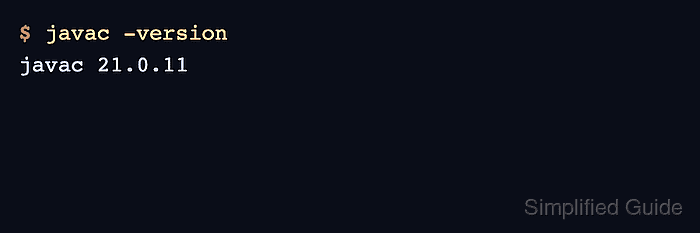
- Verify the JDK compiler.
$ javac -version
javac 21.0.11
- Verify the matching Java runtime.
$ java -version
openjdk version "21.0.11" 2026-04-21
OpenJDK Runtime Environment (build 21.0.11+10-suse-01699-aarch64)
OpenJDK 64-Bit Server VM (build 21.0.11+10-suse-01699-aarch64, mixed mode, sharing)