How to set Java heap size for a command-line app
A Java command-line app needs explicit heap limits when the default JVM sizing is too small for the workload or too large for the host. Set the heap on the launch command so each run starts with a known initial heap and stops growing at a defined maximum.
The java launcher reads JVM options before it reaches the application target. Put -Xms and -Xmx after java and before -jar, the main class, or a source file, then keep application arguments after the JAR file, class name, or source file.
-Xms sets the initial Java object heap and -Xmx sets the maximum Java object heap. Use suffixes such as m for mebibytes or g for gibibytes, keep the initial value no larger than the maximum, and leave room for non-heap JVM memory such as metaspace, thread stacks, direct buffers, native libraries, and the operating system.
Related: How to run a JAR file on Linux
Related: How to run Java with a classpath
Related: How to set the default Java version on Ubuntu
Steps to set Java heap size for a command-line app:
- Confirm the Java launcher that will run the application.
$ java -version
openjdk version "25.0.3" 2026-04-21
OpenJDK Runtime Environment (build 25.0.3+9-2-26.04.2-Ubuntu)
OpenJDK 64-Bit Server VM (build 25.0.3+9-2-26.04.2-Ubuntu, mixed mode, sharing)
If the shell is using the wrong runtime, switch the selected java command before setting memory options.
- Choose the initial and maximum heap sizes for this launch.
For short command-line jobs, a smaller -Xms can avoid reserving memory too early. For long-running server-style processes, many teams set -Xms and -Xmx to the same value to reduce heap resizing during runtime.
Do not set -Xmx close to the host or container memory limit. The JVM still needs memory outside the Java object heap.
- Put the heap flags before the application target in the java command.
$ java -Xms512m -Xmx2g -jar app.jar
For a classpath launch, use the same position before the main class, such as java -Xms512m -Xmx2g -cp 'classes:lib/*' example.App.
Related: How to run a JAR file on Linux
Related: How to run Java with a classpath - Create a small source-file check when the application does not print its heap settings.
- HeapSizeCheck.java
public class HeapSizeCheck {
    public static void main(String[] args) {
        Runtime runtime = Runtime.getRuntime();
        long mib = 1024 * 1024;
        System.out.printf("initial heap (MiB): %d%n", runtime.totalMemory() / mib);
        System.out.printf("maximum heap (MiB): %d%n", runtime.maxMemory() / mib);
    }
}
Source-file mode lets a current JDK compile and run this file with one java command. On hosts with only a JRE, compile a normal class separately or verify with application logs instead.
- Run the check with the same heap-flag pattern.
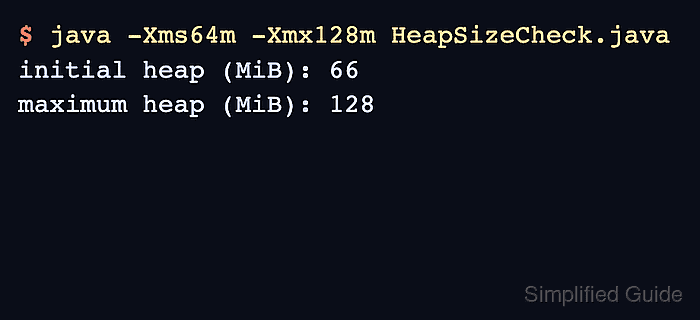
$ java -Xms64m -Xmx128m HeapSizeCheck.java
initial heap (MiB): 66
maximum heap (MiB): 128
The initial heap can be rounded by the JVM and garbage collector, but the maximum line should match the requested -Xmx value closely.
- Read the startup error when the initial heap is larger than the maximum heap.
$ java -Xms128m -Xmx64m HeapSizeCheck.java
Error occurred during initialization of VM
Initial heap size set to a larger value than the maximum heap size
Lower -Xms or raise -Xmx before re-running the application.
- Remove the temporary heap-check source file after verification.
$ rm HeapSizeCheck.java