How to set the default Java version on Ubuntu
Ubuntu systems can have more than one Java runtime installed when different applications require different JDK or JRE releases. The default version is the binary reached when a command, script, or service runs java without an absolute path.
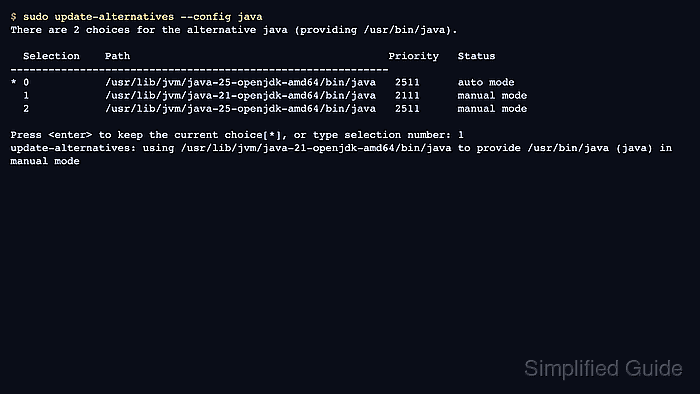
The Debian alternatives system controls /usr/bin/java through the java link group. Selecting a version with update-alternatives --config java changes that link group from automatic package-priority selection to a manual administrator choice.
Change the default only after the required Java versions are already installed. The selection affects new command invocations that resolve java through /usr/bin/java; it does not edit JAVA_HOME, change already-running services, or switch compiler tools such as javac unless those alternatives are configured separately.
Steps to set the default Java version on Ubuntu:
- List the installed alternatives for the java command.
$ sudo update-alternatives --list java
/usr/lib/jvm/java-21-openjdk-amd64/bin/java
/usr/lib/jvm/java-25-openjdk-amd64/bin/java
If this command shows only one path, install the additional JDK or JRE version first. The alternatives selector can only choose among versions that are already registered.
- Check the current default Java runtime.
$ java -version
openjdk version "25.0.3" 2026-04-21
OpenJDK Runtime Environment (build 25.0.3+9-2-26.04.2-Ubuntu)
OpenJDK 64-Bit Server VM (build 25.0.3+9-2-26.04.2-Ubuntu, mixed mode, sharing)
- Open the java alternatives selector and choose the intended version number.
$ sudo update-alternatives --config java
There are 2 choices for the alternative java (providing /usr/bin/java).

  Selection    Path                                         Priority   Status
------------------------------------------------------------
* 0            /usr/lib/jvm/java-25-openjdk-amd64/bin/java   2511      auto mode
  1            /usr/lib/jvm/java-21-openjdk-amd64/bin/java   2111      manual mode
  2            /usr/lib/jvm/java-25-openjdk-amd64/bin/java   2511      manual mode

Press <enter> to keep the current choice[*], or type selection number: 1
update-alternatives: using /usr/lib/jvm/java-21-openjdk-amd64/bin/java to provide /usr/bin/java (java) in manual mode
Choose the row for the version that should answer java. The 0 row keeps automatic mode, where package priorities choose the highest-priority installed alternative.
For unattended provisioning, use the exact path from the list command with sudo update-alternatives --set java /usr/lib/jvm/java-21-openjdk-amd64/bin/java instead of the interactive selector.
- Confirm /usr/bin/java now resolves to the selected runtime.
$ readlink -f /usr/bin/java
/usr/lib/jvm/java-21-openjdk-amd64/bin/java
- Verify the default runtime version reported by java.
$ java -version
openjdk version "21.0.11" 2026-04-21
OpenJDK Runtime Environment (build 21.0.11+10-1-26.04.2-Ubuntu)
OpenJDK 64-Bit Server VM (build 21.0.11+10-1-26.04.2-Ubuntu, mixed mode, sharing)
If compiler tools must match the runtime, install a JDK and configure the javac alternative separately with sudo update-alternatives --config javac, then verify it with javac -version.
- Return to automatic selection later only if package priorities should choose the default again.
$ sudo update-alternatives --auto java
update-alternatives: using /usr/lib/jvm/java-25-openjdk-amd64/bin/java to provide /usr/bin/java (java) in auto mode
Do not run automatic mode as the final step when the selected manual version must remain the default for applications or services.