How to run Java with a classpath
Java applications launched outside Maven, Gradle, or an executable JAR need the runtime to search the same class and library locations that the build used. A missing output directory or dependency JAR often appears as Could not find or load main class or NoClassDefFoundError, even when the source compiled successfully.
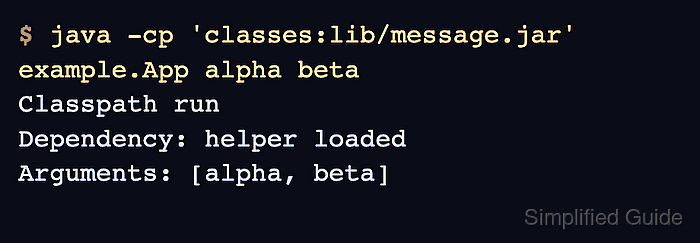
The java -cp option sets the application classpath for one launch. Each entry points to a package root directory, a specific JAR file, or a wildcard such as lib/* that the Java launcher expands to JAR files before the application starts.
The command examples use a POSIX shell on Linux with : between classpath entries and a main class named example.App. Use ; as the separator on Windows, keep the main class in Java package notation, and place program arguments after the class name.
Related: How to run a JAR file on Linux
Related: How to compile and run a Java file on Linux
Related: How to build an executable JAR with Maven
Steps to run Java with a classpath:
- Confirm that the compiled main class and dependency JAR are readable.
$ ls classes/example/App.class lib/message.jar
classes/example/App.class
lib/message.jar
Put the package root directory on the classpath. Use classes for example.App, not classes/example.
- Run the main class with the class output directory and dependency JAR on the classpath.
$ java -cp 'classes:lib/message.jar' example.App alpha beta
Classpath run
Dependency: helper loaded
Arguments: [alpha, beta]
- Use a directory wildcard when the application needs every JAR in one library directory.
$ java -cp 'classes:lib/*' example.App
Classpath run
Dependency: helper loaded
Arguments: []
Quote lib/* in a POSIX shell so the Java launcher receives the wildcard. When JAR loading order matters, name the JAR files explicitly instead of relying on wildcard expansion order.
- Read a missing dependency as a classpath problem before changing application code.
$ java -cp classes example.App
Classpath run
Exception in thread "main" java.lang.NoClassDefFoundError: example/Message
        at example.App.main(App.java:8)
Caused by: java.lang.ClassNotFoundException: example.Message
        at java.base/jdk.internal.loader.BuiltinClassLoader.loadClass(BuiltinClassLoader.java:580)
        at java.base/java.lang.ClassLoader.loadClass(ClassLoader.java:490)
        ... 1 more
Add the missing JAR or directory to the classpath and run the command again.
- Use the executable JAR form only when the artifact has a manifest main class.
$ java -jar app.jar
Do not add -cp to the same java -jar launch expecting it to change the application classpath. Build dependencies into the artifact, name them in the manifest, or run the main class with -cp.
Related: How to run a JAR file on Linux