How to run a JAR file on Linux
A JAR file starts from the Linux shell only when the selected Java runtime can read the file and the archive was packaged as an executable application. Running it in the foreground first shows whether the program starts, receives its arguments, or fails before application code runs.
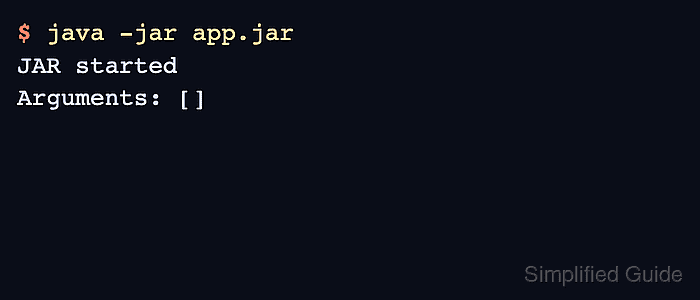
The java -jar launcher uses the Main-Class entry in the JAR manifest as the application entry point. Arguments placed after the JAR file name are passed to that class's main method, so keep JVM options before -jar and application options after the filename.
The examples below use a small executable JAR named app.jar on Linux with OpenJDK 25. A library JAR or a package built without a Main-Class manifest will fail with no main manifest attribute; dependencies must be packaged with the application, named by the manifest, or launched with a classpath command instead of adding -cp to the same java -jar command.
Steps to run a JAR file on Linux:
- Confirm that the shell is using the Java runtime intended for the application.
$ java -version
openjdk version "25.0.3" 2026-04-21
OpenJDK Runtime Environment (build 25.0.3+9-2-26.04.2-Ubuntu)
OpenJDK 64-Bit Server VM (build 25.0.3+9-2-26.04.2-Ubuntu, mixed mode, sharing)
- Change to the directory that contains the JAR, or use the absolute path to the file.
$ cd /opt/example-app
Use a path the current user can read. sudo changes environment and working-directory assumptions for some applications, so start without it unless the application requires privileged access.
- Run the executable JAR in the foreground.
$ java -jar app.jar
JAR started
Arguments: []
A command-line application may exit after printing output. A server application may stay attached to the terminal and keep writing startup logs until it is stopped.
- Pass application arguments after the JAR file name when the program expects them.
$ java -jar app.jar alpha beta
JAR started
Arguments: [alpha, beta]
Place JVM options such as -Xmx512m before -jar, and place program-specific arguments after app.jar.
- Read the manifest failure when the file is not an executable JAR.
$ java -jar library.jar
no main manifest attribute, in library.jar
This means the JAR does not name a startup class in its manifest. Run the class with a classpath command or rebuild the artifact as an executable JAR.
Related: How to run Java with a classpath
Related: How to build an executable JAR with Maven - Check the file path if Java cannot open the JAR at all.
$ java -jar missing.jar
Error: Unable to access jarfile missing.jar
Verify the filename, current directory, permissions, and deployment path before changing the Java command.