How to audit Docker iptables rules
Docker can open a container port even when a host firewall review only shows ordinary Linux forwarding rules. Published ports are implemented by Docker-owned iptables chains, so an audit needs to identify those jumps before treating a firewall policy as missing or bypassed.
On Linux bridge networks, Docker creates rules in the host network namespace and uses custom chains such as DOCKER-USER, DOCKER-FORWARD, DOCKER, and DOCKER-CT to handle forwarding, connection tracking, masquerading, and port mapping. The DOCKER-USER chain is the operator-owned hook that runs before Docker's forwarding chain; Docker-owned chains should be inspected rather than edited by hand.
The command sequence uses a disposable nginx container with TCP port 8080 published to container port 80. Run the audit on the Docker host that uses the iptables firewall backend, and expect different evidence when Docker is configured for the nftables backend, rootless mode, host networking, ipvlan, or macvlan.
Steps to audit Docker iptables rules:
- Start a disposable container with one published TCP port.
$ docker run --detach --name sg-iptables-audit --publish 8080:80 nginx:alpine
471c25eb6ad5f7f1861cc453eeba76215ce437f8820a321ff0bd8d58a93480ac
Use an existing container if the audit is for a production service; do not start a test container on a host where port 8080 is already owned by another service.
- Confirm the host-side published port.
$ docker port sg-iptables-audit 80/tcp
0.0.0.0:8080
[::]:8080
- Read the container IP address that Docker should target from its port mapping rule.
$ docker exec sg-iptables-audit hostname -i
172.18.0.2
The container address gives the value to compare with the DNAT rule.
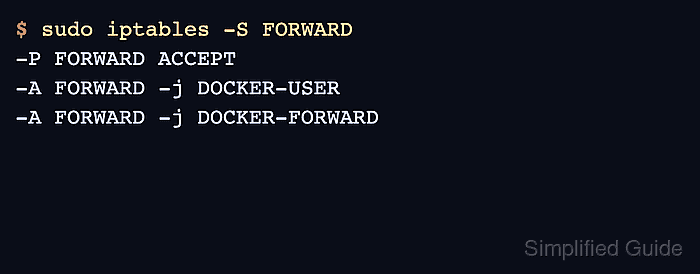
- List the Docker jumps in the filter table's FORWARD chain.
$ sudo iptables -S FORWARD
-P FORWARD ACCEPT
-A FORWARD -j DOCKER-USER
-A FORWARD -j DOCKER-FORWARD
The default policy may be DROP on some hosts because Docker can enable IP forwarding and set the FORWARD policy when it starts.
- Inspect the operator-owned DOCKER-USER chain before changing firewall policy.
$ sudo iptables -S DOCKER-USER
-N DOCKER-USER
Put site-specific allow or deny rules in DOCKER-USER when they must run before Docker's forwarding rules.
Do not edit Docker-owned chains such as DOCKER or DOCKER-FORWARD by hand. Docker can rewrite them when containers, networks, or the daemon state change.
- Trace the published port in the NAT DOCKER chain.
$ sudo iptables -t nat -S DOCKER
-N DOCKER
-A DOCKER ! -i docker0 -p tcp -m tcp --dport 8080 -j DNAT --to-destination 172.18.0.2:80
The DNAT target should match the container IP from hostname -i and the container-side port from docker port.
- Request the published port from a client path that reaches the Docker host.
$ curl -I -sS http://127.0.0.1:8080
HTTP/1.1 200 OK
Server: nginx/1.31.1
Date: Fri, 05 Jun 2026 21:51:57 GMT
Content-Type: text/html
Content-Length: 896
##### snipped #####
Counter checks are easiest to interpret from another machine or from a non-loopback host address. Some local loopback requests can be handled without incrementing the same DNAT counter shown for external ingress.
- Re-read the NAT DOCKER chain counters after the request.
$ sudo iptables -t nat -L DOCKER -n -v
Chain DOCKER (2 references)
 pkts bytes target     prot opt in     out     source               destination
    1    60 DNAT       tcp  --  !docker0 *       0.0.0.0/0            0.0.0.0/0            tcp dpt:8080 to:172.18.0.2:80
The packet counter confirms traffic matched the published-port rule. If it stays at zero, repeat the request from a path that enters the host through a non-Docker interface and confirm the target port with docker port.
- Remove the disposable container after the audit.
$ docker rm -f sg-iptables-audit
sg-iptables-audit