How to backup iPhone and iPad to iCloud
Backing up iPhone and iPad data to iCloud is a critical part of device management. It secures essential files, settings, and app data in a centralized cloud system. By storing backups in iCloud, users can restore their data to a new or existing device if needed. This protects against hardware failures, accidental data loss, and provides an efficient way to transition between devices.
iCloud stores key data including contacts, messages, photos, and settings, but excludes data that is already synced with cloud services like iCloud Photos and Mail. Data stored in iCloud backups is encrypted, which enhances the security of personal information. Automatic backups can be enabled, ensuring the backup process runs consistently when the device is connected to Wi-Fi and charging.
Managing iCloud storage is essential for successful backups. The default 5GB free plan may not cover all data, and users can upgrade to higher-tier plans if necessary. Regularly checking available storage and removing unnecessary old backups can help ensure backup processes continue without interruption.
Steps to backup iPhone and iPad to iCloud:
- Connect your device to a Wi-Fi network.
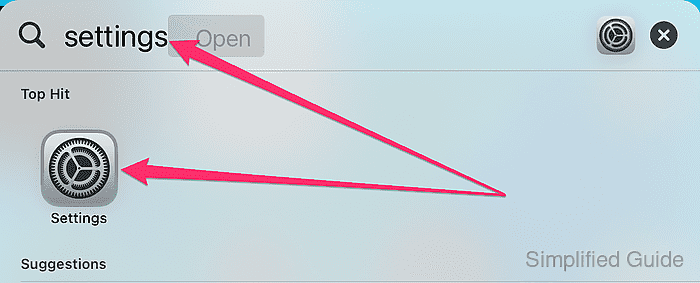
- Open the Settings app.
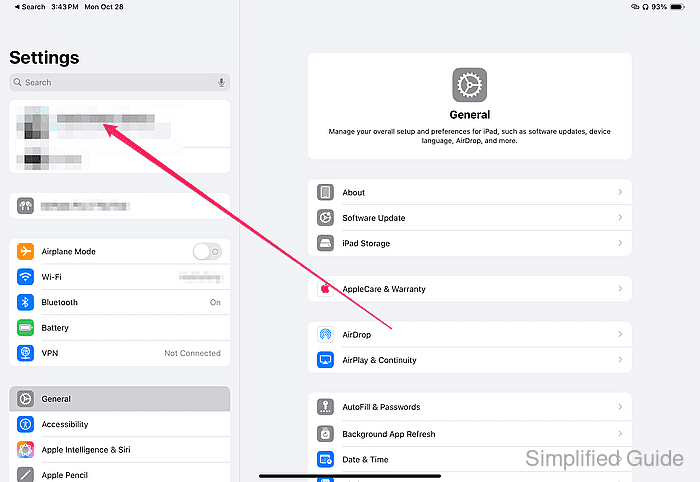
- Tap on your name at the top to open Apple ID settings.
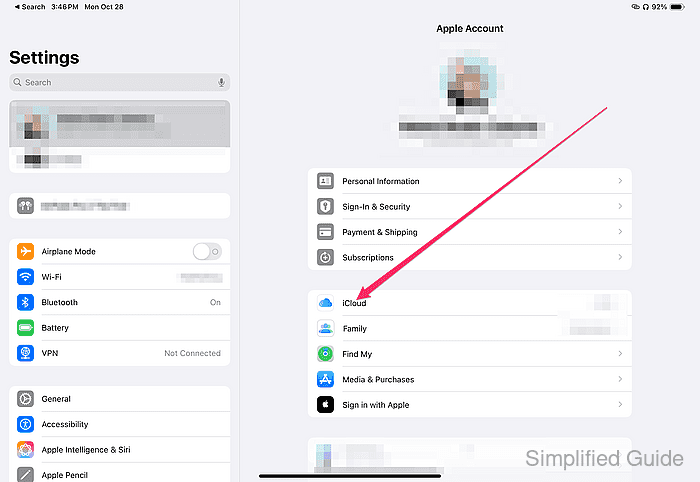
- Select iCloud from the list of options.
- Scroll down and tap iCloud Backup.
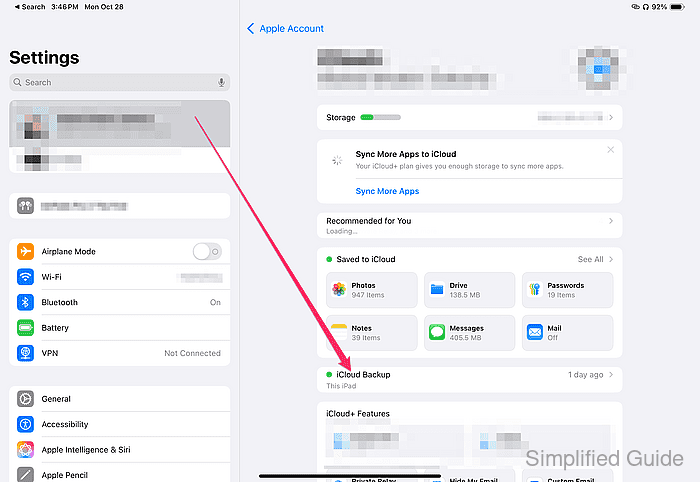
- Toggle iCloud Backup to enable automatic backups.
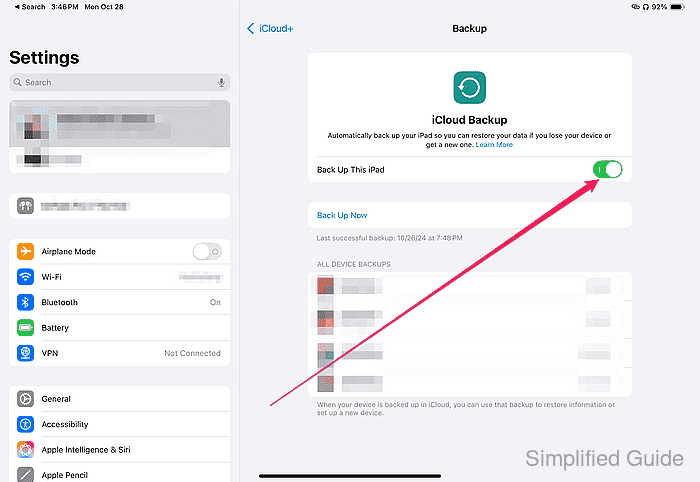
Automatic backups occur when your device is connected to Wi-Fi, plugged in for charging, and locked.
- To perform a manual backup, tap Back Up Now.
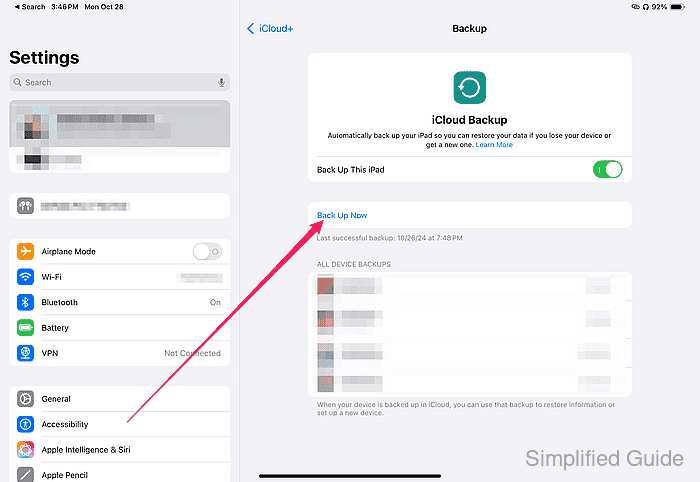
Keep the device connected to Wi-Fi until the backup is completed.