How to share photos using AirDrop on iPhone or iPad
AirDrop is a wireless technology that allows iPhone and iPad users to share files between Apple devices. It uses Bluetooth to discover nearby devices and Wi-Fi to establish a fast, direct connection. AirDrop eliminates the need for cables, cloud services, or internet access, making file transfers between devices straightforward.
When sending photos, AirDrop maintains the original image quality without compression. This is useful when sharing high-resolution images or large file sets. Since AirDrop transfers data directly between devices, it ensures speed and reliability, which is essential for users who need quick, secure file sharing without losing image fidelity.
To use AirDrop effectively, both devices need to have Bluetooth and Wi-Fi enabled, and they must be within range of each other. AirDrop is compatible with iPhones and iPads running iOS 7 or later. The sending and receiving devices also need AirDrop permissions configured correctly to allow the file transfer.
Steps to share photos using AirDrop on iPhone or iPad:
- Ensure both devices have Bluetooth and Wi-Fi enabled.
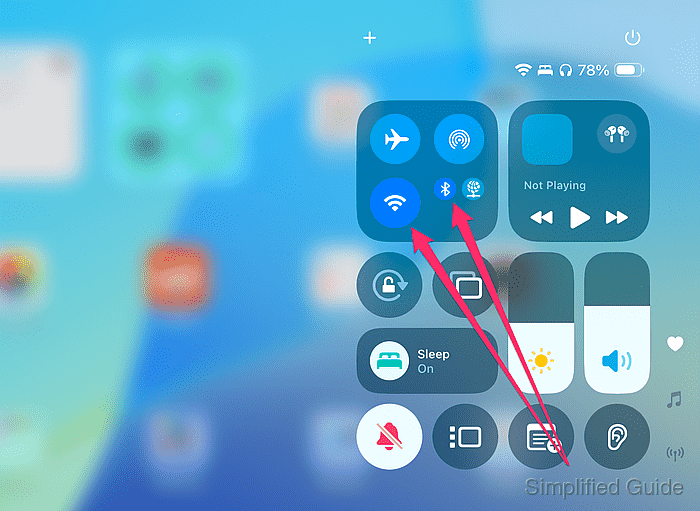
Make sure Airplane Mode is turned off, as it disables both Bluetooth and Wi-Fi.
- Enable AirDrop on both devices.
You can set AirDrop to receive files from Contacts Only or Everyone for 10 Minutes. Ensure both devices are discoverable.
- Open the Photos app on your iPhone or iPad.
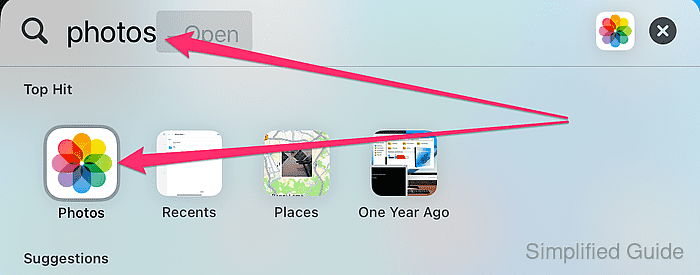
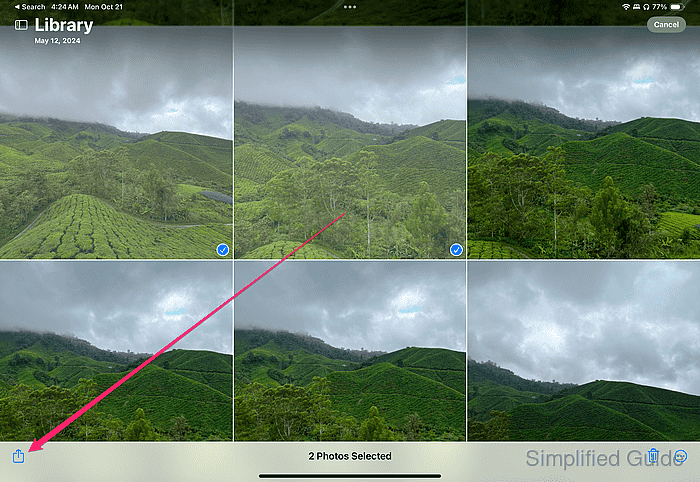
- Select the photo(s) you want to share.
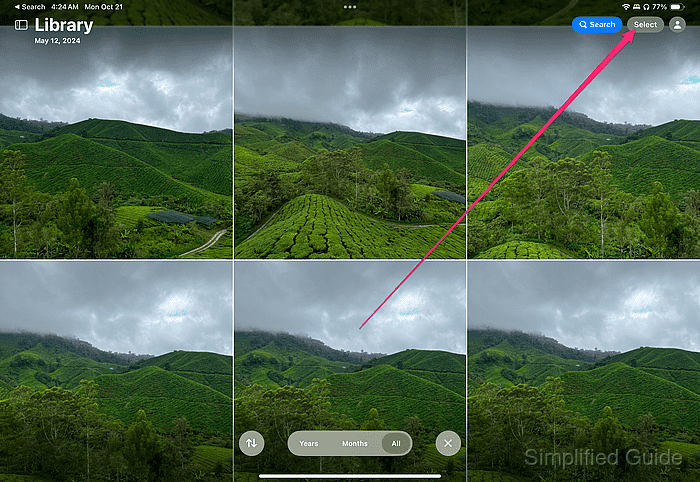
You can select multiple photos by tapping Select at the top right corner.
- Tap the Share icon in the bottom left corner.
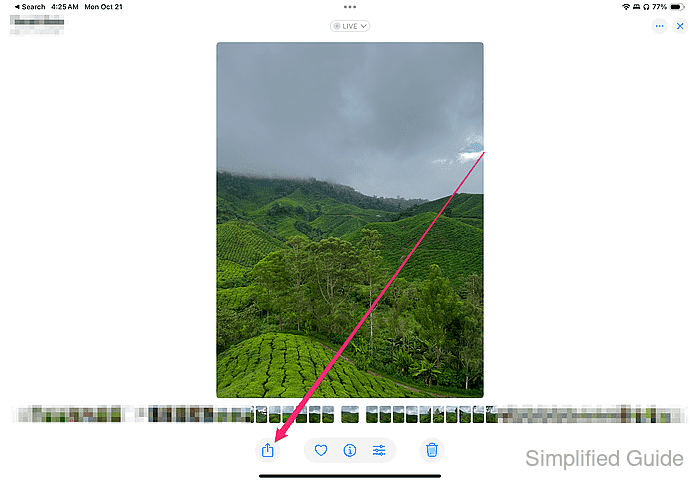
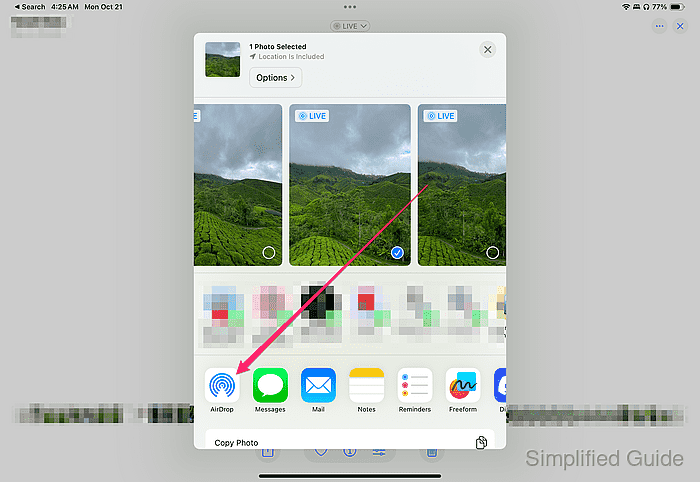
- Select AirDrop from the share options.
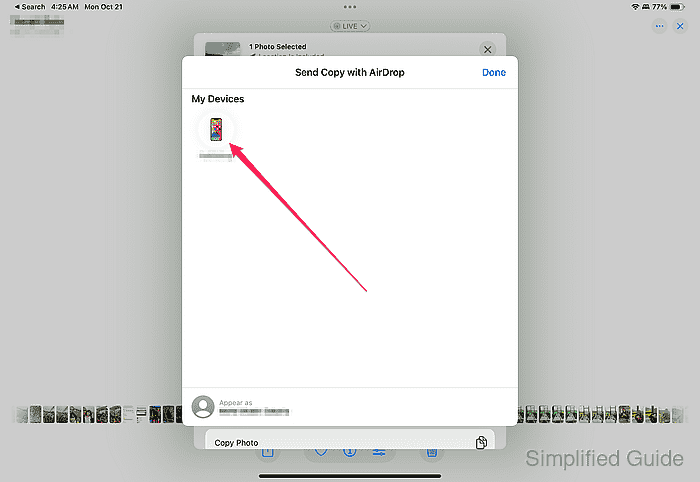
- Choose the receiving device from the list.
- On the receiving device, tap Accept when prompted.
If the device doesn’t appear, ensure AirDrop is set to Everyone for 10 minutes on the receiving device.