How to list InfluxDB 3 Core table schema
Listing an InfluxDB 3 Core table schema shows which tables exist and which columns are tags, fields, or time. It is the check to run before writing SQL queries, building dashboard panels, or comparing a migrated database against the expected layout.
InfluxDB 3 Core exposes user data tables through the iox schema. The SHOW TABLES statement lists user tables alongside system and information-schema metadata, while SHOW COLUMNS reports the SQL data type for each column in a selected table.
Use the same database endpoint and token that applications use for reads. A token with read access is enough for schema inspection, and a table may appear only after an explicit table creation or a first write has established its columns.
Steps to list InfluxDB 3 Core table schema:
- Set the token for the schema check.
$ export INFLUXDB3_AUTH_TOKEN='INFLUXDB_ADMIN_TOKEN'
Use a token with read access to the target database. Keep raw tokens out of shared logs, screenshots, and shell history.
- Set the host URL when the server is not on the default local listener.
$ export INFLUXDB3_HOST_URL=http://localhost:8181
Skip this when querying the default local listener at http://127.0.0.1:8181. Use the proxy or TLS URL that the client should actually test.
- List tables in the database.
$ influxdb3 query --database sensors "SHOW TABLES"
+---------------+--------------------+-------------------------------------+------------+
| table_catalog | table_schema       | table_name                          | table_type |
+---------------+--------------------+-------------------------------------+------------+
| public        | iox                | weather                             | BASE TABLE |
| public        | system             | distinct_caches                     | BASE TABLE |
| public        | system             | influxdb_schema                     | BASE TABLE |
##### snipped #####
| public        | information_schema | columns                             | VIEW       |
| public        | information_schema | df_settings                         | VIEW       |
+---------------+--------------------+-------------------------------------+------------+
Rows with table_schema set to iox are user tables. System and information-schema rows describe server metadata, query activity, and SQL catalog views.
- List columns for the target table.
$ influxdb3 query --database sensors "SHOW COLUMNS IN weather"
+---------------+--------------+------------+-------------+-------------------------+-------------+
| table_catalog | table_schema | table_name | column_name | data_type               | is_nullable |
+---------------+--------------+------------+-------------+-------------------------+-------------+
| public        | iox          | weather    | humidity    | Float64                 | YES         |
| public        | iox          | weather    | room        | Dictionary(Int32, Utf8) | YES         |
| public        | iox          | weather    | temperature | Float64                 | YES         |
| public        | iox          | weather    | time        | Timestamp(ns)           | NO          |
+---------------+--------------+------------+-------------+-------------------------+-------------+
Dictionary(Int32, Utf8) identifies a tag-like string dictionary column in SQL output. Numeric fields appear as Float64, Int64, UInt64, or another field type.
- Show tag and field roles from the InfluxDB schema table.
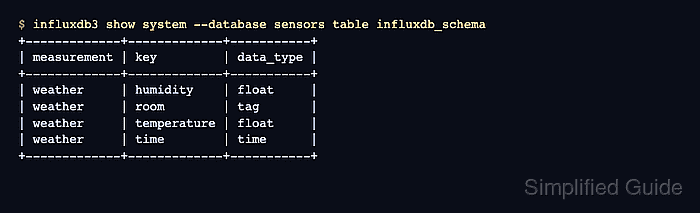
$ influxdb3 show system --database sensors table influxdb_schema
+-------------+-------------+-----------+
| measurement | key         | data_type |
+-------------+-------------+-----------+
| weather     | humidity    | float     |
| weather     | room        | tag       |
| weather     | temperature | float     |
| weather     | time        | time      |
+-------------+-------------+-----------+
influxdb_schema uses measurement for the table name and key for the column name. The data_type value distinguishes tags, fields, and the time column.
Related: How to query InfluxDB 3 Core system data - Query information_schema.columns when another SQL client needs the same metadata.
$ influxdb3 query --database sensors "SELECT column_name, data_type FROM information_schema.columns WHERE table_schema = 'iox' AND table_name = 'weather' ORDER BY ordinal_position"
+-------------+-------------------------+
| column_name | data_type               |
+-------------+-------------------------+
| humidity    | Float64                 |
| room        | Dictionary(Int32, Utf8) |
| temperature | Float64                 |
| time        | Timestamp(ns)           |
+-------------+-------------------------+
Use the table_schema = 'iox' filter to avoid system and information-schema columns when the task is limited to user data tables.