How to query InfluxDB 3 Core system data
Querying InfluxDB 3 Core system data shows what the running server knows about database tables, schema keys, caches, processing-engine state, and recent query activity. It is a read-only check for operators who need metadata before troubleshooting writes, validating a migration, or checking what a database currently exposes.
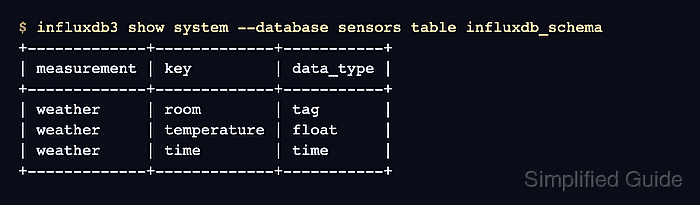
The influxdb3 show system command reads system tables through the CLI against one database at a time. The same metadata also appears through SQL under the system schema and through information_schema views; tables under iox are user data tables, while system tables describe internal metadata.
Use a token with read access to the database and connect to the listener that real clients use. Some system tables are empty until the matching feature has data, and system.queries contains recent in-memory query activity rather than a permanent audit log.
Steps to query InfluxDB 3 Core system data:
- Set an authentication token for the CLI session.
$ export INFLUXDB3_AUTH_TOKEN='INFLUXDB3_ADMIN_TOKEN'
Use a token with the least access needed for the database. Do not paste raw admin tokens into tickets, screenshots, or shared transcripts.
- List the system tables available for the target database.
$ influxdb3 show system --database sensors table-list
+-------------------------------------+---------------------------------------------------------------------------------------------------------------------------------------------------------------------------------------------------------------------+
| table_name                          | column_names                                                                                                                                                                                                        |
+-------------------------------------+---------------------------------------------------------------------------------------------------------------------------------------------------------------------------------------------------------------------+
| distinct_caches                     | [table, name, column_ids, column_names, max_cardinality, max_age_seconds]                                                                                                                                           |
| influxdb_schema                     | [measurement, key, data_type]                                                                                                                                                                                       |
##### snipped #####
| queries                             | [id, phase, issue_time, query_type, query_text, partitions, parquet_files, plan_duration, permit_duration, execute_duration, end2end_duration, compute_duration, max_memory, success, running, cancelled, trace_id] |
+-------------------------------------+---------------------------------------------------------------------------------------------------------------------------------------------------------------------------------------------------------------------+
Replace sensors with the database you are inspecting. Empty system tables can still appear in this list because the table exists even when the feature has no rows.
- Summarize the system tables before opening one table in detail.
$ influxdb3 show system --database sensors summary --limit 3
distinct_caches summary:
++
++
influxdb_schema summary:
+-------------+-------------+-----------+
| measurement | key         | data_type |
+-------------+-------------+-----------+
| weather     | room        | tag       |
| weather     | temperature | float     |
| weather     | time        | time      |
+-------------+-------------+-----------+
##### snipped #####
The --limit value limits rows returned from each system table in the summary, not the number of system tables summarized.
- Query the schema system table for table keys and data types.
$ influxdb3 show system --database sensors table influxdb_schema
+-------------+-------------+-----------+
| measurement | key         | data_type |
+-------------+-------------+-----------+
| weather     | room        | tag       |
| weather     | temperature | float     |
| weather     | time        | time      |
+-------------+-------------+-----------+
influxdb_schema is useful for confirming tag keys, field keys, and time columns before writing SQL, building dashboards, or checking migrated tables.
- List the system schema through SQL when a query workflow needs the metadata.
$ influxdb3 query --database sensors --format jsonl "SELECT table_schema, table_name, table_type FROM information_schema.tables WHERE table_schema = 'system' ORDER BY table_name"
{"table_schema":"system","table_name":"distinct_caches","table_type":"BASE TABLE"}
{"table_schema":"system","table_name":"influxdb_schema","table_type":"BASE TABLE"}
{"table_schema":"system","table_name":"last_caches","table_type":"BASE TABLE"}
{"table_schema":"system","table_name":"parquet_files","table_type":"BASE TABLE"}
{"table_schema":"system","table_name":"processing_engine_logs","table_type":"BASE TABLE"}
{"table_schema":"system","table_name":"processing_engine_trigger_arguments","table_type":"BASE TABLE"}
{"table_schema":"system","table_name":"processing_engine_triggers","table_type":"BASE TABLE"}
{"table_schema":"system","table_name":"queries","table_type":"BASE TABLE"}
Use SQL for automation, reports, or clients that already run influxdb3 query. The HTTP SQL API can use the same query body when a script cannot call the CLI.
Related: How to run an SQL query in InfluxDB 3 Core - Check recent system query records.
$ influxdb3 query --database sensors --format jsonl "SELECT query_text, phase, success FROM system.queries ORDER BY issue_time DESC LIMIT 3"
{"query_text":"SELECT query_text, phase, success FROM system.queries ORDER BY issue_time DESC LIMIT 3","phase":"success","success":true}
{"query_text":"SELECT table_schema, table_name, table_type FROM information_schema.tables WHERE table_schema = 'system' ORDER BY table_name","phase":"success","success":true}
{"query_text":"SELECT table_name,size_bytes,row_count FROM system.\"parquet_files\"\nORDER BY table_name\nLIMIT 100","phase":"success","success":true}
system.queries helps confirm that the server is recording recent query activity. Treat it as a short-lived runtime view, not as an audit log or billing record.