How to aggregate time series data with SQL in InfluxDB 3 Core
SQL aggregation in InfluxDB 3 Core turns raw time series rows into summaries for dashboards, reports, and quick data checks. Use it when an existing table has numeric fields, tags that define the groups, and a bounded time range that should be summarized instead of returned point by point.
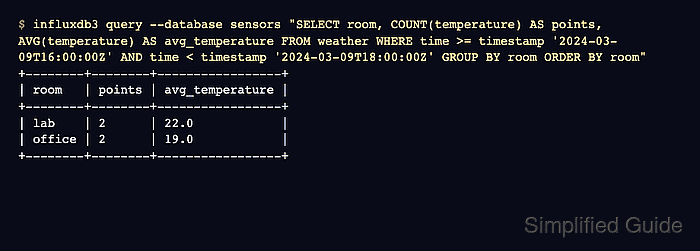
The influxdb3 query command runs SQL against a selected database and uses SQL by default. Aggregate functions such as COUNT() and AVG() return one row per group when paired with GROUP BY, so the output can show one summary for each host, room, device, or other tag value.
Time-windowed aggregates use DATE_BIN() to assign each point to a bucket start time before grouping. Keep the time filter in WHERE so InfluxDB scans the intended range, then group by the bucket expression and any tag columns that appear outside aggregate functions.
Steps to aggregate InfluxDB 3 Core data with SQL:
- Choose a table with a numeric field and a grouping tag.
The examples use the weather table, the temperature field, and the room tag in the sensors database. Use a scratch database for sample points before trying the same pattern on production data.
- Run a grouped aggregate query over the target time range.
$ influxdb3 query --database sensors "
SELECT
  room,
  COUNT(temperature) AS points,
  AVG(temperature) AS avg_temperature
FROM weather
WHERE time >= timestamp '2024-03-09T16:00:00Z'
  AND time < timestamp '2024-03-09T18:00:00Z'
GROUP BY room
ORDER BY room"
+--------+--------+-----------------+
| room   | points | avg_temperature |
+--------+--------+-----------------+
| lab    | 2      | 22.0            |
| office | 2      | 19.0            |
+--------+--------+-----------------+
COUNT() confirms how many points contributed to each group. AVG() returns the calculated value for the numeric field in that group.
- Compare the grouped result with the known points or expected dashboard total.
For the sample data, two lab points at 21.0 and 23.0 produce 22.0, and two office points at 18.0 and 20.0 produce 19.0.
- Add DATE_BIN() when the aggregate must be split into fixed time windows.
$ influxdb3 query --database sensors "
SELECT
  DATE_BIN(INTERVAL '1 hour', time) AS time,
  room,
  AVG(temperature) AS avg_temperature
FROM weather
WHERE time >= timestamp '2024-03-09T16:00:00Z'
  AND time < timestamp '2024-03-09T18:00:00Z'
GROUP BY 1, room
ORDER BY room, 1"
+---------------------+--------+-----------------+
| time                | room   | avg_temperature |
+---------------------+--------+-----------------+
| 2024-03-09T16:00:00 | lab    | 22.0            |
| 2024-03-09T16:00:00 | office | 18.0            |
| 2024-03-09T17:00:00 | office | 20.0            |
+---------------------+--------+-----------------+
GROUP BY 1 groups by the first selected expression, which keeps the bucketed column named time instead of grouping by the source table's original time column.
- Check that each bucket and tag combination matches the expected row count.
Rows are omitted when no points exist for a tag in a bucket. Use gap-fill functions only when the query must return empty windows as rows.