How to enable CouchDB for Hyperledger Fabric
Enabling CouchDB changes a Hyperledger Fabric peer from the embedded LevelDB state database to an external document database. Use it before creating a network that needs JSON document state, rich queries, or chaincode-packaged indexes.
Fabric reads the peer state database setting when the peer starts. The sample network passes the CouchDB choice through Docker Compose environment variables, while a production peer can use the same ledger settings in core.yaml or environment overrides such as CORE_LEDGER_STATE_STATEDATABASE.
Choose CouchDB before peers have ledger data. Switching an existing peer from goleveldb to CouchDB is not supported because the persisted state data formats are different, and every peer in the network should use the same state database type.
Related: Run the Hyperledger Fabric test network
Related: Deploy Hyperledger Fabric chaincode
Related: Query Hyperledger Fabric chaincode
Steps to enable CouchDB in the Hyperledger Fabric test network:
- Change to the Fabric test network directory.
$ cd fabric-samples/test-network
- Stop any old sample network state.
$ ./network.sh down
Stopping network
Removing network fabric_test
Removing generated channel artifacts
Removing organizations
Removing chaincode containers
This removes sample-network containers, generated crypto material, channel artifacts, and chaincode containers created by the test network.
- Vendor the ledger-query chaincode dependencies when the Go sample has not been prepared yet.
$ GO111MODULE=on go -C ../asset-transfer-ledger-queries/chaincode-go mod vendor
The ledger-query sample includes CouchDB index metadata under META-INF/statedb/couchdb/indexes, so deploying it proves more than a basic key lookup.
- Start the sample network with CouchDB as the peer state database.
$ ./network.sh up createChannel -s couchdb
Using docker and docker compose
Starting nodes with CLI timeout of '5' tries and CLI delay of '3' seconds and using database 'couchdb'
Creating channel 'mychannel'
Channel 'mychannel' joined
The -s couchdb flag adds the CouchDB Compose file and sets each peer to use a paired CouchDB container.
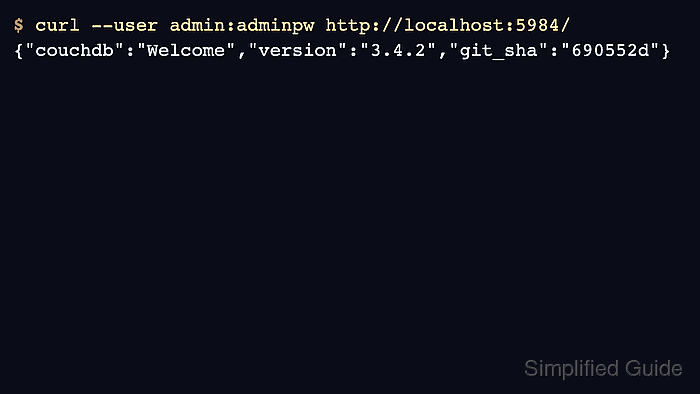
- Confirm CouchDB answers on the exposed development port.
$ curl --user admin:adminpw http://localhost:5984/
{"couchdb":"Welcome","version":"3.4.2","git_sha":"690552d"}
The sample network maps couchdb0 to localhost:5984 and couchdb1 to localhost:7984 for local development and Fauxton inspection. Production deployments should expose CouchDB only to the paired peer or protect the database connection.
- Confirm the peer CouchDB overrides in the Compose file.
- compose/compose-couch.yaml
peer0.org1.example.com:
  environment:
    - CORE_LEDGER_STATE_STATEDATABASE=CouchDB
    - CORE_LEDGER_STATE_COUCHDBCONFIG_COUCHDBADDRESS=couchdb0:5984
    - CORE_LEDGER_STATE_COUCHDBCONFIG_USERNAME=admin
    - CORE_LEDGER_STATE_COUCHDBCONFIG_PASSWORD=adminpw
  depends_on:
    - couchdb0
For a production peer, use a unique CouchDB user and password with read/write authority for that peer database. Store the password outside a world-readable core.yaml file.
- Deploy the ledger-query smart contract to mychannel.
$ ./network.sh deployCC -ccn ledger \
  -ccp ../asset-transfer-ledger-queries/chaincode-go/ \
  -ccl go \
  -ccep "OR('Org1MSP.peer','Org2MSP.peer')"
deploying chaincode on channel 'mychannel'
Installed chaincode package on peer0.org1.example.com
Installed chaincode package on peer0.org2.example.com
Committed chaincode definition for chaincode 'ledger' on channel 'mychannel'
The chaincode package carries the CouchDB index definition into each peer state database when the chaincode definition is committed.
- Check the peer log for the CouchDB index creation message.
$ docker logs peer0.org1.example.com
##### snipped #####
[couchdb] createIndex -> INFO 072 Created CouchDB index [indexOwner] in state database [mychannel_ledger] using design document [_design/indexOwnerDoc]
##### snipped #####
The index line proves the peer deployed chaincode metadata into the CouchDB-backed state database.
- Set the Org1 peer environment for the smoke test.
$ export PATH="$PWD/../bin:$PATH"
$ export FABRIC_CFG_PATH="$PWD/../config"
$ export CORE_PEER_TLS_ENABLED=true
$ export CORE_PEER_LOCALMSPID=Org1MSP
$ export CORE_PEER_TLS_ROOTCERT_FILE="$PWD/organizations/peerOrganizations/org1.example.com/peers/peer0.org1.example.com/tls/ca.crt"
$ export CORE_PEER_MSPCONFIGPATH="$PWD/organizations/peerOrganizations/org1.example.com/users/Admin@org1.example.com/msp"
$ export CORE_PEER_ADDRESS=localhost:7051
The active CORE_PEER_ADDRESS selects the peer that will endorse the invoke and query.
Related: Query Hyperledger Fabric chaincode - Create a JSON asset through the ledger chaincode.
$ peer chaincode invoke \
  -o localhost:7050 \
  --ordererTLSHostnameOverride orderer.example.com \
  --tls \
  --cafile "$PWD/organizations/ordererOrganizations/example.com/orderers/orderer.example.com/msp/tlscacerts/tlsca.example.com-cert.pem" \
  -C mychannel \
  -n ledger \
  -c '{"Args":["CreateAsset","asset1","blue","5","tom","35"]}'
2026-06-21 06:21:19.706 UTC [chaincodeCmd] chaincodeInvokeOrQuery -> INFO 001 Chaincode invoke successful. result: status:200
- Query the CouchDB state database with a JSON selector and the deployed index.
$ peer chaincode query -C mychannel -n ledger -c '{"Args":["QueryAssets", "{\"selector\":{\"docType\":\"asset\",\"owner\":\"tom\"}, \"use_index\":[\"_design/indexOwnerDoc\", \"indexOwner\"]}"]}'
[{"docType":"asset","ID":"asset1","color":"blue","size":5,"owner":"tom","appraisedValue":35}]
The JSON selector result confirms the peer is using CouchDB-backed state with the ledger-query chaincode.