How to uninstall Homebrew
A full Homebrew removal is different from uninstalling one formula or cask because it deletes the package manager prefix and the packages inside it. Use it when Homebrew itself is being retired, rebuilt from scratch, or removed from a macOS, Linux, or WSL account.
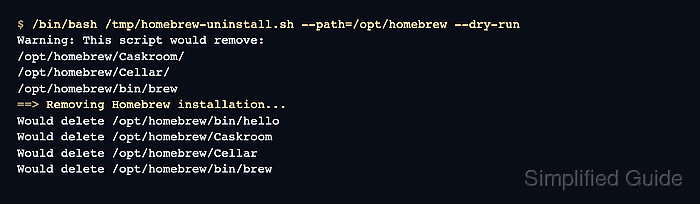
Homebrew's uninstall script lives in the official Homebrew/install repository. Running it with the prefix printed by brew --prefix keeps the removal pointed at the active installation instead of assuming an Apple Silicon, Intel, Linux, or WSL path.
The uninstaller removes Homebrew-owned files but can report residual files it did not delete, and it does not know every shell startup line a user added by hand. Save a Brewfile first when the package list matters, then verify from a fresh shell that brew no longer resolves.
Related: How to uninstall a Homebrew package
Steps to uninstall Homebrew:
- Export a Brewfile if the package list may be needed later.
$ brew bundle dump --file=~/Brewfile-before-homebrew-uninstall --force
Skip this inventory when the installed formulae and casks do not need to be recreated.
Related: How to export installed Homebrew packages to a Brewfile - Print the active Homebrew prefix.
$ brew --prefix
/opt/homebrew
Use the prefix printed on your machine. Common prefixes are /opt/homebrew on Apple Silicon macOS, /usr/local on Intel macOS, and /home/linuxbrew/.linuxbrew on Linux or WSL.
Related: How to find a Homebrew package prefix - Download the official Homebrew uninstaller.
$ curl -fsSL https://raw.githubusercontent.com/Homebrew/install/HEAD/uninstall.sh -o /tmp/homebrew-uninstall.sh
- Preview the files that the uninstaller would remove.
$ /bin/bash /tmp/homebrew-uninstall.sh --path=/opt/homebrew --dry-run
Warning: This script would remove:
/opt/homebrew/Caskroom/
/opt/homebrew/Cellar/
/opt/homebrew/bin/brew
==> Removing Homebrew installation...
Would delete /opt/homebrew/bin/hello
Would delete /opt/homebrew/Caskroom
Would delete /opt/homebrew/Cellar
Would delete /opt/homebrew/bin/brew
Do not continue if the dry run lists a prefix or package tree you still need. Replace /opt/homebrew with the prefix printed by brew --prefix before running the removal command.
- Run the official uninstaller after accepting the dry-run list.
$ /bin/bash /tmp/homebrew-uninstall.sh --path=/opt/homebrew
Warning: This script will remove:
/opt/homebrew/Caskroom/
/opt/homebrew/Cellar/
/opt/homebrew/bin/brew
Are you sure you want to uninstall Homebrew? This will remove your installed packages! [y/N] y
==> Removing Homebrew installation...
==> Removing empty directories...
==> Homebrew uninstalled!
This removes Homebrew packages, casks, and the brew command from the selected prefix. Stop Homebrew services and close apps that depend on that prefix before confirming.
- Remove the downloaded uninstaller script.
$ rm /tmp/homebrew-uninstall.sh
- Open the shell startup file that loaded Homebrew.
$ nano ~/.zprofile
Common startup files include ~/.zprofile, ~/.zshrc, ~/.bash_profile, ~/.bashrc, and ~/.profile.
Related: How to configure Homebrew shell environment - Delete any line that calls the removed Homebrew binary.
eval "$(/opt/homebrew/bin/brew shellenv zsh)"
Use the prefix and shell syntax from your old setup. On Linux or WSL, the line may point to /home/linuxbrew/.linuxbrew/bin/brew instead.
- Open a new terminal session.
- Confirm that the new shell cannot find brew.
$ command -v brew
No output means brew is no longer in the shell search path.
- Check whether the old prefix still exists.
$ ls -ld /opt/homebrew
ls: /opt/homebrew: No such file or directory
If the prefix still exists, compare it with the uninstaller's residual-file message before removing anything manually. On Intel macOS, do not remove /usr/local wholesale because it can contain non-Homebrew files.