How to run brew doctor
Homebrew's brew doctor command checks the local package manager installation for conditions that can interfere with installs, upgrades, taps, and casks. It is useful after a failed package operation, after moving a Homebrew prefix, or before opening a Homebrew issue.
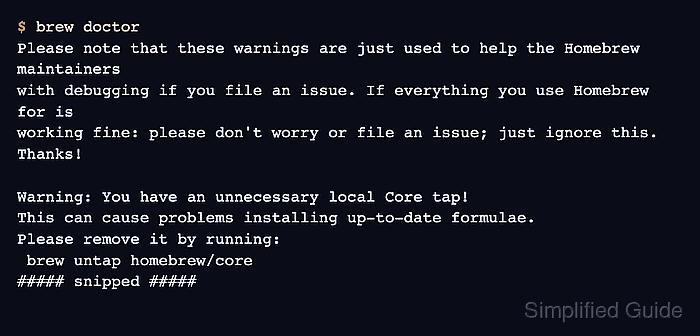
The diagnostic does not repair the system by itself. It prints warnings, exits with a nonzero status when warnings are present, and leaves the choice of any corrective command to the operator.
Some warnings are informational for Homebrew maintainers rather than proof that packages are broken. Treat the output as a triage list by fixing warnings that match the failing package operation, rerunning the affected check, and keeping the full output when the issue still needs to be reported.
Related: How to update Homebrew package metadata
Related: How to fix Homebrew permission errors
Steps to run brew doctor:
- Run the Homebrew diagnostic check.
$ brew doctor
Please note that these warnings are just used to help the Homebrew maintainers
with debugging if you file an issue. If everything you use Homebrew for is
working fine: please don't worry or file an issue; just ignore this. Thanks!

Warning: You have an unnecessary local Core tap!
This can cause problems installing up-to-date formulae.
Please remove it by running:
 brew untap homebrew/core
##### snipped #####
brew doctor exits with status 0 only when no warnings are found. Warning output normally exits nonzero so scripts and CI checks can stop before continuing.
- Read each warning before running a suggested command.
Use the suggested command only when the warning matches the package operation that is failing. Homebrew's own diagnostic text says warnings can be ignored when everything Homebrew manages is working as expected.
- List diagnostic check names when one warning needs focused retesting.
$ brew doctor --list-checks
check_access_directories
check_brew_git_origin
check_broken_sdks
##### snipped #####
check_for_unnecessary_core_tap
check_user_path_1
check_user_path_2
check_user_path_3
--list-checks prints the internal check names that can be passed back to brew doctor as arguments.
- Rerun one named diagnostic check while isolating a warning.
$ brew doctor check_for_unnecessary_core_tap
Please note that these warnings are just used to help the Homebrew maintainers
with debugging if you file an issue. If everything you use Homebrew for is
working fine: please don't worry or file an issue; just ignore this. Thanks!

Warning: You have an unnecessary local Core tap!
This can cause problems installing up-to-date formulae.
Please remove it by running:
 brew untap homebrew/core
Named checks are useful after reviewing one warning or after making a targeted fix. They should not replace a full brew doctor run when the original package failure is still unexplained.
- Run the full diagnostic again after fixes are complete.
$ brew doctor
Your system is ready to brew.