How to use ChatPromptBuilder in Haystack
Role-based model requests need more structure than one plain prompt string because system instructions and user content must remain separate. Haystack ChatPromptBuilder renders reusable Jinja variables while preserving each message's role for a downstream chat generator.
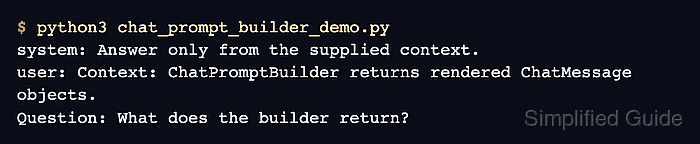
The component accepts a list of ChatMessage templates and returns the rendered list under its prompt output. A system message can hold response constraints while a user message receives context and a question at run time.
Missing template inputs render as empty strings unless they are required, which can silently remove context or the question from a model request. The required_variables=“*” policy turns that incomplete input into an error before the prompt reaches a generator.
Steps to build chat prompts with ChatPromptBuilder in Haystack:
- Create chat_prompt_builder_demo.py with the component imports and system message.
- chat_prompt_builder_demo.py
from haystack.components.builders import ChatPromptBuilder
from haystack.dataclasses import ChatMessage

system_message = ChatMessage.from_system(
    "Answer only from the supplied context."
)
- Append the user message with context and question placeholders.
user_message = ChatMessage.from_user(
    "Context: {{ context }}\nQuestion: {{ question }}"
)
- Append the template list and builder with every detected variable required.
template = [system_message, user_message]
builder = ChatPromptBuilder(
    template=template,
    required_variables="*",
)
- Append the runtime rendering block with both required values.
result = builder.run(
    context="ChatPromptBuilder returns rendered ChatMessage objects.",
    question="What does the builder return?",
)
prompt = result["prompt"]
- Append assertions for the message count, role order, and rendered text.
assert len(prompt) == 2
assert [message.role.value for message in prompt] == ["system", "user"]
assert all("{{" not in message.text for message in prompt)
- Append a loop that prints each rendered role and message.
for message in prompt:
    print(f"{message.role.value}: {message.text}")
- Run chat_prompt_builder_demo.py to confirm both placeholders render within ordered messages.
$ python3 chat_prompt_builder_demo.py
system: Answer only from the supplied context.
user: Context: ChatPromptBuilder returns rendered ChatMessage objects.
Question: What does the builder return?